The AI skill and editor integration that gives your coding agent n8n superpowers.
n8n-as-code turns compatible editors into a GitOps and AI workspace for n8n workflows: pull from n8n, edit locally, search nodes and templates instantly, validate before deploy, and push changes back with full control.
Published for both the Microsoft Marketplace and Open VSX.
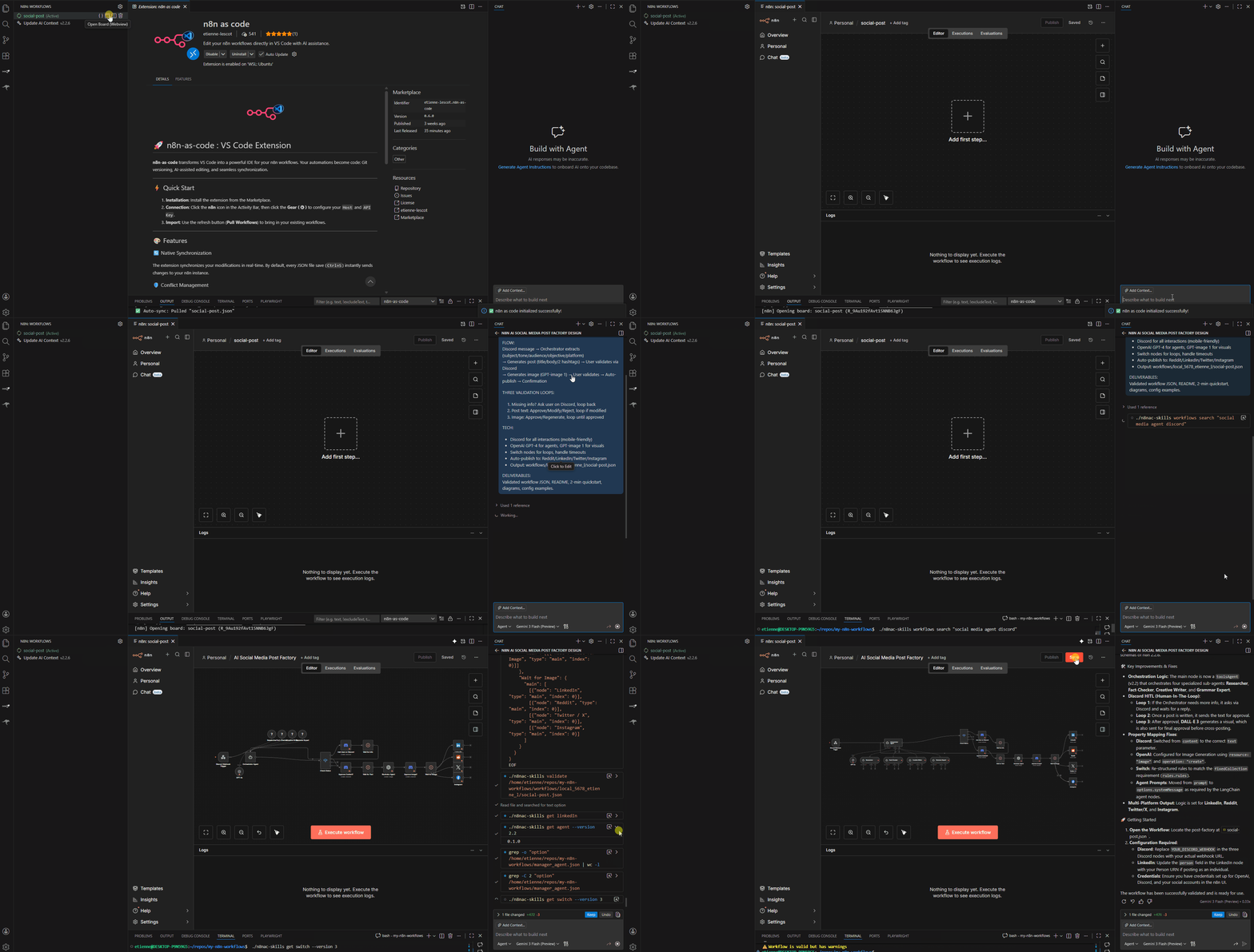
- Install
n8n-as-codefrom the Microsoft Marketplace or Open VSX. - Open a folder or
.code-workspacebefore initialization. - Open the
n8nview, runn8n: Configure, enter the URL and API key of the existing n8n instance you want to use, load the target project, then save and activate the config. - Refresh the explorer to list your workflows and start syncing.
Marketplace links:
- Microsoft Marketplace: https://marketplace.visualstudio.com/items?itemName=etienne-lescot.n8n-as-code
- Open VSX: https://open-vsx.org/extension/etienne-lescot/n8n-as-code
Use a deliberate pull, edit, validate, push workflow instead of editing directly in the browser. n8n-as-code keeps local files and the remote n8n instance aligned without hiding sync decisions from you.
The editor integration is backed by the shared n8nac CLI and @n8n-as-code/skills package, so agents can work with the same embedded n8n ontology used across the broader project:
- JSON schema validation for live feedback
- snippets for common nodes and workflow patterns
AGENTS.mdgeneration for Copilot, Cursor, Windsurf, Claude Code, and similar tools- local search across nodes, docs, and workflow templates
Use Find Workflow from the n8n view or Command Palette to jump straight to a workflow by partial name, workflow ID, or local filename instead of scrolling long trees.
If a workflow diverges locally and remotely, synchronization pauses instead of guessing. You can inspect the diff and decide whether to keep the local or remote version.
Open a live split view to compare the code and the n8n canvas while you edit. This is useful for validating structural changes before you push.
Workflows are grouped by instance and project so multiple environments can coexist cleanly in the same workspace.
This editor distribution is one entry point into the wider n8n-as-code product surface:
- editor integration via Microsoft Marketplace and Open VSX
n8nacCLI for direct terminal workflows- AI skills for coding agents
- Claude Code and OpenClaw integrations in the monorepo
The extension stores saved instance configs and the active selection in n8nac-config.json at the workspace root. This lets one workspace keep multiple n8n environments without losing previously saved configs.
The legacy native editor settings below still exist as compatibility fallbacks:
| Parameter | Description | Default |
|---|---|---|
n8n.host |
URL of your n8n instance | - |
n8n.apiKey |
Your n8n API Key | - |
n8n.syncFolder |
Local storage folder | workflows |
In the configuration screen:
Add instancesaves another existing n8n environment in the workspaceSelect instanceloads a saved config into the formSave and activate configmakes that config the active one for the workspace
n8n-as-code is not a browser companion. It is a local-first workflow environment for n8n.
- your agent works from real local files
- the n8n schema and docs are available offline in the installed assets
- sync is explicit, reviewable, and Git-friendly
That is why the same project can power editor workflows, CLI automation, Claude integrations, and OpenClaw without changing the underlying mental model.
MIT