Neural based vst plugin for VoiceConversion. Supports RVC and RVC2 trained models in pytorch .pth (python) and .pt (c++ traced) formats. I adapted the original code for Windows, using Windows 11. If i remember correctly the "dlfcn" folder in "ThirdParty" directory is taken from this repo https://github.com/dlfcn-win32/dlfcn-win32 (version 1.4.2), go there for any updates. I exploited the potential of Juce to create plugins in VST3, VST (vst-sdk-2.4), LV2, AAX and standalone formats with Jack4Win support as well as ASIO. I'm not at all sure it will work on another PC. The AAX plugin certainly won't work because it isn't activated. If you know the steps to follow according to the Avid\iLok guidelines and have the necessary tools (e.g. "AAX Validator" and "Pro Tools Developer") i think you can activate it after verifying that it works on Pro Tools.
[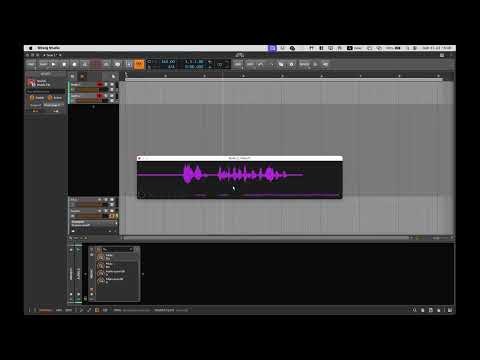
Video use Mac release from original guglielmofratticioli repo (i thank him for his work, i hope didn't damage it, i'm not a programmer and have no computer knowledge and this fork is perhaps a presumptuous act by me, but not in my intentions).
It is best to ensure that your projects are all set to the C++17 language standard in particular ALL_BUILD, INSTALL, ZERO_CHECK, NeuVC_All, NeuVC_rc_lib .
Create folders in the "NeuVC\Assets" directory as in this repo and place the models as in the readme files there.
Set "test_rvc" as the solution startup project for Visual Studio.
Put JUCE folder on the Thirdparty folder, then run
$ mkdir build
$ cd build
then create a VS project with
$ cmake .. -G"Visual Studio 17 2022" -A x64
you can launch the .sln and build it yourself
I Used Cmake 4.1.1 and started the build process through his gui, used also Juce version 8.0.10 and Visual Studio Community Edition 2022 v17 updated to latest release.
Check the directories correspondence in the cmakelists.txt file and in some other source code files. The code indicates other .pt model names. Search for them online. If they are in .pth format, convert them with the Python script in the repo. You can change the name either in the code itself (and recompile) or change directly the model file name. Check the directory where you want to load and to put the models directly from the code.
You can download the pre-built Windows test-release on the releases page.
If you want to use the python mode to directly convert with .pth RVC models you should
- Install python setting up a conda/miniconda version 3.0+
- Install using pip the requirements in requirements.txt
conda activate baseconda install pip¡ move to cloned NeuVC directory and launchpip install -r requirements.txt`