基于 React Native / Expo 和腾讯云开发的移动应用示例项目,演示了用户登录、云函数调用、数据模型操作、云存储上传等常用功能的实现。
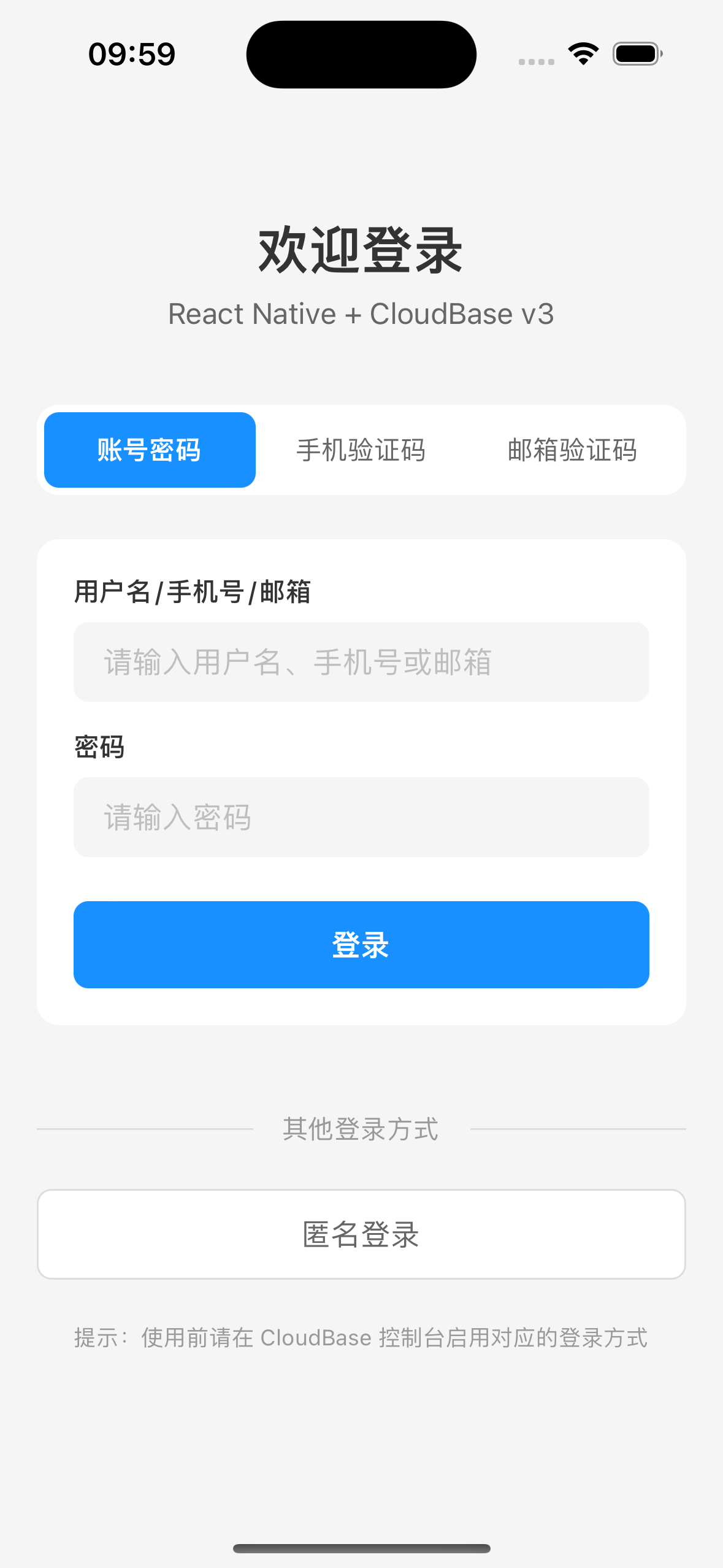
- 多种登录方式:账号密码、手机验证码、邮箱验证码、匿名登录
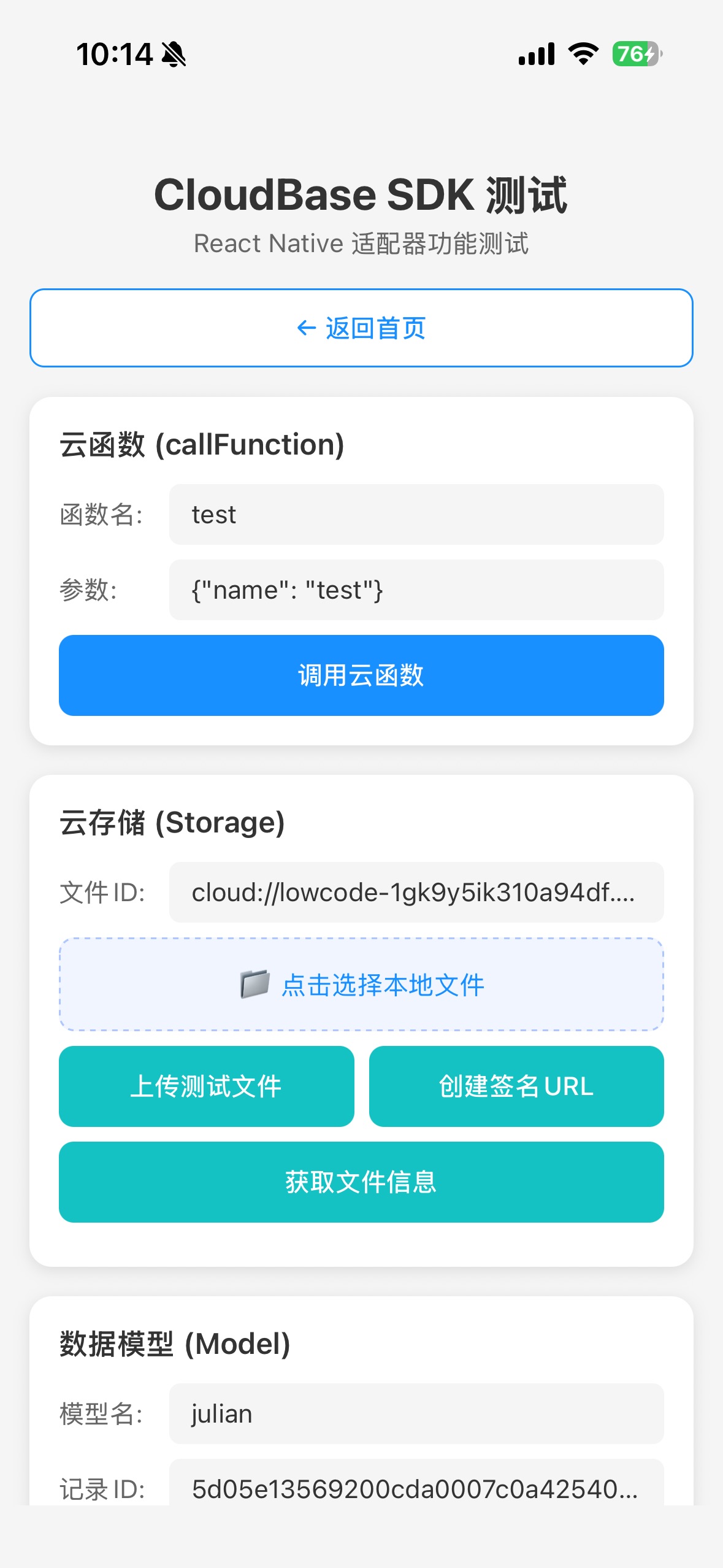
- 云函数调用
- 数据模型(Models)操作
- 云存储文件上传(支持本地文件选择)
- MySQL 数据库操作
- 图形验证码处理
- Node.js >= 18
- React Native 0.76+
- Expo SDK 52+
- iOS 13+ / Android 6+
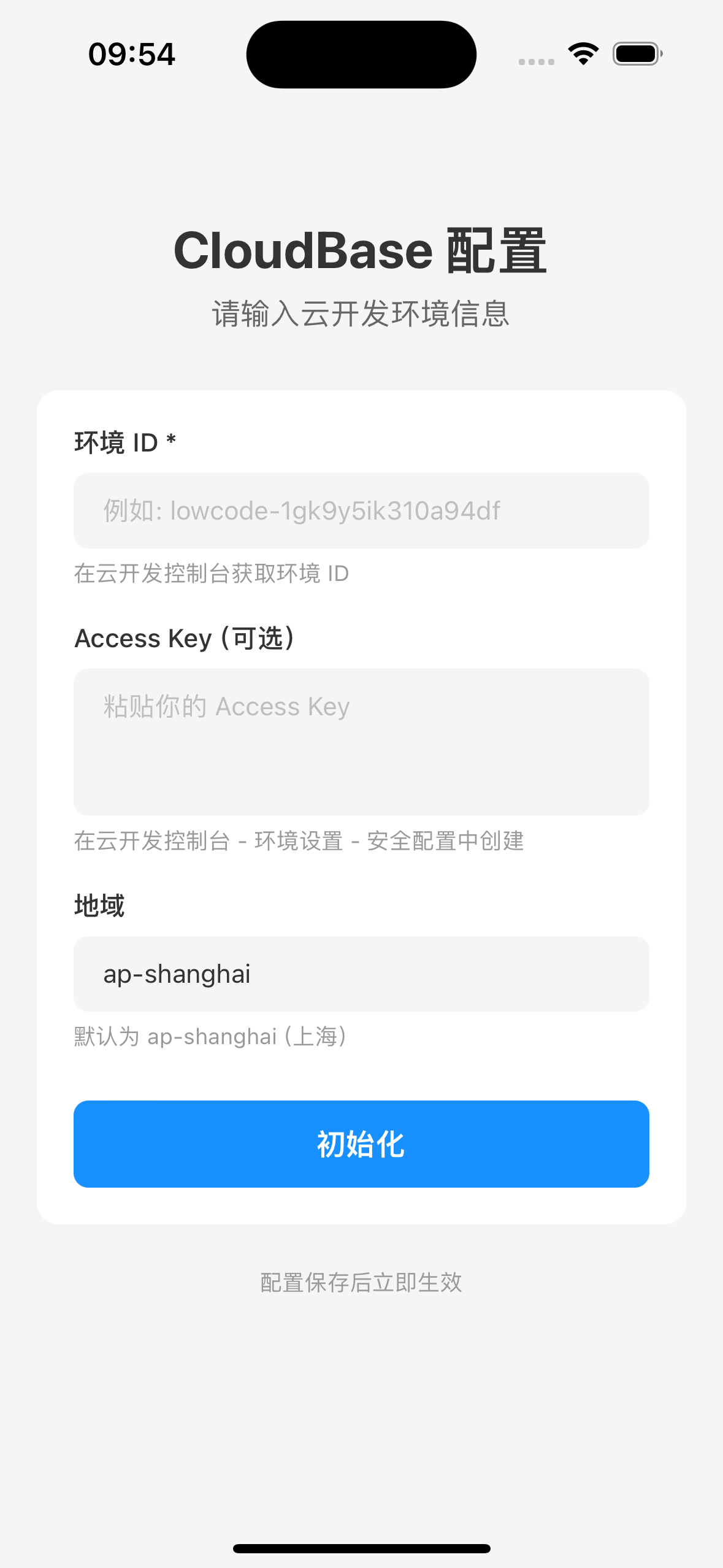
npm installcd ios && pod install && cd ..编辑 src/config/cloudbase.ts,填入你的云开发环境配置:
const cloudbaseConfig = {
  env: 'your-env-id',           // 环境 ID
  region: 'ap-shanghai',         // 地域
  accessKey: 'your-access-key',  // Access Key
};# iOS
npx expo run:ios
# Android
npx expo run:androidsrc/
├── config/ # 配置文件
│ └── cloudbase.ts # CloudBase 初始化配置
├── hooks/ # React Hooks
│ └── useAuth.ts # 认证状态管理
├── screens/ # 页面组件
│ ├── LoginScreen.tsx # 登录页面
│ ├── ProfileScreen.tsx # 用户信息页面
│ └── TestScreen.tsx # 功能测试页面
├── services/ # 服务层
│ └── authService.ts # 认证服务封装
└── types/ # TypeScript 类型定义
└── auth.ts

| 依赖 | 版本 | 说明 |
|---|---|---|
| @cloudbase/js-sdk | ^2.24.9 | 腾讯云开发 SDK |
| @cloudbase/adapter-rn | ^1.0.0 | React Native 适配器 |
| react-native-mmkv | ^3.3.3 | 高性能持久化存储 |
import app from './src/config/cloudbase';

const auth = app.auth;

// 账号密码登录
const { user, error } = await auth.signInWithPassword({
  username: 'your-username',
  password: 'your-password',
});

// 手机验证码登录
const { verifyOtp } = await auth.signInWithOtp({ phone: '+8613800138000' });
const result = await verifyOtp({ token: '123456' });

// 匿名登录
const { user } = await auth.signInAnonymously();const res = await app.callFunction({
name: 'functionName',
data: { key: 'value' },
});
console.log(res.result);// 查询列表
const { data } = await app.models.YourModel.list({
select: { $master: true },
filter: { limit: 10 },
});
// 创建数据
await app.models.YourModel.create({
data: { title: '测试数据' },
});import * as FileSystem from 'expo-file-system';
// 读取文件为 base64
const base64 = await FileSystem.readAsStringAsync(fileUri, {
encoding: FileSystem.EncodingType.Base64,
});
// 上传
const storage = app.storage.from();
const { data, error } = await storage.upload('path/file.jpg', base64, {
contentType: 'image/jpeg',
contentEncoding: 'base64',
});- MMKV 版本:使用 v3.x,v4.x 需要 NitroModules 配置较复杂
- 文件上传:RN 环境需使用 base64 编码,并设置
contentEncoding: 'base64' - CloudBase 控制台:使用前需在控制台启用对应的登录方式
MIT