
BETA
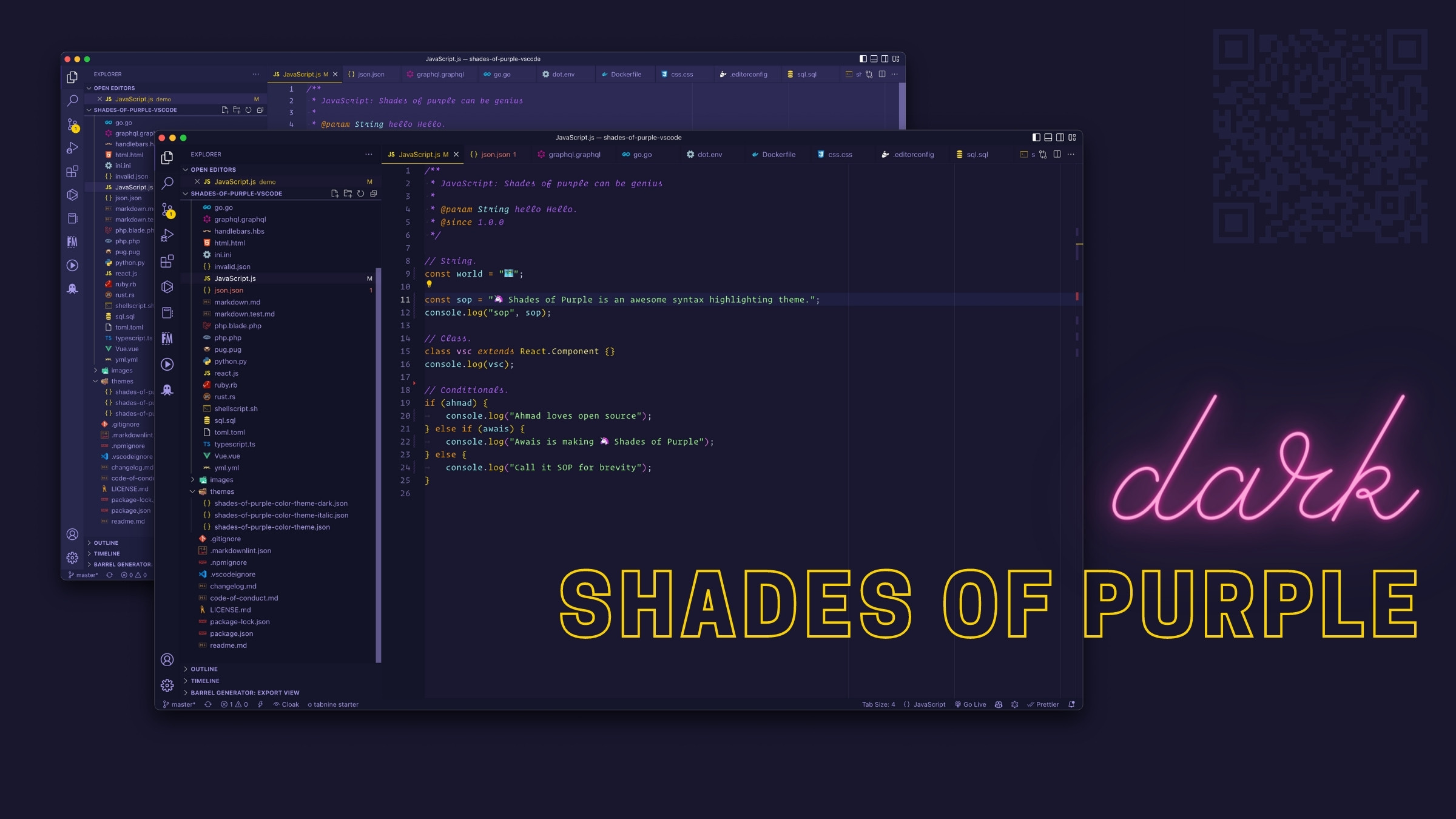
A professional theme suite with hand-picked & bold shades of purple
One of the most downloaded and top-rated VS Code themes on the marketplace




Shades of Purple is more than a theme — it's a carefully crafted experience designed to reduce eye strain while maintaining exceptional code readability. After years of refinement, this theme has become the go-to choice for developers who appreciate bold, vibrant syntax highlighting without sacrificing professionalism.
- Hand-picked color palette — Every shade of purple has been selected for optimal contrast and readability
- Comprehensive language support — Works beautifully with JavaScript, TypeScript, PHP, Python, Go, HTML, CSS, Markdown, and 50+ languages
- Professional & bold — Perfect for teaching, presentations, and daily coding
- Battle-tested — Used by thousands of developers worldwide in production environments
- Active maintenance — Regular updates for the latest VS Code features
|
Built with care by Ahmad Awais
A FOSS (Free & Open Source Software) project maintained with love. Become a Visual Studio Code Power User → |
|
|
Follow Ahmad's work on GitHub @AhmadAwais
Say hi on Twitter @MrAhmadAwais |

|



Used by 5,000,000+ developers worldwide with 175 five-star ratings. Here's what makes them stay:
"A gorgeous, high contrast theme that stands out without getting in the way. Especially great for doing developer talks and screencasts."
— Shawn Swyx Wang · Latent Space, AI Engineer
"Once you switch to this theme you'll never switch back. There's nothing quite like it."
— Kim Takala
"I switch syntax themes often, but I haven't felt the need to switch since using this one for the past 6 months, it's my new default."
— Adam Hollister · Lead Developer @British & Irish Modern Music Institute
"I always tried to stay away from any addiction, but I can't help myself with this one; once you start using it, there's no way to go back. Kudos!"
— Fahad Mir
"Most comfortable theme to work with, especially the color contrast, great work."
— Faris Abusada
"Sticking to code editor for long hours is no more pain for eyes 💯"
— Fatima Mubeen
"I've tried a bunch of themes and this one seemed a bit garish at first... but I gave it a go and oh lord it's really good, not to mention the best to spend hours and hours coding without getting tired."
— Pablo Herrero
"In my 18+ years of coding experience, this is by far the most pleasing theme I've ever used in an editor (or any application for that matter)."
— Muneeb Karim
"Best theme I've used in 20 years of development. I started using it about two weeks ago, I don't change anything, I already put everything that is available."
— Gustavo Cassino
"Themes with more unique colors like purple are relatively rare, so it's great to see purple represented here. It's a fun theme, and it's easy to read!"
— Ali Spittel · Tech Director @WomenWhoCode
"Just installed Shades of Purple and absolutely love it! I love these colors!"
— Alexandra Spalato · JavaScript & WordPress Developer
"The colors just mesh so well. When I first saw this theme I thought. Ewww, Purple? But it very quickly grew on me and now only wish I had found it sooner."
— Marco Crank
"I'm coding more and my productivity has skyrocketed. This theme makes it very easy to focus on the things that matter."
— Raju Mandapati
"The choice of colours complement each other incredibly well and the overall UI is really pleasing to the eye."
— Deleted User
"Feels like I'm in an arcade game 10/10"
— Daniel Varcas
"I now love my editor"
— Alec Hanefeld
⭐⭐⭐⭐⭐ 175 five-star ratings · Read all 175+ reviews on the marketplace →

Watch this comprehensive video guide to see Shades of Purple in action. Learn the installation process and discover features like enhanced markdown editing, syntax highlighting, and customization options.
This video is part of the VSCode.pro course — a complete guide to mastering Visual Studio Code.


Get started with Shades of Purple in under a minute:
- Open the extensions sidebar in Visual Studio Code
- Search for
Shades of Purple Theme - Click Install to install it
- Click Reload to reload your editor
- Select the theme — Code/File > Preferences > Color Theme > Shades of Purple
- Enjoy! And consider leaving a review ⭐⭐⭐⭐⭐
Love the theme? Over 110+ developers have already rated it five stars. Join them →

Prefer the command palette? Here's the quick way:
- Launch Quick Open — Press Cmd+P on macOS or Ctrl+P on Windows/Linux
- Paste the command —
ext install shades-of-purple - Hit Enter and click Install
- Click Reload to reload your editor
- Select the theme — Code/File > Preferences > Color Theme > Shades of Purple

Shades of Purple works great out of the box. But for the ultimate experience, especially if you use Operator Mono or a similar font, try these custom settings:
Note: These settings are completely optional. The theme works beautifully with your existing configuration.
{
  // Theme Setup
  "workbench.colorTheme": "Shades of Purple",
  "workbench.iconTheme": "vscode-icons",

  // Font Settings (Operator Mono recommended)
  "editor.fontFamily": "Operator Mono, Menlo, Monaco, 'Courier New', monospace",
  "terminal.integrated.fontFamily": "'Operator Mono', 'Inconsolata for Powerline', monospace",
  "editor.fontSize": 17,
  "editor.lineHeight": 24.65,
  "editor.letterSpacing": 0.5,
  "editor.fontWeight": "400",
  "editor.fontLigatures": true,

  // Cursor Settings
  "editor.cursorStyle": "line",
  "editor.cursorWidth": 5,
  "editor.cursorBlinking": "solid",

  // Editor Behavior
  "editor.renderWhitespace": "all",
  "editor.snippetSuggestions": "top",
  "editor.glyphMargin": true,
  "workbench.editor.enablePreview": false,
  "workbench.startupEditor": "newUntitledFile",

  // File Management
  "explorer.confirmDragAndDrop": false,
  "files.trimTrailingWhitespace": true,
  "files.trimFinalNewlines": true,

  // Formatting (Optional)
  "editor.formatOnSave": true,
  "prettier.eslintIntegration": true,
  "eslint.run": "onType",
  "editor.codeActionsOnSave": {
    "source.fixAll.eslint": true
  },

  // macOS Specific
  "workbench.fontAliasing": "auto",
  "terminal.integrated.macOptionIsMeta": true,
  "workbench.statusBar.feedback.visible": false,

  // Semantic Highlighting
  "editor.semanticHighlighting.enabled": false,

  // Extension Settings for Shades of Purple
  "highlight-matching-tag.styles": {
    "opening": {
      "full": {
        "highlight": "rgba(165, 153, 233, 0.3)"
      }
    }
  },
  "importCost.largePackageColor": "#EC3A37F5",
  "importCost.mediumPackageColor": "#B362FF",
  "importCost.smallPackageColor": "#B362FF"
}Want to go all-in on purple? Use this custom Shades of Purple VSCode icon based on the excellent work by VSCode Icons.
Want to master VS Code? After 10 years with Sublime Text, I switched to VSCode and spent 1,000+ hours perfecting my setup. I've distilled everything into a comprehensive course covering workflows for HTML/CSS, JavaScript, PHP, Git, Markdown, and 50+ extensions. Learn more at VSCode.pro →

Got questions? Here are the most common ones:
- How do I disable italics? — Settings for a no-italics version
- Highlight Matching Tag settings? — Matching styles configuration
- Indent Rainbow settings? — Compatible color configuration
- VSCode Power User Setup? — Complete course on my workflow

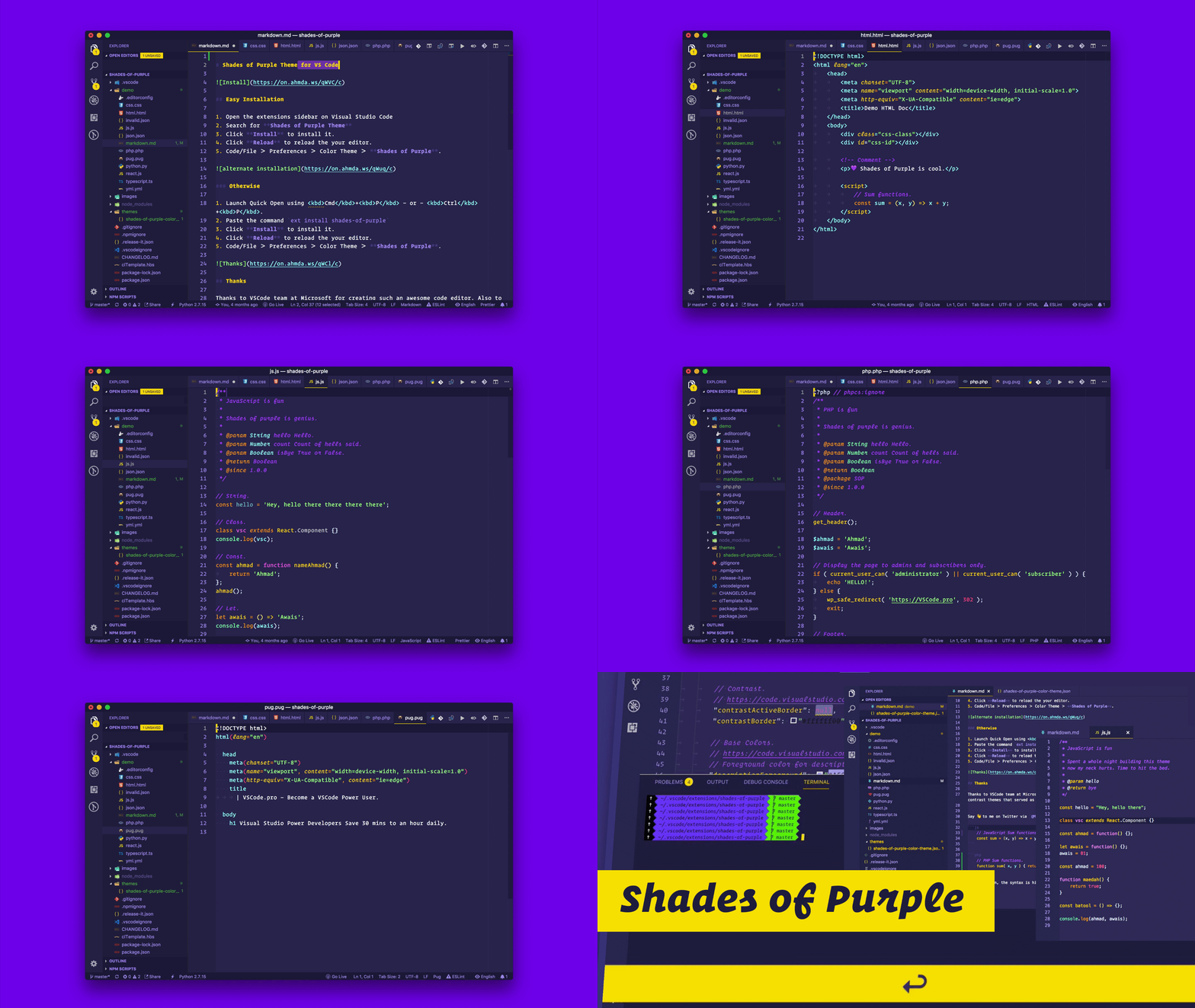
See how Shades of Purple enhances syntax highlighting across multiple languages:










Love the theme? Take Shades of Purple everywhere you code. I've built matching themes for your entire development workflow:
- VSCode — The flagship theme you're reading about
- iTerm2 — Beautiful terminal experience for macOS
- Hyper™ — Electron-based terminal theme
- Alacritty — GPU-accelerated terminal emulator
- Konsole — KDE terminal emulator theme
- Cygwin — Windows terminal environment
- HighlightJS — Web-based syntax highlighting
- Prism — React syntax highlighter (CSS version)
- Code Surfer — MDX Deck code presentations
- Bat — Cat clone with syntax highlighting
- Google Chrome — Browser theme for Chrome
- Alfred — macOS productivity app theme
- Slack — Team collaboration theme
- WordPress — Admin dashboard theme
Themed your favorite app with Shades of Purple? Let me know! I'd love to feature it here.
Shades of Purple uses a carefully selected palette optimized for contrast and readability. Perfect for implementing the theme in your own projects or creating matching assets.
| Usage | Color Preview | Hex Code |
|---|---|---|
| Background |  |
#2D2B55 |
| Background Dark |  |
#1E1E3F |
| Foreground |  |
#A599E9 |
| Hover Background |  |
#4D21FC |
| Contrast |  |
#FAD000 |
| Contrast Lite |  |
#FFEE80 |
| Contrast Lite II |  |
#FAEFA5 |
| Highlight |  |
#FF7200 |
| Comment |  |
#B362FF |
| Constants |  |
#FF628C |
| Keywords |  |
#FF9D00 |
| Other |  |
#9EFFFF |
| Strings |  |
#A5FF90 |
| Templates |  |
#3AD900 |
| Definitions |  |
#FB94FF |
| Invalid |  |
#EC3A37F5 |
| Diff Added |  |
#00FF009A |
| Diff Removed |  |
#FF000D81 |

After a decade with Sublime Text, I made the switch to VSCode. The transition taught me everything about productive workflows, essential extensions, and optimal configurations. I've distilled all that knowledge into a comprehensive course: VSCode.pro.

Hello! I'm Ahmad Awais, I made Shades of Purple together with my better half Maedah Batool. I'm a developer, open source enthusiast, and educator. I love building tools that make developers' lives easier.

MIT Licensed · Copyright © Ahmad Awais
Shades of Purple draws inspiration from the excellent work of many theme creators, including:
- Roberto Achar's original tmTheme
- Icons8 for the assets used in this documentation
- The VSCode team at Microsoft for creating an incredible editor
- Follow on GitHub: @AhmadAwais
- Follow on Twitter: @MrAhmadAwais
- Blog: AhmadAwais.com