Edit like an Ace
Ace is a code editor written in JavaScript. It powers Cloud9 IDE and, as of today, file editing on GitHub. If you’re using a recent version of Safari, Chrome, or…
Ace is a code editor written in JavaScript. It powers Cloud9 IDE and, as of today, file editing on GitHub.

If you’re using a recent version of Safari, Chrome, or Firefox here’s how it works:
1. Hit the “Edit” button (or the e hotkey) on any blob
2. Edit your code
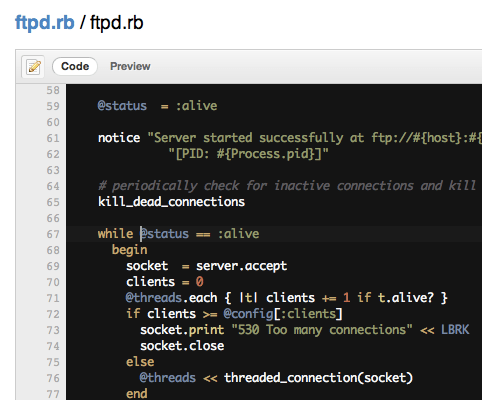
The basics should all work: TAB to indent, Shift+TAB to unindent, Command+/ (OSX) or Control+/ (Win/Linux) to comment out or uncomment a line.
3. Preview your changes
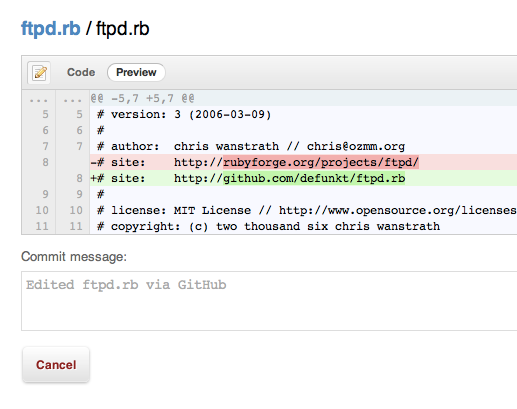
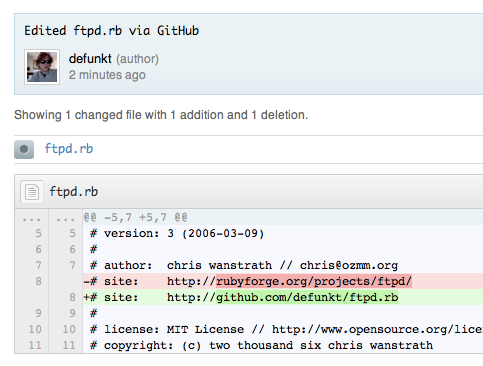
4. Commit!
Options
While we try to guess whether your file is using tabs or spaces and the indentation level, you can set those yourself using the options in the top right of the editor view:

Richtext
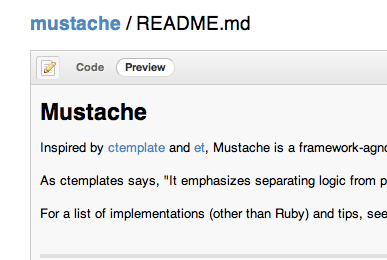
If the file you’re editing is Markdown, Textile, or any other richtext format GitHub supports we’ll render a preview of it instead of a diff:
More modes
If your favorite language isn’t being highlighted, consider adding a mode for it! Check out Ace’s “Creating or Extending an Edit Mode” wiki page for more info.
Ace
This is just the start. Help us make editing on GitHub even better by forking and improving Ace at ajaxorg/ace.
As always, please email support@github.com with any bugs you find or ideas you have. Happy hacking!
Written by

Related posts

Why age assurance laws matter for developers
Youth safety requirements are moving down the tech stack to operating systems and app stores—raising new questions for open source developers.

How researchers are using GitHub Innovation Graph data to reveal the “digital complexity” of nations
Researchers share in an interview how they used GitHub data to predict GDP, inequality, and emissions in ways that traditional economic data misses, along with our Q4 2025 data release.

An update on GitHub availability
Here’s what we’ve done—and what we’re still doing—to improve our availability and reliability.