███████╗████████╗██████╗  █████╗ ████████╗██╗██████╗ ██╗
██╔════╝╚══██╔══╝██╔══██╗██╔══██╗╚══██╔══╝██║██╔══██╗██║
███████╗   ██║   ██████╔╝███████║   ██║   ██║██████╔╝██║
╚════██║   ██║   ██╔══██╗██╔══██║   ██║   ██║██╔═══╝ ██║
███████║   ██║   ██║  ██║██║  ██║   ██║   ██║██║     ██║
╚══════╝   ╚═╝   ╚═╝  ╚═╝╚═╝  ╚═╝   ╚═╝   ╚═╝╚═╝     ╚═╝
Stratipi turns a Raspberry Pi into a highly accurate Stratum-1 NTP network time server by using a connected GPS receiver under FreeBSD.
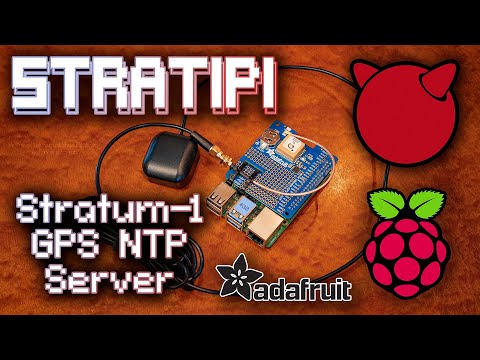
- Uses GPS with PPS for precise timekeeping
- Runs on FreeBSD via Raspberry Pi
- Provides Stratum-1 NTP service
- Compatible Single Board Computers
- Raspberry Pi 3 Model B
- Raspberry Pi 3 Model B+
- Raspberry Pi 4 Model B
- Raspberry Pi 400 (pending upstream kernel bug fix)
- More coming soon!
- Compatible GPS Receiver
- Adafruit Ultimate GPS HAT for Raspberry Pi
- More in the future..?
- External GPS Antenna (optional, for better signal)
- Ethernet/network connectivity (wired only, no wireless)
- Micro-SD card
- Sandisk Industrial (recommended)
- Others will work, reliability/performance may vary
- Download the Stratipi image file from Releases.
- Flash Stratipi image onto the SD card.
- Insert flashed SD card into the Raspberry Pi.
- Attach the GPS HAT to the Raspberry Pi.
- Plug in Ethernet cable to Raspbery Pi.
- Power on the Raspberry Pi.
- ...
- PROFIT!
The Raspberry Pi will attempt to acquire an IPv4 address via DHCP automatically.
Chrony NTP server will also start serving time as soon as the OS fully boots up, synced to other public NTP servers to start with. As soon as GPS signal is fully locked and registering in gpsd, Chrony will shift time syncronization over to GPS+PPS automatically.
Upon first bootup, Stratipi will automatically launch into a visual TUI dashboard to show system status.
This dashboard will show the acquired DHCP IP address in the bottom status bar, the most important piece of information for using Stratipi as a time server.
The dashboard also shows the output of chrony tracking and chrony sources as well as cgps. These combined should give a solid indication as to the health of the unit.
cgps on the lower-right: this displays the current health of the GPS signal, such as the number of visible satellites with their signal strength and relative location in the sky, as well as the number that are currently in use for triangulation.
chronyc sources on the top-right: this displays what chrony is using to determine the current time, as well as the accuracy of each source. When GPS is locked, the last "jitter" column should eventually fall to around 500-1500 nanoseconds.
chronyc tracking on the bottom-left: this displays now well the time is being applied to the local system clock as well as how accurate the clock is over time.
tty-clock on the middle-left: displays the current system time in UTC

Contributions are welcome. Please submit issues and pull requests ot make Stratipi more AWESOME!
On a FreeBSD 15.0 or newer system, run the following:
git clone https://github.com/circuitrewind/stratipi.git
cd stratipi
./build.sh
Yes, it is literally that simple and easy to run the build process to generate your own disk image file!
This project is licensed under the BSD License.
See LICENSE file for details.