Genshin Impact Character Chat Models tuned by Lora on LLM (build by Qwen1.5-7B-Chat and Mistral-7b-Instruct-v0.3)
Genshin Impact is an action role-playing game developed by miHoYo, published by miHoYo in mainland China and worldwide by Cognosphere,
HoYoverse. The game features an anime-style open-world environment and an action-based battle system using elemental magic and character-switching.
In the Game, one can play many Characters to explore the amazing open-world environment.
This project is an attempt to use game characters in daily chat and plot chat.
With the help of daily_chatbots, You will gain a deeper understanding of the characters’ personalities and backgrounds.
With the help of plot_chatbots, You will gain an increased understanding of storylines and the role of characters in the storyline.
-
- This project trained two types of large models based on Qwen1.5-7B-Chat and Mistral-v3.0, including daily chat and plot chat in game scenarios.
-
- All datasets used in model training involved in this project are annotated and generated by LLM.
-
- The daily chat scene function consists of two parts: the dialogue ability based on character identity information and the daily story engine between characters.
-
- The plot chat scene function consists of three parts: dialogue capabilities based on character identity information, global plot information, global plot to current dialogue plot to inference engine.
-
- In addition to using the common SFT fine-tuning method, the DPO (ORPO) method was also tested for the inference engine training from the global story background to the current story background in the plot chat scene, which can reduce the problems of repeated reasoning and inversion of the order of the reasoning chain to a certain extent.
-
- Tested the use of three reasoning frameworks: transformers, llama-cpp-python, and vLLM in these two dialogue scenarios. In the transformers scenario, the lora switch method was used to provide functional implementation under low memory usage conditions. In llama-cpp-python and vLLM scenarios, models are merged, deployed and accelerated to provide functional implementation under high inference speed requirements, which can be flexibly selected according to needs.
-
- A webui is provided for calling, and through this webui you can edit the DIY settings of daily chat or plot chat. As a user, you can write better daily chat or plot scripts according to your own preferences, and play a role in the script.(below Generated results with background information provided by AI polishing. will display how to do this.)
This project have three llm inference types: transformers, llama-cpp-python and vLLM. Below are commands to install and run different inference running demos.
demo index with [3, 5, 7] need run vllm server,before run gradio script. 3 need run one server, [5, 7] need run two servers.
| Index | Chat Type | LLM inference type | Install Command in Linux |
|---|---|---|---|
| 1 | daily_chatbots | transformers | pip install -r transformer_requirements.txt |
| 2 | daily_chatbots | llama-cpp-python | pip install -r transformer_requirements.txt && pip install llama-cpp-python |
| 3 | daily_chatbots | vLLM | pip install -r transformer_requirements.txt && pip install vllm |
| 4 | plot_chatbots | transformers | pip install -r transformer_requirements.txt |
| 5 | plot_chatbots | vLLM | pip install -r transformer_requirements.txt && pip install vllm |
| 6 | plot_chatbots | transformers | pip install -r transformer_requirements.txt |
| 7 | plot_chatbots | vLLM | pip install -r transformer_requirements.txt && pip install vllm |
| Index | (If needed, run this before run gradio demo) Run vLLM Server | Run Gradio Demo Command (go to 127.0.0.1:7860) | GPU memory requirements or GPU cards environment |
|---|---|---|---|
| 1 | None | python daily_chatbots/genshin_impact_daily_chatbot_transformer_gradio.py | 3060x1 below 12gb |
| 2 | None | python daily_chatbots/genshin_impact_daily_chatbot_llama_cpp_gradio.py | 3060x1 below 12gb |
| 3 | python -m vllm.entrypoints.openai.api_server --model svjack/Genshin_Impact_Qwen_1_5_Chat_sharegpt_roleplay_chat_AWQ --dtype auto --api-key token-abc123 --quantization awq --max-model-len 6000 --gpu-memory-utilization 0.9 | python daily_chatbots/genshin_impact_daily_chatbot_vllm_gradio.py | A4000x1 17gb |
| 4 | None | python plot_chatbots/genshin_impact_plot_chatbot_mistral_v3_transformer_gradio.py | 3060x1 below 12gb |
| 5 | python -m vllm.entrypoints.openai.api_server --model svjack/Genshin_Impact_Mistral_v3_Plot_Chat_roleplay_chat_AWQ --dtype auto --api-key token-abc123 --quantization awq --max-model-len 4000 --gpu-memory-utilization 0.35 --port 8000 | ||
| 5 | python -m vllm.entrypoints.openai.api_server --model svjack/DPO_Genshin_Impact_Mistral_Plot_Engine_Step_Json_Short_AWQ --dtype auto --api-key token-abc123 --quantization awq --max-model-len 2000 --gpu-memory-utilization 0.35 --port 8001 | python plot_chatbots/genshin_impact_plot_chatbot_mistral_v3_vllm_gradio.py | A4000x1 17gb |
| 6 | None | python plot_chatbots/genshin_impact_plot_chatbot_qwen_7b_transformer_gradio.py | 3060x1 below 12gb |
| 7 | python -m vllm.entrypoints.openai.api_server --model svjack/Genshin_Impact_Qwen_1_5_Plot_Chat_roleplay_chat_AWQ --dtype auto --api-key token-abc123 --tensor-parallel-size 2 --quantization awq --max-model-len 4000 --gpu-memory-utilization 0.35 --port 8000 | ||
| 7 | python -m vllm.entrypoints.openai.api_server --model svjack/DPO_Genshin_Impact_Qwen_1_5_Plot_Engine_Step_Json_Short_AWQ --dtype auto --api-key token-abc123 --tensor-parallel-size 2 --quantization awq --max-model-len 2000 --gpu-memory-utilization 0.35 --port 8001 | python plot_chatbots/genshin_impact_plot_chatbot_qwen_7b_vllm_gradio.py | A4000x2 34gb |
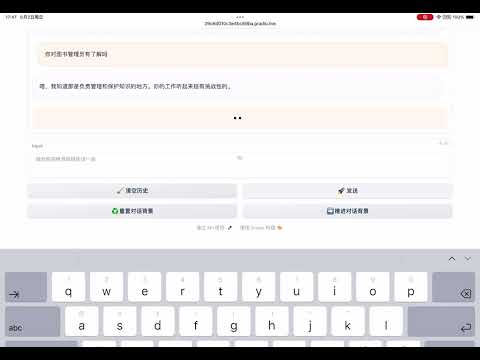
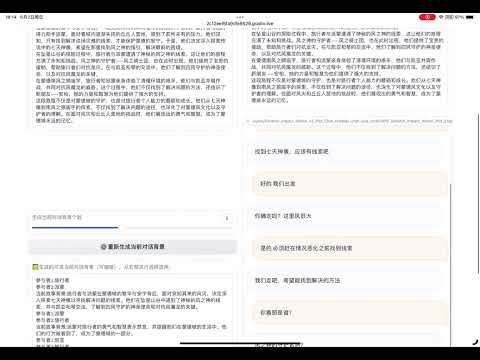
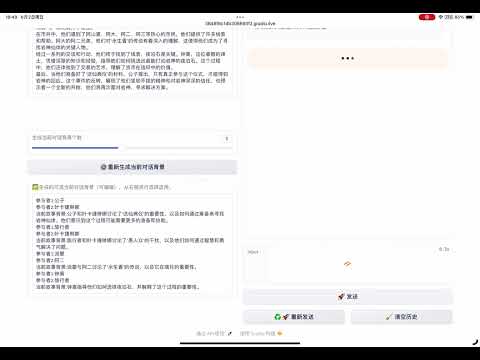
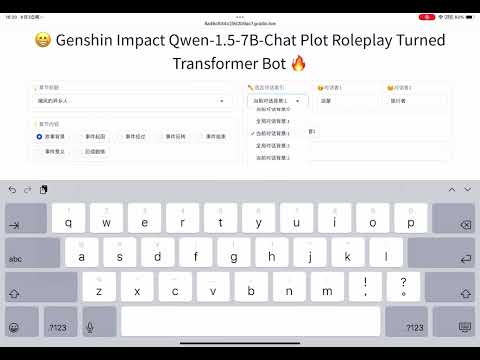
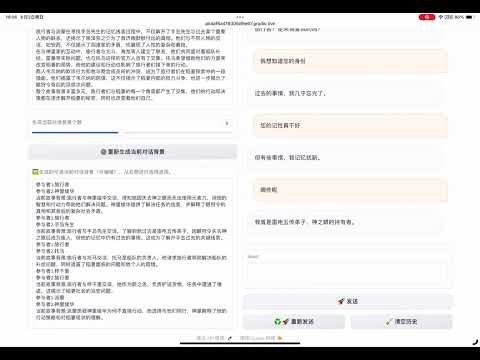
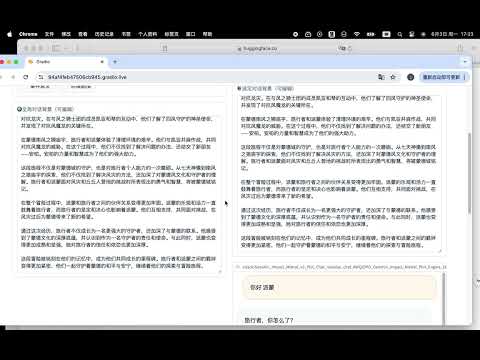
Click below picture to view demo video on youtube.
- 1 when run python plot_chatbots/genshin_impact_plot_chatbot_mistral_v3_transformer_gradio.py you should login your huggingface Account to use the base model Mistral-7b-Instruct-v0.3
- 2 You can switch characters in daily_chatbots, about 75 characters in daily_chatbots, you can have many chat combinations, take a look at https://github.com/svjack/Genshin-Impact-Character-Instruction to find them.
- 3 In plot_chatbots, about 630 character you can talk about in plot, take a look at https://huggingface.co/datasets/svjack/Genshin-Impact-Plot-Character-Portrait-Merged to find them.
- 3 In plot_chatbots, You can freely choose chapters and their related story background, cause of events, course of events, reversal of events, end of events, meaning of events and subsequent plots, etc.
- 4 In plot_chatbots, The current conversation background is generated from the global conversation background. You can choose to use the global conversation background or the current conversation background on the right page, and select the background and corresponding interlocutor according to the index.
- 5 Thinking from a performance perspective, I suggest running vLLM inference demos ([3, 5, 7]).
- 6 the prebuild info about Genshin Impact plot used in plot_chatbots are generated from AI, so they may contain some inaccurate errors.
But because the field in gradio demo page are editable, you can paste your own plot into the field or edit any content which you not prefer.
This ability also works for daily_chatbots. - 7 when chat with daily_chatbots, they are relatively flexible and free, when chat with plot_chatbots, the chatbot will committed to advancing the plot, you need to perform strictly according to the plot.
You can visit above huggingface links, to check their ability.
- 1 A project about Genshin Impact Character Instruction Models tuned by Lora on LLM release in svjack/Genshin-Impact-Character-Instruction 😊
- 2 I also release a project about A Genshin Impact Book Question Answer Project supported by LLM (build by LangChain Haystack ChatGLM Mistral OLlama), an attempt to build Chinese Q&A on the different LLM support RAG system.
If you are interested in it, take a look at svjack/Genshin-Impact-BookQA-LLM 😊 - 3 The RAG version of above project use Qwen1.5-14B-Chat have been released in svjack/Genshin-Impact-RAG, it's the knowledge maintain version of above project, You can retrieve knowledge of characters there, and the question can answered by characters in role play manner. 😊
svjack - https://huggingface.co/svjack - svjackbt@gmail.com - ehangzhou@outlook.com
Project Link:https://github.com/svjack/Genshin-Impact-Character-Chat