⚠️ Action Required:
We recommend that you upgrade to 5.1.4 or above if you use WebRTC video to prevent issues with future Chrome versions.
Note: Use of this sample app is subject to our Terms of Use.
The Zoom Meeting SDK for web embeds Zoom Meeting and Webinar experiences directly in your web application using a highly optimized WebAssembly module. Get started with the @zoom/meetingsdk npm package.
git clone https://github.com/zoom/sample-app-web.git
cd sample-app-webThis repository contains three different implementation approaches:
| Implementation | Technology | Port | UI | Use Case |
|---|---|---|---|---|
| Components | React + TypeScript + Vite | 3000 | Component View | Modern, flexible component-based integration |
| Local | React + Webpack + NPM | 9999 | Client View | Traditional client view with npm packages |
| CDN | Vanilla JS + Webpack + CDN | 9999 | Client View | Simple CDN-based integration |
Navigate to your preferred implementation:
cd Components # or Local, or CDNnpm installNote: For Node.js 16, use npm install --force
The Meeting SDK requires a signature from an authentication backend:
git clone https://github.com/zoom/meetingsdk-auth-endpoint-sample --depth 1
cd meetingsdk-auth-endpoint-sample
cp .env.example .env
Edit .env with your credentials:
CLIENT_SECRET=your_client_secret_here
# or
ZOOM_MEETING_SDK_SECRET=your_sdk_secret_here
Start the auth backend:
npm install && npm run startnpm start-
Open your browser:
- Components: http://localhost:3000
- Local/CDN: http://localhost:9999
-
Enter your meeting details:
- Meeting/Webinar number
- Passcode
- Role (Host or Attendee)
- Click "Join"
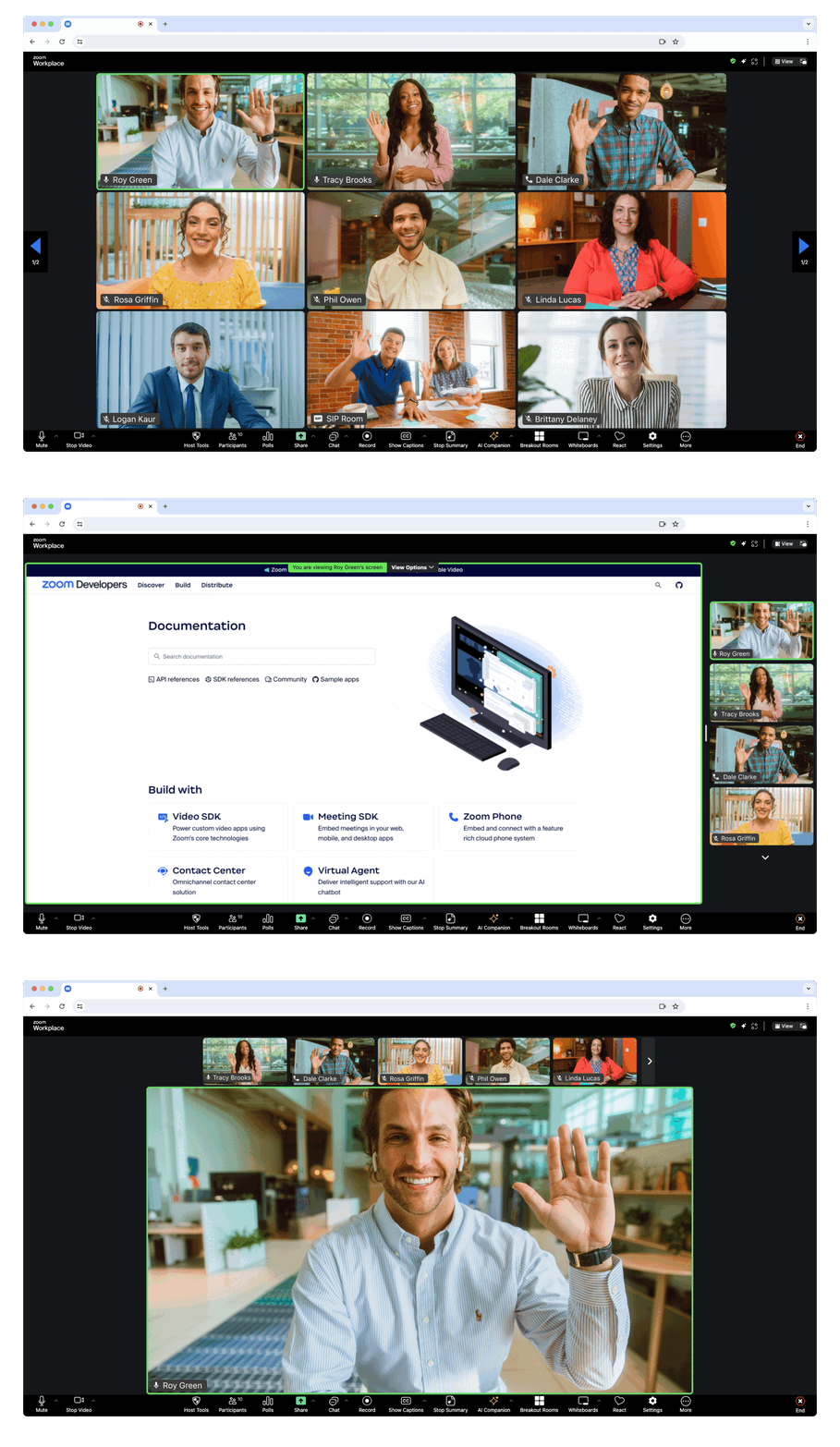
Full-page meeting experience - Displays the Meeting SDK as a complete interface, providing the same experience as the Zoom Web Client within your web page.
The component view provides the option to display the Meeting SDK for web in components on your page. This allows for a more flexible design. Component view is designed specifically for desktop browser use cases, not mobile environments. For mobile use cases, use client view.
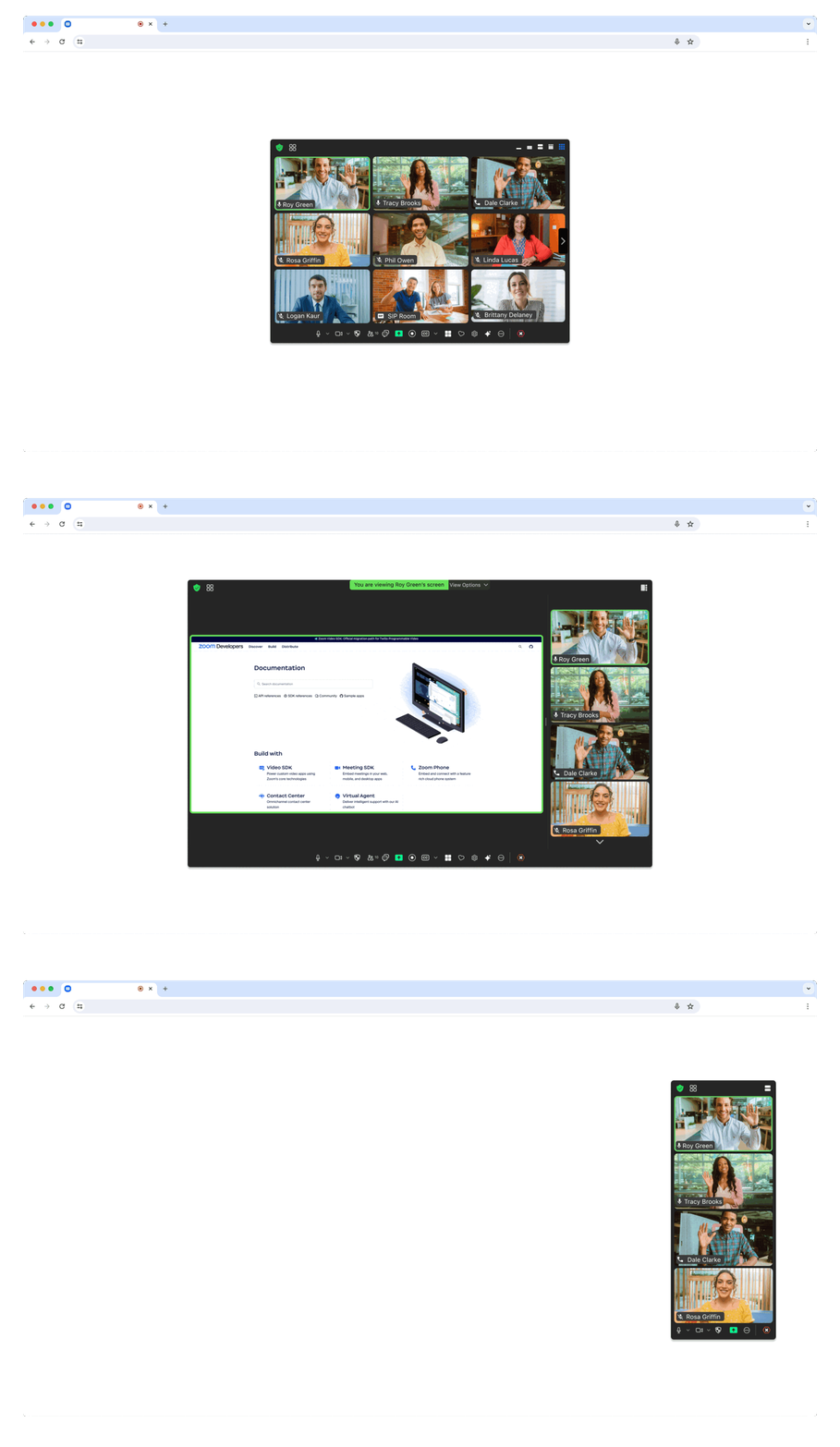
Flexible component integration - Embed individual meeting components within your existing page layout for custom designs and user experiences.
For government applications, you need to apply for a new SDK key at ZFG Marketplace.
{
  "dependencies": {
    "@zoom/meetingsdk": "3.11.2-zfg"
  }
}Client View:
ZoomMtg.setZoomJSLib("https://source.zoomgov.com/{VERSION}/lib", "/av");
ZoomMtg.init({
   webEndpoint: "www.zoomgov.com",
});
Component View:
const client = ZoomMtgEmbedded.createClient();
client.init({
 assetPath: 'https://source.zoomgov.com/{VERSION}/lib/av',
 webEndpoint: "www.zoomgov.com"
});- Developer Support - Technical support
- Developer Forum - Community discussions
- Premier Developer Support - Priority support plans