
Theming is hard with SSR.
The server is usually unaware of the client theme. This skew between the server default and what is hydrated on the client often results in a flash of the wrong content.
ssr-themes keeps the server HTML, bootstrap script, and hydrated app in sync. It uses cookies to store the selected theme + browser default and has first-party bindings for React, Svelte, Vue, and more. This means:
- ✨ No flash on first paint
- 🍪 Cookie-driven SSR for correct SSR markup
- 🌓 System theme support
- 🔄 Built-in cross-tab sync
- 🛡️ Strongly typed bindings
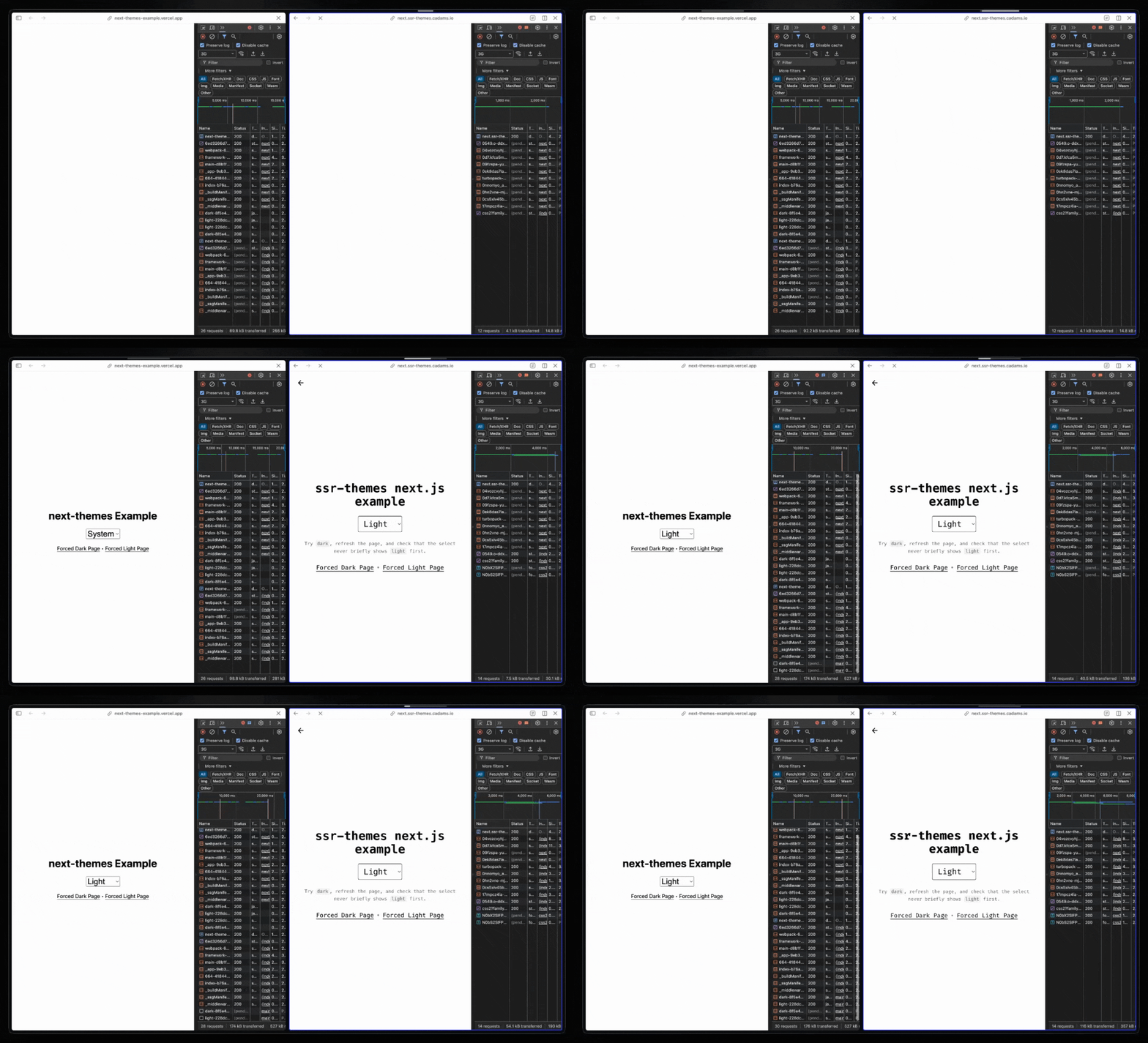
See the live demo: https://ssr-themes.cadams.io/.
bun add ssr-themes
# or
pnpm add ssr-themes
# or
npm install ssr-themes
# or
yarn add ssr-themesssr-themes has three parts:
parseThemeCookie()andregisterTheme()help the server pre-render the correct theme during SSR. This is optional.themeScript()runs before hydration on the client and makes sure the theme on<html>is set to the correct value (and fills in the value from the client if it'ssystem).ThemeProviderkeeps the DOM, the theme cookie, and client state in sync after mount.
import {createTheme} from 'ssr-themes';
import {bindTheme} from 'ssr-themes/react';

const {
  options,
  registerTheme,
  parseThemeCookie,
  themeScript,
} = createTheme();

const {ThemeProvider} = bindTheme(options);

const initial = parseThemeCookie(cookieHeader);

// `suppressHydrationWarning` tells React to ignore differences
// between client and server. This diff happens when the theme is
// `system` and the server doesn't know what that will resolve
// to on the client
<html
  suppressHydrationWarning
  {...registerTheme(initial)}
>
  <head>
    <script id="ssr-themes">{themeScript()}</script>
  </head>
  <body>
    <ThemeProvider initial={initial}>
      {children}
    </ThemeProvider>
  </body>
</html>;next-themes is popular because it makes client-side theming in React and Next.js easy.
But it solves a subset of the theming problem.
Its docs explicitly warn that reading theme before mount is hydration-unsafe, because the server does not know the current theme yet. That is a reasonable tradeoff if all you need is client-resolved theme state.
ssr-themes is for apps that want the theme to participate on the server. You can:
- Read the theme from the request cookie during SSR
- Pre-render the correct HTML on the server (
<select>, etc.)
You don't even need to use the SSR helpers. They are optional if/when you need to start rendering conditional UI based on the theme. You'll probably do this with a theme picker.
If you only need client-side theme state in a Next.js app, next-themes is a good fit.
If your SSR markup depends on the theme or you don't use Next.js, ssr-themes is a good fit.
Check out the Next.js example for a cache-friendly App Router setup. It uses
proxy.tspluslistVariants()so the public/route stays cacheable and layouts do not read cookies.
By default, ssr-themes writes a class to <html>.
:root {
  --background: white;
  --foreground: black;
}

:root.dark {
  --background: black;
  --foreground: white;
}
If you prefer data-* attributes, set attribute accordingly.
All examples in this repo use Tailwind v4 with class-based dark mode - feel free to check them out for more detail:
@import 'tailwindcss';
@custom-variant dark (&:where(.dark, .dark *));The API has two entrypoints:
createTheme()fromssr-themesbindTheme()fromssr-themes/react,ssr-themes/solid,ssr-themes/vue, orssr-themes/svelte
Use createTheme() once to capture the shared theme config.
import {createTheme} from 'ssr-themes';

const {
  decodeVariant,
  encodeVariant,
  options,
  listVariants,
  registerTheme,
  parseThemeCookie,
  themeScript,
} = createTheme({
  themes: ['light', 'dark', 'quartz'],
  attribute: 'class',
  defaultTheme: 'system',
});
options is the exact typed config object passed into createTheme().
Stable config belongs here:
themesdefaultThemeenableSystemenableColorSchemeattributevalueMapcookie
Use bindTheme() in the framework entrypoint for your app.
import {bindTheme} from 'ssr-themes/react';

const {ThemeProvider, useTheme} = bindTheme(theme);
// or: bindTheme(options)
bindTheme() accepts either the full createTheme() return value or theme.options, and returns:
ThemeProvideruseTheme()
All bindings expose the same core theme state:
selectedsetSelected(next)forcedresolvedsystemthemes
ThemeProvider only takes runtime props:
initialforceddisableTransitionnonce
Use parseThemeCookie() to read the saved theme from a raw Cookie header.
const initial = parseThemeCookie(cookieHeader);It returns undefinedwhen the cookie is missing, empty, malformed, or not in the allowed theme list.
When present, the return value has:
selectedresolvedsystem
The cookie stores system mode in a compact form like ~d or ~l, and stores explicit themes with the same system hint suffix, such as dark~l or quartz~d.
Use these helpers when you want a stable theme key for routing or caching, like a Next.js proxy.ts rewrite.
const variant =
  encodeVariant(parseThemeCookie(cookieHeader)) ??
  'light~l';

const initial = decodeVariant(variant);
const variants = listVariants();- Explicit themes always include the system hint, like
light~danddark~l - System mode serializes to the compact values
~land~d listVariants()returns the finite set of pre-renderable theme variants
Use registerTheme() to pre-render the current theme on <html> during SSR.
const htmlProps = registerTheme({
  selected: 'dark',
  resolved: 'dark',
});

const astroHtmlProps = registerTheme(
  {
    selected: 'dark',
    resolved: 'dark',
  },
  {
    renderMode: 'html-attrs',
  },
);

const htmlAttributes = registerTheme(
  {
    selected: 'dark',
    resolved: 'dark',
  },
  {
    renderMode: 'html-string',
  },
);
The first argument is theme state, usually the result of parseThemeCookie().
- Default
jsxmode returns{className, style, ...dataAttrs}for JSX hosts like React. html-attrsreturns{class, style, ...dataAttrs}for hosts like Astro oruseHead().html-stringreturnsclass="..." style="..." data-theme="..."for string transforms like Svelteapp.html.
The second argument is for runtime overrides only:
forcedrenderModeclassNamestyle
Use themeScript() to generate the inline bootstrap script that runs on the client before hydration.
<script id="ssr-themes">{themeScript()}</script>
<script id="ssr-themes">{themeScript({forced})}</script>
It reads the saved theme from the cookie, resolves 'system' when needed, updates the <html> attributes, and sets color-scheme when appropriate.
themeScript() only supports one runtime override:
forced
