


If you face issues relating to the visuals or behaviour of buttons added by the Media Bar please report them on MakD's repo (the one this is forked from). This plugin pulls the content from their repo directly and is only in control of adding it without the need for modifying your JF install files.
Any issues with plugin's settings (including using a playlist as your avatar's playlist) should be made here.
Hey all! Things are changing with my plugins are more and more people start to use them and report issues. In order to make it easier for me to manage I'm splitting bugs and features into different areas. For feature requests please head over to https://features.iamparadox.dev/ where you'll be able to signin with GitHub and make a feature request. For bugs please report them on the relevant GitHub repo and they will be added to the project board when I've seen them. I've found myself struggling to know when issues are made and such recently so I'm also planning to create a system that will monitor a particular view for new issues that come up and send me a notification which should hopefully allow me to keep more up to date and act faster on various issues.
As with a lot of devs, I am very momentum based in my personal life coding and there are often times when these projects may appear dormant, I assure you now that I don't plan to let these projects go stale for a long time, there just might be times where there isn't an update or response for a couple weeks, but I'll try to keep that better than it has been. With all new releases to Jellyfin I will be updating as soon as possible, I have already made a start on 10.11.0 and will release an update to my plugins hopefully not long after that version is officially released!
- This plugin is based on Jellyfin Version
10.10.7 - The following plugins are required to also be installed, please following their installation guides:
- File Transformation (https://github.com/IAmParadox27/jellyfin-plugin-file-transformation) at least v2.2.1.0
- Add
https://www.iamparadox.dev/jellyfin/plugins/manifest.jsonto your plugin repositories. - Install
Media Barfrom the Catalogue. - Restart Jellyfin.
- Force refresh your webpage (or app) and you should see your new Media Bar at the top of the home page.
If you find an issue with any of the sections or usage of the plugin, please open an issue on GitHub.
The likelihood is the plugin hasn't been updated for that version of Jellyfin and the plugins are strictly 1 version compatible. Please wait until an update has been pushed. If you can see the version number in the release assets then please make an issue, but if its not in the assets, please wait. I know Jellyfin has updated, I'll update when I can.
This is common, particularly on a fresh install. The first thing you should try is the following
- Launch your browsers developer tools

- Open the Network tab across the top bar
- Check the Disable cache checkbox
- Refresh the page while the dev tools are still open

Credits for this plugin go to @MakD for his original work and to @BobHasNoSoul and @SethBacon for their influence to MakD. For full credits see below in the original README content
Original README.md from MakD

IMP UPDATE — We have dropped support for the normal CSS version (for now). (It still works, but there will be no further updates till the fullscreen mode is stabilized)
The fullscreen version has a new look (in beta), and support for different screen sizes has been added. For any visual goof-ups, please open a bug report, including the device being used and whether it is encountered in portrait or landscape mode.
Thanks to the Man, the Legend BobHasNoSoul for his work on the jellyfinfeatured and SethBacon and TedHinklater for their take on the Jellyfin-Featured-Content-Bar.
Here I present my version with some code improvements, loading optimizations, and security enhancements. Works best with the Zombie theme (Shameless Plug @import url(https://cdn.jsdelivr.net/gh/MakD/zombie-release@latest/zombie_revived.css);, visit the repo for more color schemes).
Before Installing, please take a backup of your index.html file
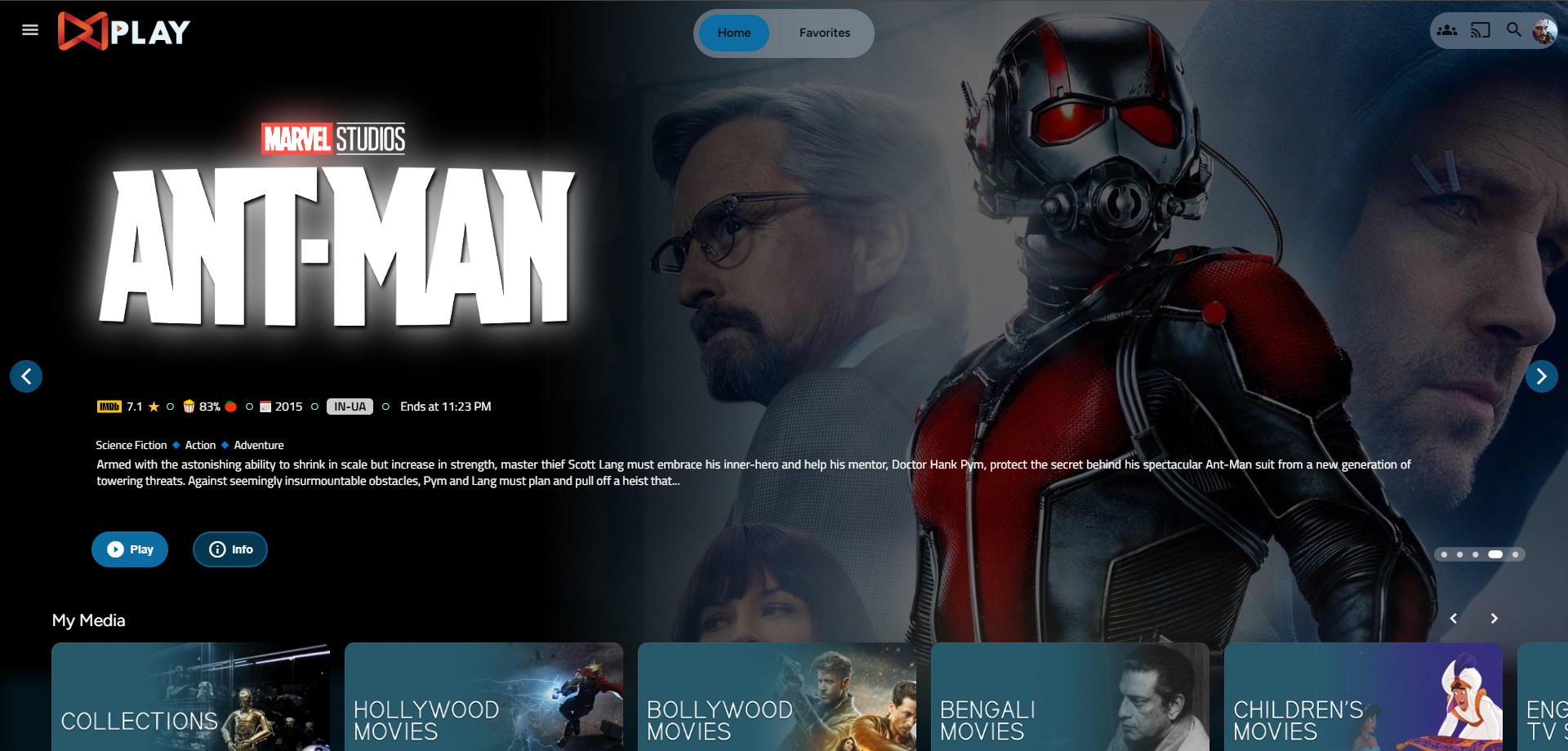
Desktop Layout
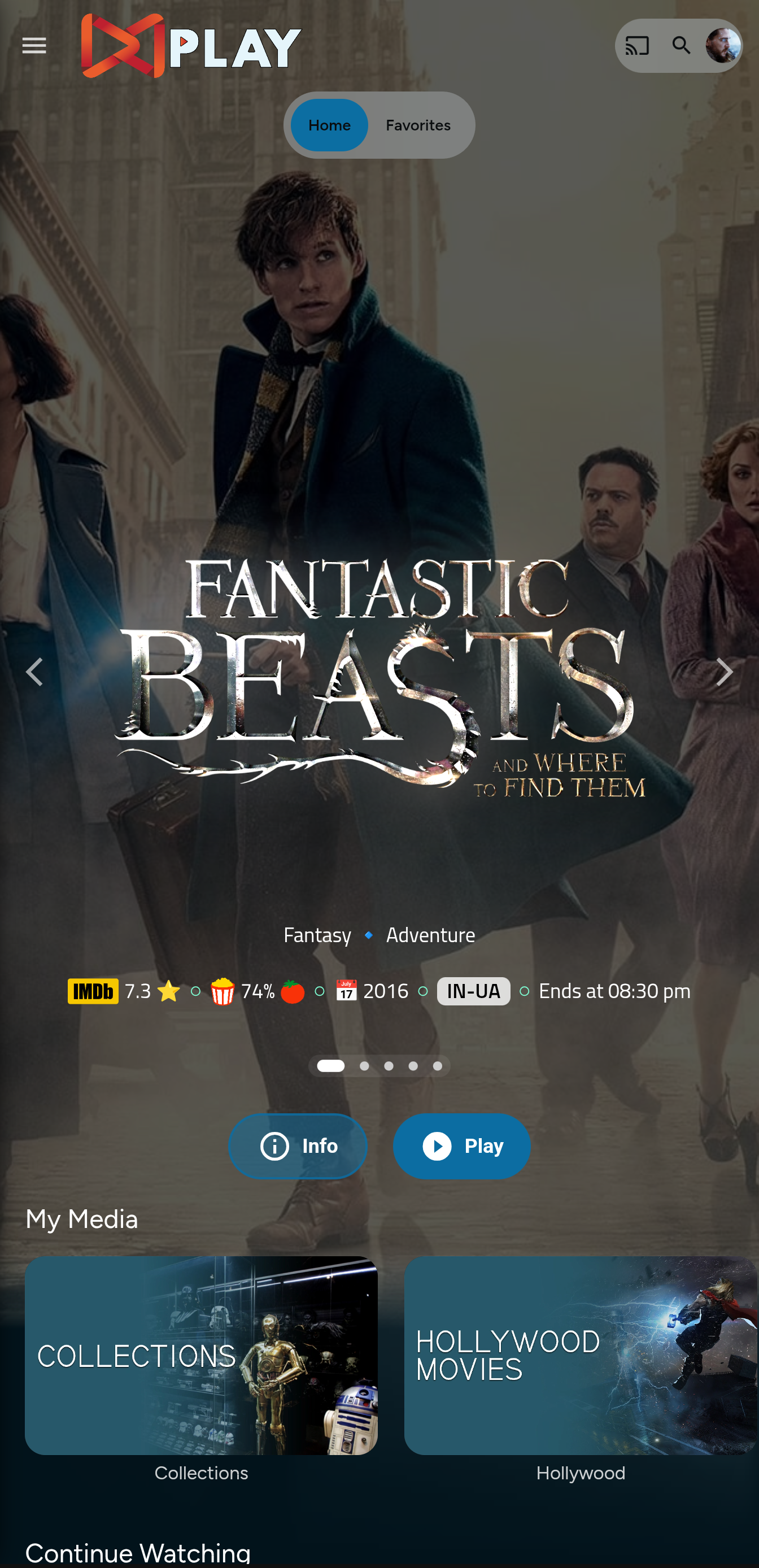
Mobile Layout
index.html
- Navigate to your
jellyfin-webfolder and search for the file index.html. (you can use any code editor, just remember to open with administrator privileges. - Search for
</head> - Just before the
</head>, plug the below code
    <link rel="stylesheet" href="https://cdn.jsdelivr.net/gh/MakD/Jellyfin-Media-Bar@latest/slideshowpure.css" />
    <script async src="https://cdn.jsdelivr.net/gh/MakD/Jellyfin-Media-Bar@latest/slideshowpure.js"></script>
And that is it. Hard refresh your web page (CTRL+Shift+R) twice, and Profit!
No worries this got you covered.
- Create a
list.txtfile inside youravatarsfolder. - In line 1 give your list a name.
- Starting line 2, paste the item IDs you want to be showcased, one ID per line. For Example :
Awesome Playlist Name
ItemID1
ItemID2
ItemID3
ItemID4
ItemID5
The next time it loads, it will display these items.
Roll Back
Restore the index.html file / remove the lines added and you are good to go!!!

This project is licensed under a DBAD license prohibiting any commercial use or redistribution.
All modifications must be contributed back to this repository.
Attribution to the original author (MakD) is required in any use or derivative work.
Please take a look at the LICENSE file for full terms.