

XenoAtom.Logging is a high-performance structured logging runtime for .NET, designed for zero allocations on the hot path and predictable throughput in both sync and async modes. It includes a high-efficiency interpolated logging API, structured properties/scopes, source-generated formatters, and production-grade file/JSON sinks.
- Performance-first (zero allocations on the hot path):
- Allocation-aware interpolated-string handlers (
Trace/Debug/Info/Warn/Error/Fatal) - Formatting into
Span<char>with pooled buffers and optional segment metadata
- Allocation-aware interpolated-string handlers (
- Sync by default, async when you need it:
- Default mode is synchronous
- Optional asynchronous mode with bounded queue and overflow policy (
Drop,DropAndNotify,Block,Allocate)
- Structured logging:
- Per-message properties (
LogProperties) - Scopes (
BeginScope) captured as snapshots
- Per-message properties (
- Template-driven text formatting (source generation):
LogFormatterbase class with shared settings (LevelFormat,TimestampFormat)- Generated template formatters (e.g.
StandardLogFormatter) and segment kinds for rich sinks
- Terminal integration without
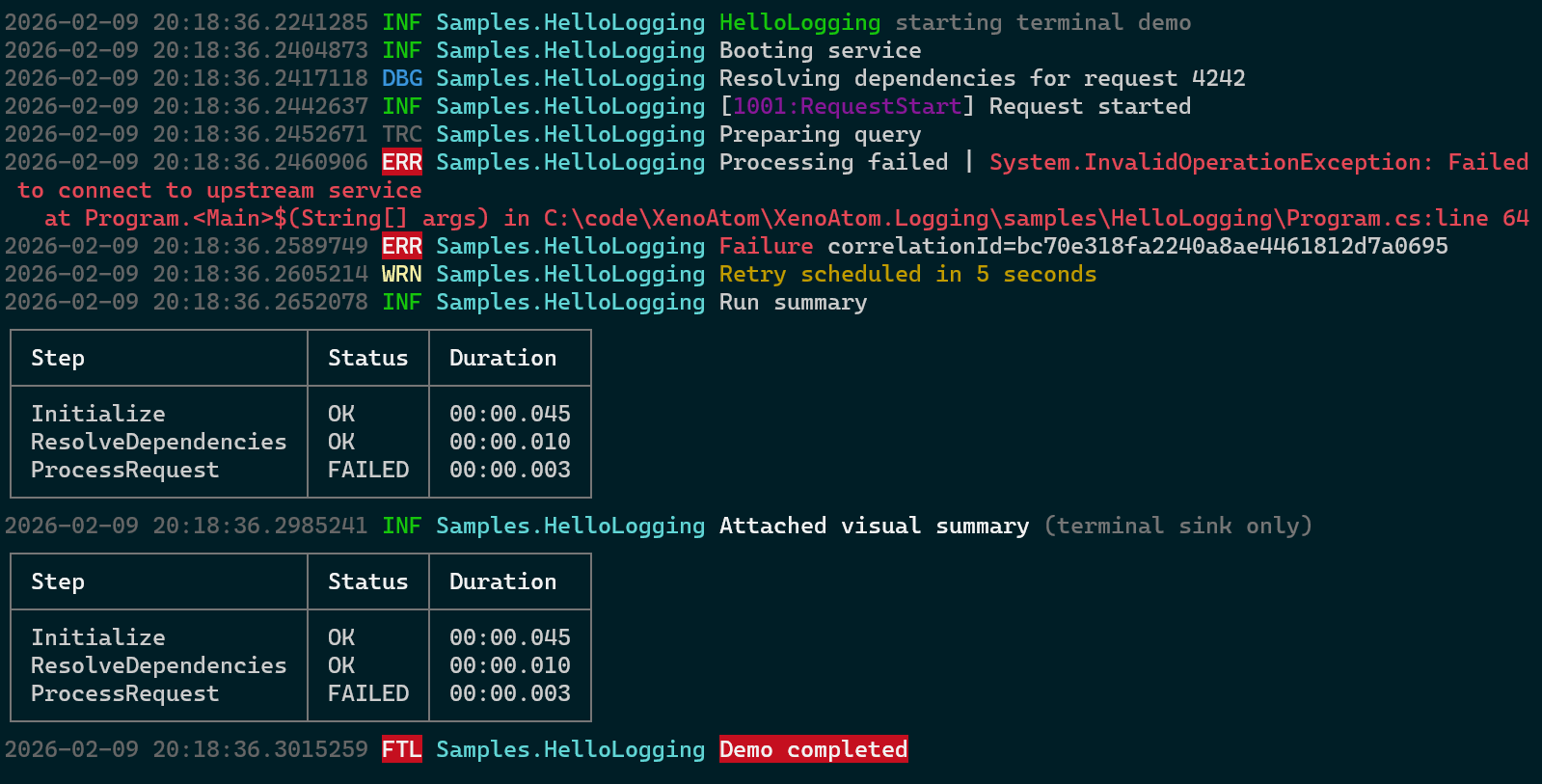
System.Console:XenoAtom.Logging.TerminalusesXenoAtom.Terminalfor markup-aware outputTerminalLogControlWritertargetsXenoAtom.Terminal.UI.Controls.LogControlfor fullscreen/log-viewer apps- Visual attachments: log calls can attach
XenoAtom.Terminal.UI.Visual(tables, layouts, rich widgets) - Terminal docs: https://xenoatom.github.io/terminal
- Production file and JSON sinks:
- Rolling + retention (
FileLogWriter,JsonFileLogWriter) - Failure policies and durability options
- Rolling + retention (
- Operational support:
- Async error callback via
LogManagerConfig.AsyncErrorHandler - Runtime diagnostics via
LogManager.GetDiagnostics()(DroppedMessages,ErrorCount) - NativeAOT and trimming oriented (
IsAotCompatible,IsTrimmable)
- Async error callback via
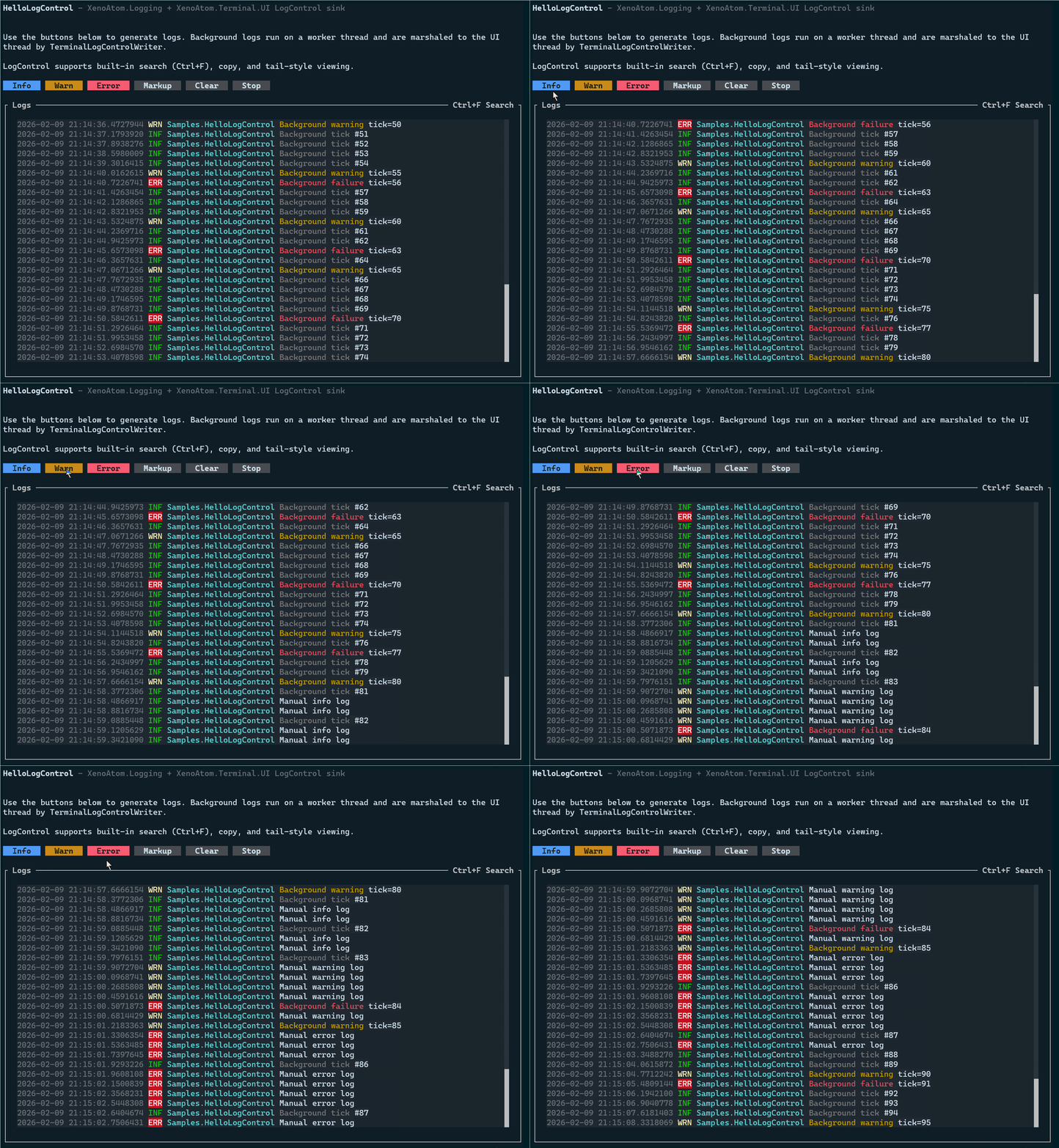
And the integration with LogControl:
Note
XenoAtom.Logging does not aim to be compatible with Microsoft.Extensions.Logging today. A bridge may be added later, but the runtime is designed to stand on its own.
XenoAtom.Logging targets net10.0 and requires the .NET 10 SDK (C# 14).
dotnet add package XenoAtom.Logging
dotnet add package XenoAtom.Logging.TerminalXenoAtom.Logging: core runtime, formatters, stream/file/JSON writersXenoAtom.Loggingalso ships the generators/analyzers in-package (analyzers/dotnet/cs)XenoAtom.Logging.Terminal: terminal sink usingXenoAtom.TerminalandXenoAtom.Terminal.UI
using XenoAtom.Logging;
using XenoAtom.Logging.Writers;

var config = new LogManagerConfig
{
    RootLogger =
    {
        MinimumLevel = LogLevel.Info,
        Writers =
        {
            new FileLogWriter(
                new FileLogWriterOptions("logs/app.log")
                {
                    FileSizeLimitBytes = 10 * 1024 * 1024,
                    RollingInterval = FileRollingInterval.Daily,
                    RetainedFileCountLimit = 7
                })
        }
    }
};

LogManager.Initialize(config); // sync processor by default

var logger = LogManager.GetLogger("Sample");
logger.Info($"Hello {42}");

LogManager.Shutdown();
Enable async processing:
config.AsyncErrorHandler = exception =>
{
    Console.Error.WriteLine($"[logging async error] {exception}");
};

LogManager.InitializeForAsync(config);Markup payload logging (terminal sink):
logger.InfoMarkup("[green]ready[/]");
logger.ErrorMarkup($"[bold red]failed[/] id={requestId}");
Visual attachments via XenoAtom.Terminal.UI (rendered under the log line by TerminalLogWriter):
using XenoAtom.Terminal.UI;
using XenoAtom.Terminal.UI.Controls;

var table = new Table()
    .Headers("Step", "Status", "Duration")
    .AddRow("Initialize", "OK", "00:00.045")
    .AddRow("ProcessRequest", "FAILED", "00:00.003");

logger.Info(table, "Run summary");
logger.InfoMarkup(table, "[bold]Run summary (styled)[/]");
TerminalLogWriter and TerminalLogControlWriter both expose Styles and SegmentStyleResolver for per-segment and per-level styling.
LogManagerandLoggerare safe for concurrent logging.- Configure
LogManagerConfig,LoggerConfig.Writers, and writer filter collections from a single thread, then callApplyChanges()when done. LogPropertiesis a mutable value type; avoid copying populated instances and dispose only the owner instance.- In sync mode, writer exceptions propagate to callers; in async mode, use
AsyncErrorHandler+ diagnostics to observe failures.
See the thread-safety documentation at https://xenoatom.github.io/logging/docs/thread-safety/.
Full documentation is available at https://xenoatom.github.io/logging/docs.
This software is released under the BSD-2-Clause license.
Alexandre Mutel aka xoofx.