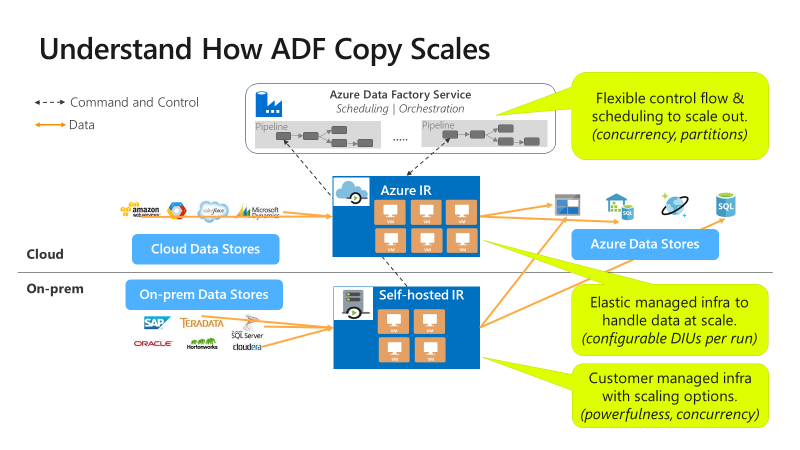
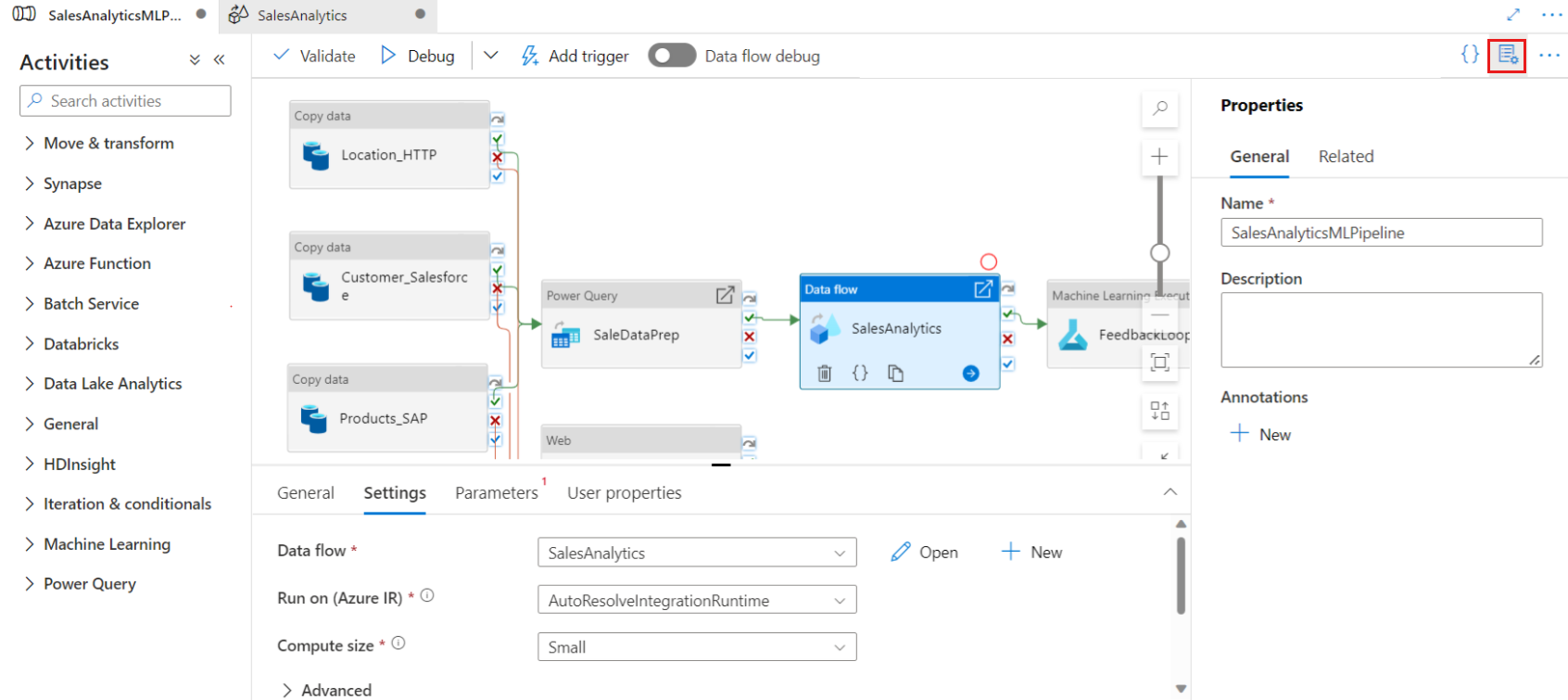
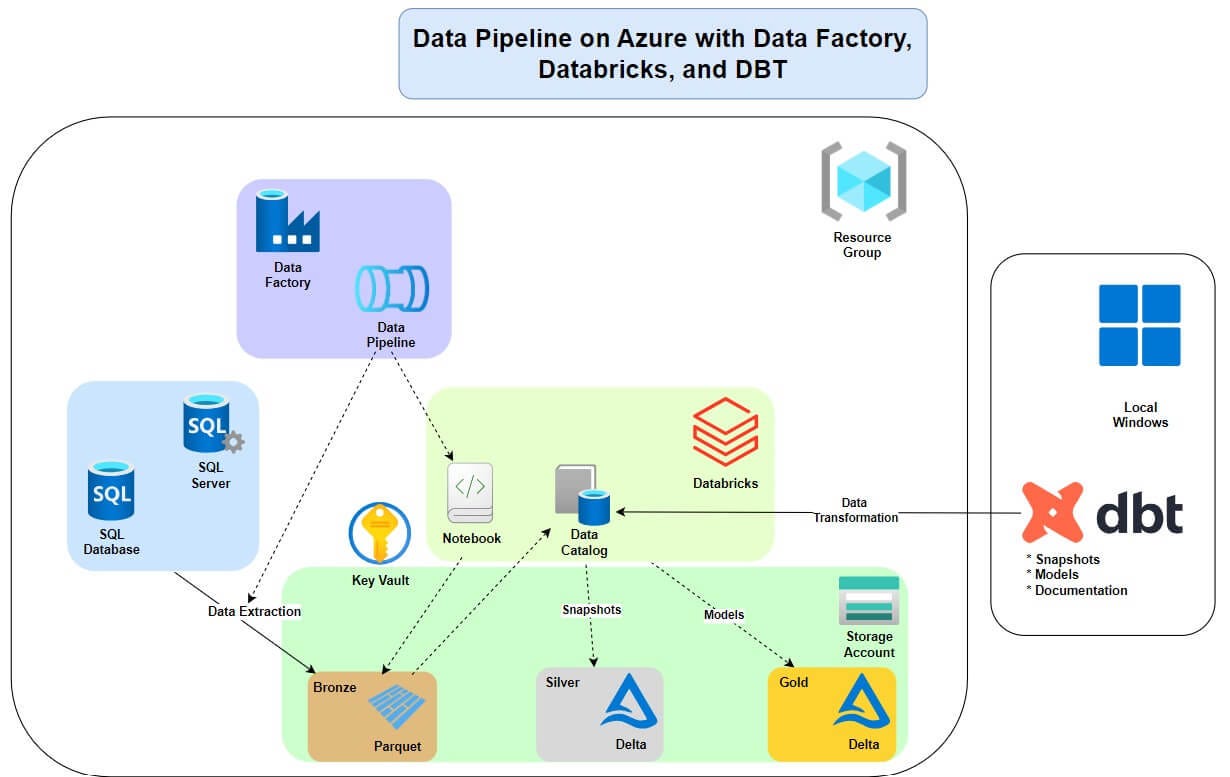
Below is a simple beginner project demonstrating how to use Azure Data Factory to move data from a database to storage.
This kind of project is useful for cloud / data engineering training, interviews, and practical labs.
ADF ETL Pipeline – SQL Database → Blob Storage
Azure SQL Database
        ↓
Azure Data Factory Pipeline
        ↓
Copy Activity
        ↓
Azure Blob Storage
Destination file format: CSV / Parquet
az group create \
--name adf-demo-rg \
--location westus2This will store exported data.
az storage account create \
--name adfdemostorage986 \
--resource-group adf-demo-rg \
--location eastus \
--sku Standard_LRSaz datafactory create \
--factory-name adf-demo-project986 \
--resource-group adf-demo-rg \
--location eastusaz sql server create \
--name adf-sql-server-demo \
--resource-group adf-demo-rg \
--location eastus \
--admin-user azureuser \
--admin-password Password1234!Create database:
az sql db create \
--resource-group adf-demo-rg \
--server adf-sql-server-demo \
--name salesdb \
--service-objective S0Connect using SQL client.
CREATE TABLE customers (
    id INT,
    name VARCHAR(50),
    city VARCHAR(50)
);

INSERT INTO customers VALUES
(1,'Atul','Pune'),
(2,'Rahul','Mumbai'),
(3,'Neha','Delhi');Linked services connect ADF to external systems.
Example JSON for SQL Database Linked Service
{
  "name": "AzureSqlLinkedService",
  "properties": {
    "type": "AzureSqlDatabase",
    "typeProperties": {
      "connectionString": "Server=tcp:adf-sql-server-demo.database.windows.net;Database=salesdb;User ID=azureuser;Password=Password1234!"
    }
  }
}
Example Blob Storage Linked Service
{
  "name": "BlobStorageLinkedService",
  "properties": {
    "type": "AzureBlobStorage",
    "typeProperties": {
      "connectionString": "DefaultEndpointsProtocol=https;AccountName=adfdemostorage123;"
    }
  }
}Dataset represents data inside a source.
{
  "name": "CustomerTableDataset",
  "properties": {
    "linkedServiceName": {
      "referenceName": "AzureSqlLinkedService",
      "type": "LinkedServiceReference"
    },
    "type": "AzureSqlTable",
    "typeProperties": {
      "tableName": "customers"
    }
  }
}{
"name": "BlobOutputDataset",
"properties": {
"linkedServiceName": {
"referenceName": "BlobStorageLinkedService",
"type": "LinkedServiceReference"
},
"type": "DelimitedText",
"typeProperties": {
"fileName": "customers.csv",
"columnDelimiter": ","
}
}
}Pipeline with Copy Activity
{
  "name": "CopyCustomersPipeline",
  "properties": {
    "activities": [
      {
        "name": "CopySQLToBlob",
        "type": "Copy",
        "inputs": [
          {
            "referenceName": "CustomerTableDataset",
            "type": "DatasetReference"
          }
        ],
        "outputs": [
          {
            "referenceName": "BlobOutputDataset",
            "type": "DatasetReference"
          }
        ],
        "typeProperties": {
          "source": {
            "type": "AzureSqlSource"
          },
          "sink": {
            "type": "BlobSink"
          }
        }
      }
    ]
  }
}Run manually in ADF Studio.
Or trigger using REST API.
Example:
az datafactory pipeline create-run \
--factory-name adf-demo-project \
--resource-group adf-demo-rg \
--name CopyCustomersPipelineAfter pipeline runs:
Blob Storage
   └── customers.csv
File contents:
id,name,city
1,Atul,Pune
2,Rahul,Mumbai
3,Neha,Delhi
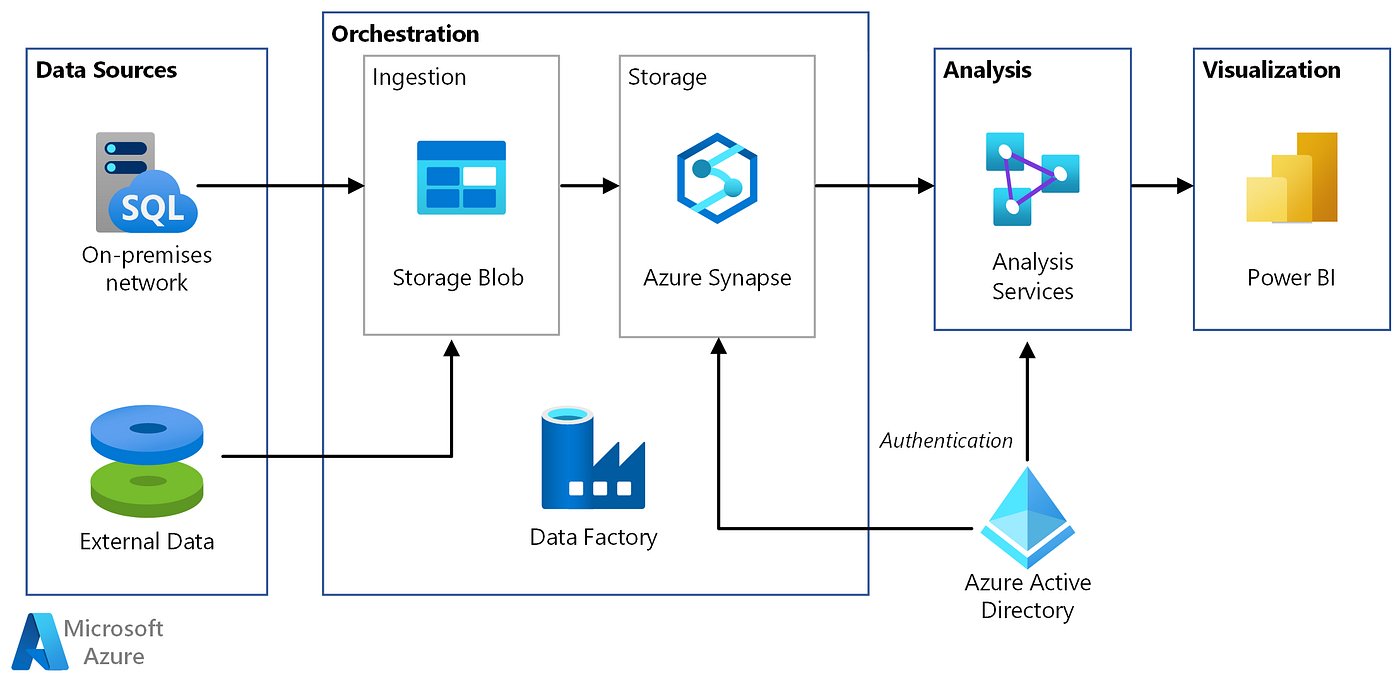
Typical enterprise pipeline:
On-Prem SQL Server
        ↓
Azure Data Factory
        ↓
Data Transformation
        ↓
Azure Data Lake
        ↓
Azure Synapse
        ↓
Power BI Dashboard
Uses services like:
- Azure Synapse Analytics
- Azure Data Lake Storage
- Power BI
Q1: What is Azure Data Factory? A cloud ETL service used to create and orchestrate data pipelines.
Q2: What is a pipeline? A logical group of activities performing a task.
Q3: What is Integration Runtime? The compute infrastructure used to execute data movement and transformations.
Q4: What is a dataset? A representation of data inside a data store.
Q5: Difference between Copy Activity and Data Flow?
| Feature | Copy Activity | Data Flow |
|---|---|---|
| Purpose | Move data | Transform data |
| Compute | Integration Runtime | Spark |