 Issue by Auhmaan
Thursday Aug 24, 2017 at 10:32 GMT
Originally opened as adobe/brackets#13636
Keep in mind that...
... this bug happens on an environment where there's two monitors, monitor A with 1920 by 1080 and monitor B 1080 by 1920 ( basically two 1920x1080 monitors where the second is in portrait mode ).
Description
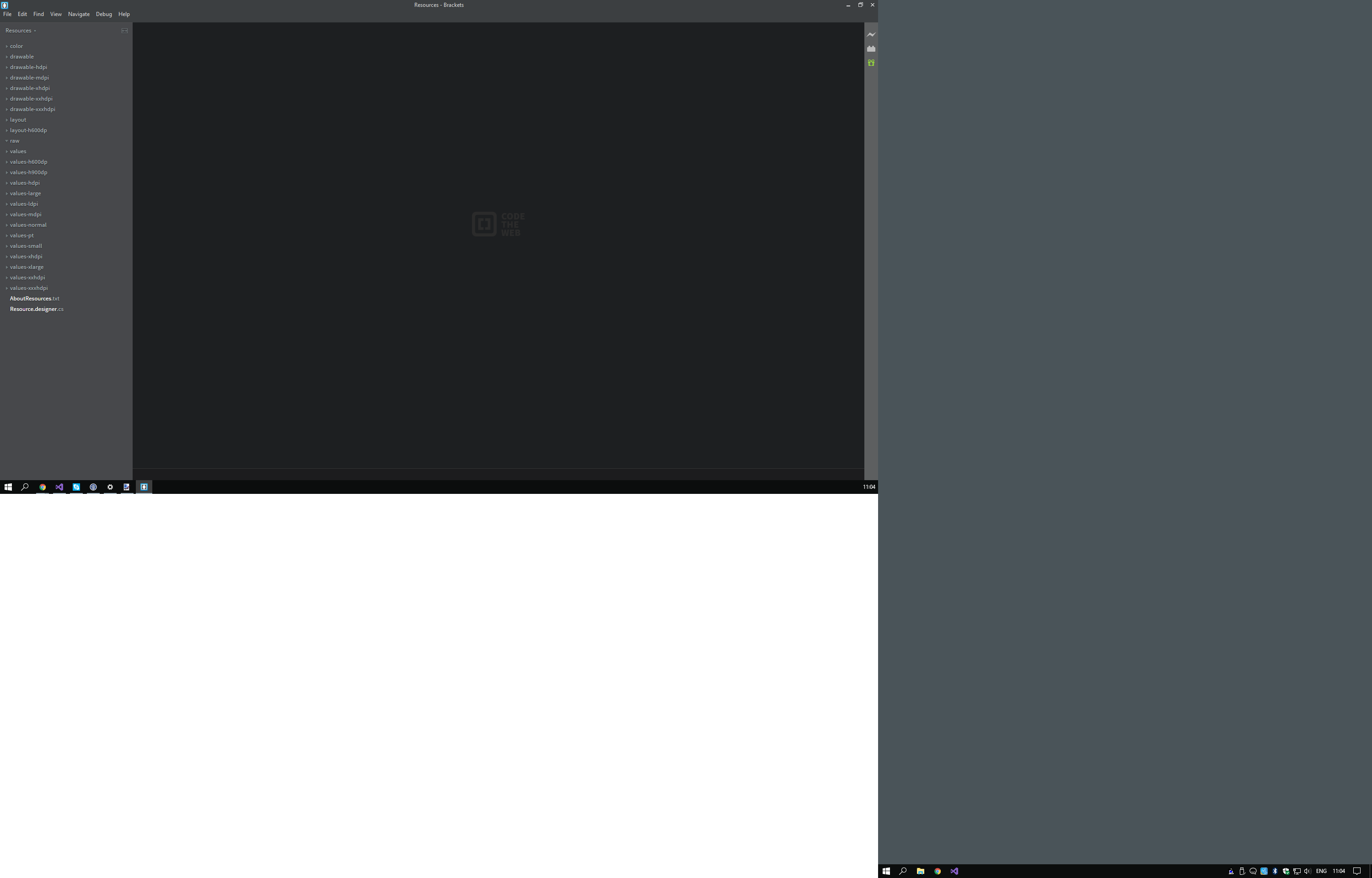
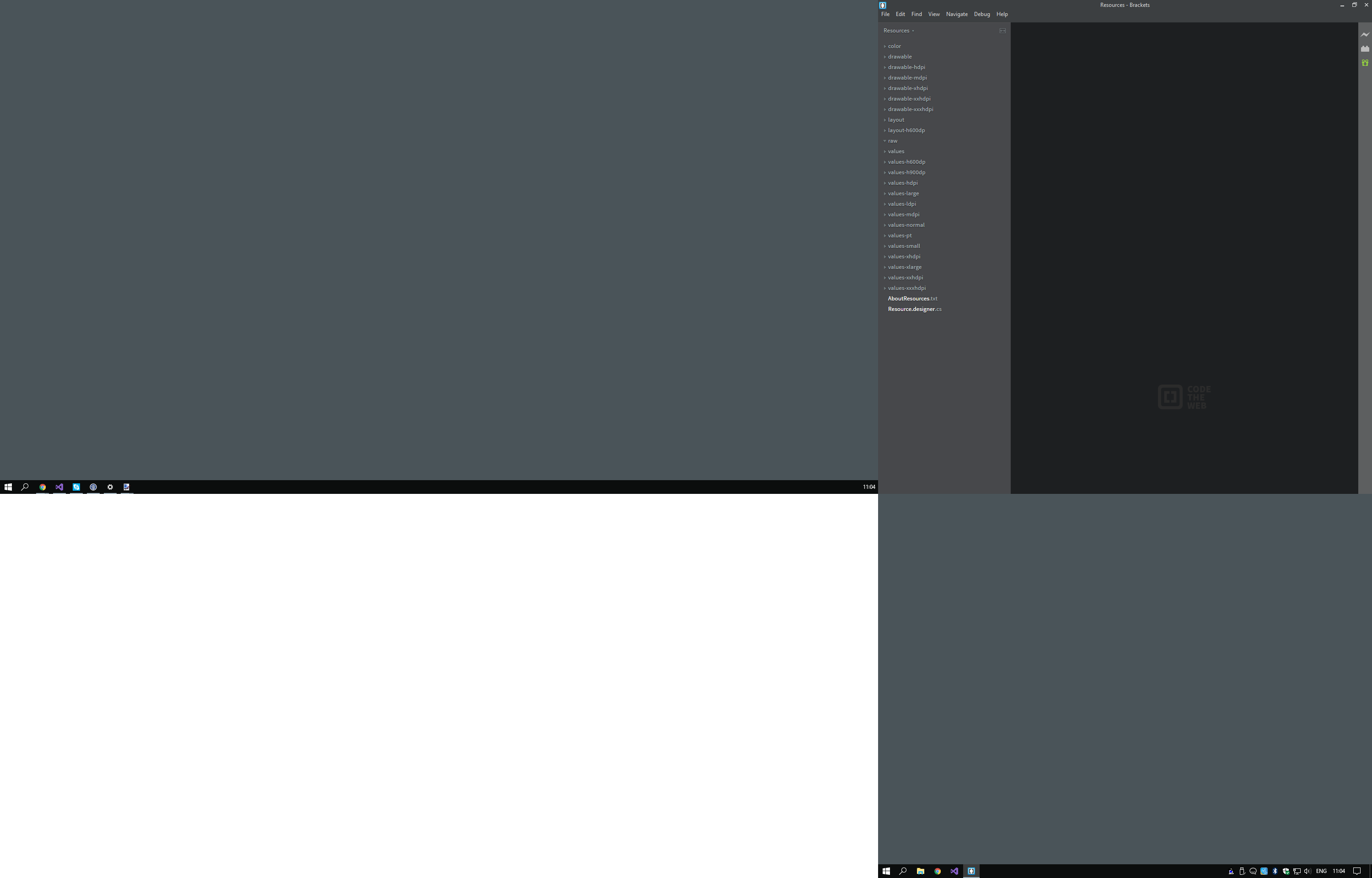
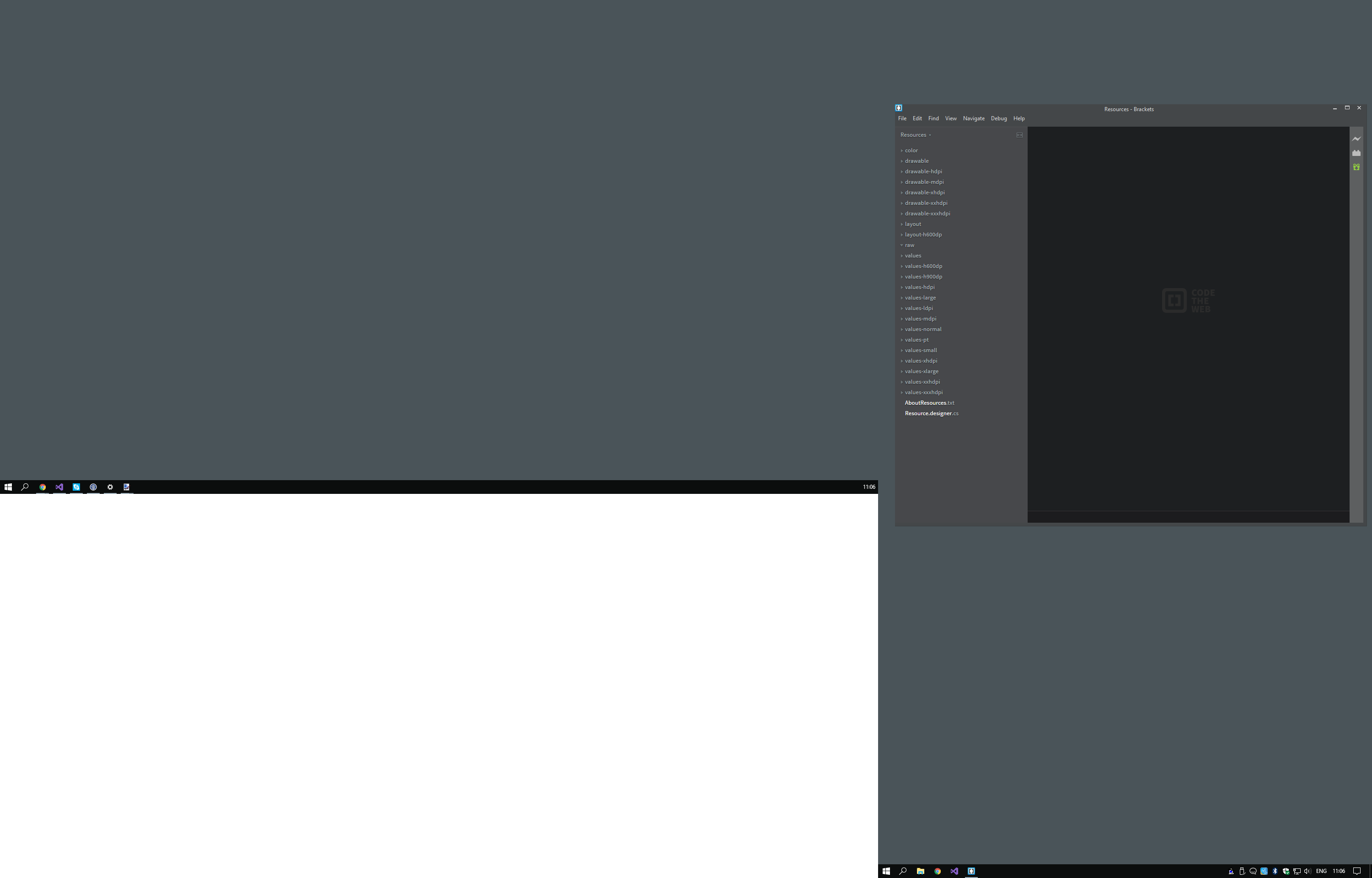
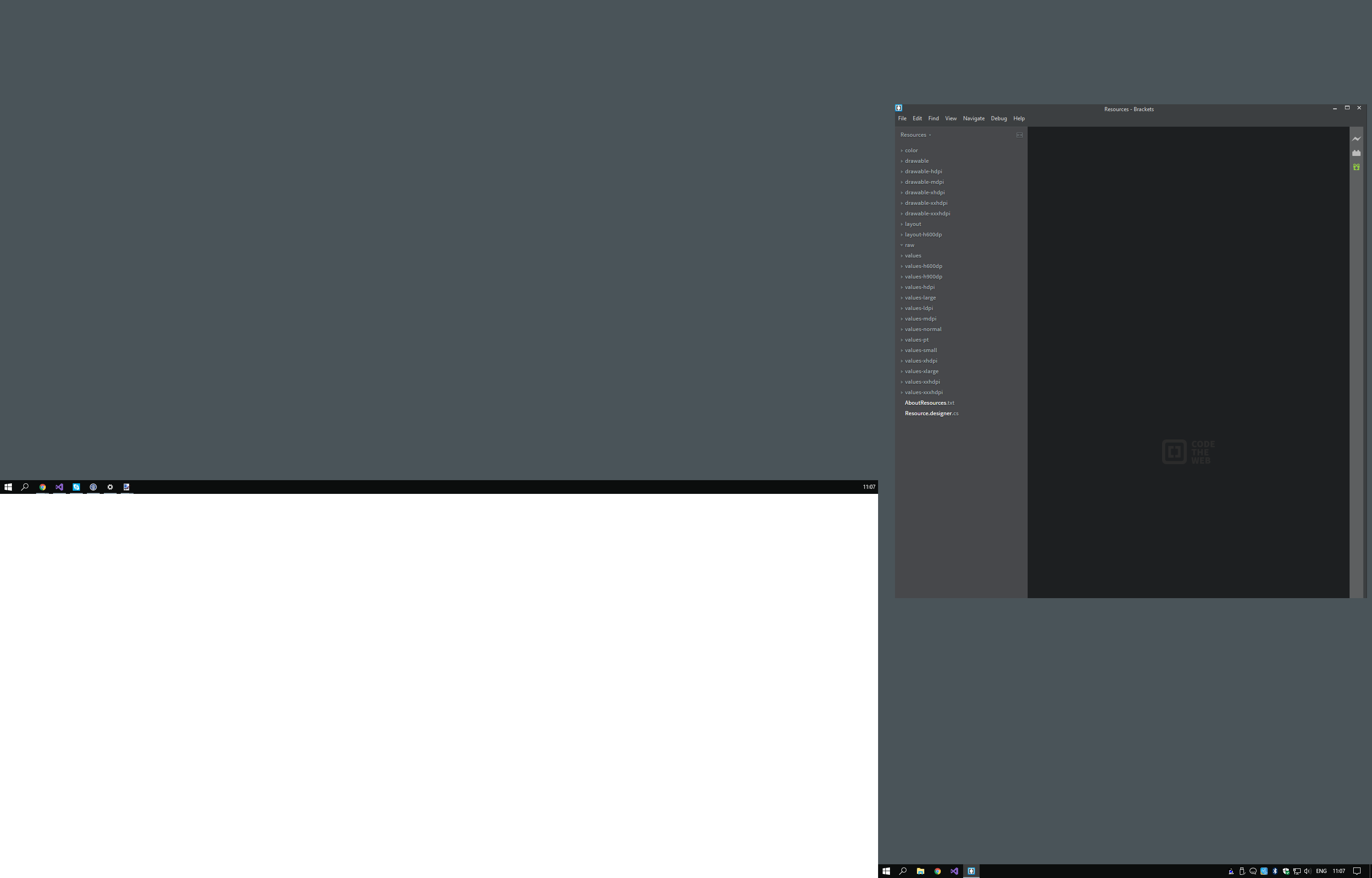
When opening Brackets in monitor A and maximizing it, it works at expected, Brackets fill the entire screen. If I grab the Brackets window and drag it to monitor B and maximize it there, it will fill the screen horizontally, but will only expand to the height of the monitor A, cutting the rest of the window that is below that height.
If I try to resize the window's height, it works fine until I get to the point where the height of the window is bigger than the height of the monitor A. Other weird fact about the resized window is, although the bottom of the window isn't visible, if I find the border of the window, after releasing it I can still see the Windows OS cursor to change from the default pointer to the vertical resize one, allowing me to resize the window.
The same happens if I start on Monitor B, only this time is the width of the window that is cropped.
Steps to Reproduce
- Get two monitors with different resolutions. Open Brackets on one of them and maximize the window.
- Close Brackets and reopen it.
- Grab the window by the title bar ( this is the way I do, where the bug happens ) and drag it to the second monitor, releasing it on the TOP of the monitor ( so when released Windows maximizes the window, as if pressing the maximize button )
- The bug should happen now. As I stated at the beggining, this seems to be an intermitent bug, so it might not work on the first try.
Expected behavior:
Brackets to fully occupy the second monitor.
Actual behavior:
Brackets maximizes on second monitor, but it's cropped by the height of the first monitor.
Images
Despite in the images the icon of update being visible ( initially teste on 1.9 ), after the update the bug persisted.
Versions
Windows 10 Pro
Release 1.10 build 1.10.0-17483 (release 024bee940)

Thursday Aug 24, 2017 at 10:32 GMT
Originally opened as adobe/brackets#13636
Keep in mind that...
... this bug happens on an environment where there's two monitors, monitor A with 1920 by 1080 and monitor B 1080 by 1920 ( basically two 1920x1080 monitors where the second is in portrait mode ).
Description
When opening Brackets in monitor A and maximizing it, it works at expected, Brackets fill the entire screen. If I grab the Brackets window and drag it to monitor B and maximize it there, it will fill the screen horizontally, but will only expand to the height of the monitor A, cutting the rest of the window that is below that height.
If I try to resize the window's height, it works fine until I get to the point where the height of the window is bigger than the height of the monitor A. Other weird fact about the resized window is, although the bottom of the window isn't visible, if I find the border of the window, after releasing it I can still see the Windows OS cursor to change from the default pointer to the vertical resize one, allowing me to resize the window.
The same happens if I start on Monitor B, only this time is the width of the window that is cropped.
Steps to Reproduce
Expected behavior:
Brackets to fully occupy the second monitor.
Actual behavior:
Brackets maximizes on second monitor, but it's cropped by the height of the first monitor.
Images
Despite in the images the icon of update being visible ( initially teste on 1.9 ), after the update the bug persisted.
Versions
Windows 10 Pro
Release 1.10 build 1.10.0-17483 (release 024bee940)