

The project repository of the mobile application for the Institute Counselling Services, NIT Rourkela. We are using the Flutter framework for the development of the application. This application has more than 3000 active users and is the most popular application at National Institute of Technology Rourkela. To use the android application, visit play store.

Project developed and maintained by DSC NIT Rourkela

-
Install Flutter on your machine
Install flutter by selecting the operating system on which you are installing Flutter: Flutter installation tutorial
To check if you have flutter installed along wtih proper necesarry SDKs installed run
flutter doctor -
Fork and Clone the Repo
Fork the repo by clicking on the Fork button on the top right corner of the page. To clone this repository, run
git clone https://github.com/dscnitrourkela/project-avocado.gitThen runcd project-avocado -
Get Packages
Make sure you are in the
project-avocado/scpdirectory- From the terminal: Run
flutter pub get. OR - From Android Studio/IntelliJ: Click Packages get in the action ribbon at the top of
pubspec.yaml. - From VS Code: Click Get Packages located in right side of the action ribbon at the top of
pubspec.yaml.
After the above steps, you should see the following message in the terminal:
- From the terminal: Run
On terminal:
- Check that an Android device is running by running
flutter devices. If none are shown, follow the device-specific instructions on the Install page for your OS. - Run the app with the following command:
flutter run
Congrats 🥳 ! You just ran the Project Avocado. Feel free to use the application in whatever way possible and make sure to send us feedbacks and suggest changes.
Our Slack Community: Slack Invite
Contributions are welcome 🎉🎉
Please refer to the project's style and contribution guidelines for submitting patches and additions. In general, we follow the "fork-and-pull" Git workflow.
- Fork the repo on GitHub
- Clone the project to your own machine
- Commit changes to your own branch
- Push your work back up to your fork
- Submit a Pull request so that we can review your changes
NOTE 1: Please abide by the Contributing Guidelines.
NOTE 2: Please abide by the Code of Conduct.
dscnitrourkela/project-avocado is Starware.
This means you're free to use the project, as long as you star its GitHub repository.
Your appreciation makes us grow and glow up. ⭐
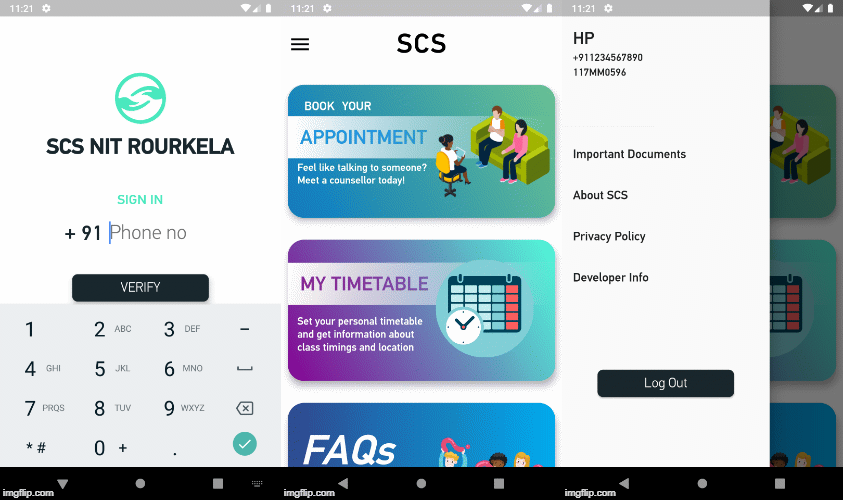
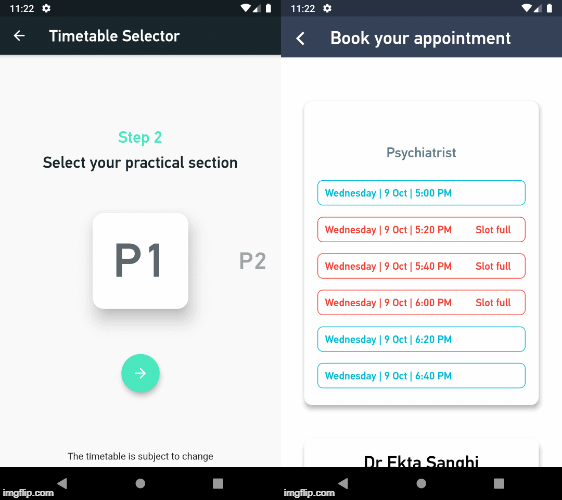
- Make appointments
- Timetable selector
- Manage your mentors/mentees
- Get Notifications
- Attendance Tracker
- Freshers Chat Support
Thanks goes to these wonderful people (emoji key):


This project follows the all-contributors specification. Contributions of any kind welcome!