Running Fabio version 1.3.7
Running Docker Container locally of Consul version 0.7.2
Fabio Config:
registry.backend = consul
registry.consul.kvpath = paas-api-hello-world
registry.consul.service.status = passing
registry.consul.tagprefix = paas-api-hello-world
registry.consul.register.enabled = true
registry.consul.register.addr = :9998
registry.consul.register.name = paas-api-hello-world-fabio-poc
registry.consul.register.tags = testing
registry.consul.register.checkInterval = 1s
registry.consul.register.checkTimeout = 3s

ui.color = red
ui.title = paas-api-hello-world
This correctly registers fabio to Consul, and fabio reports that it is watching the paas-api-hello-world KV Store:
2017/01/25 10:20:35 [INFO] consul: Watching KV path "paas-api-hello-world"
When navigating to http://localhost:9998/manual I see no manual overrides as I havent created any previously (as expected).
When I fill in an override with content like:
route weight / weight 1.00 tags "paas-api-hello-world/,abcdefghijk"
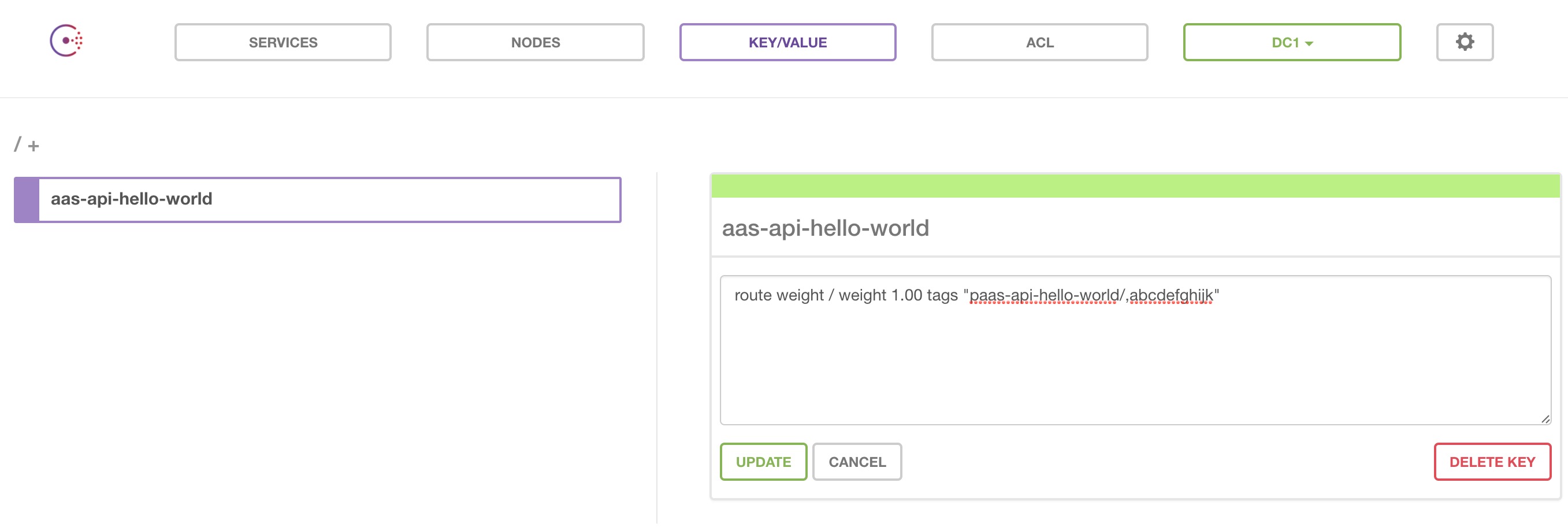
I get a successful return from both the API and the UI, but when I go and look in Consul, I see the following key/value store is created:
Key: aas-api-hello-world
Value: route weight / weight 1.00 tags "paas-api-hello-world/,abcdefghijk"
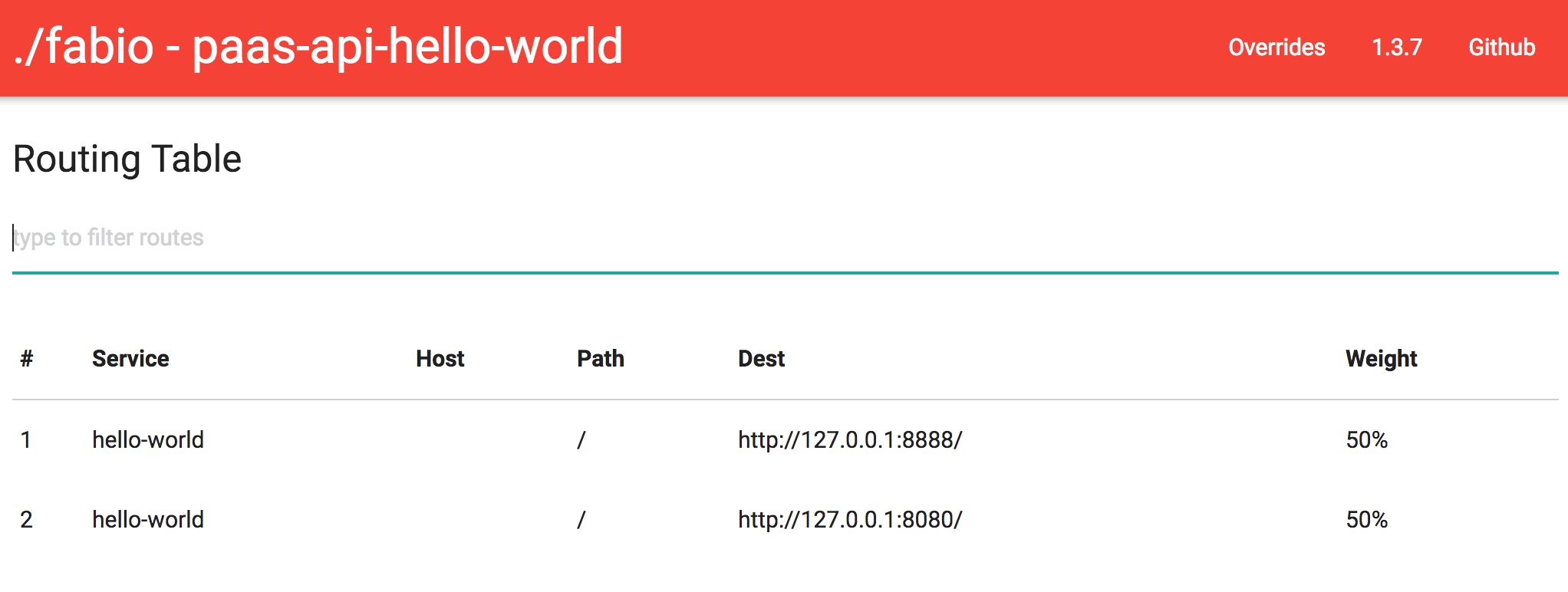
And as you can see my weighting is still 50:50:
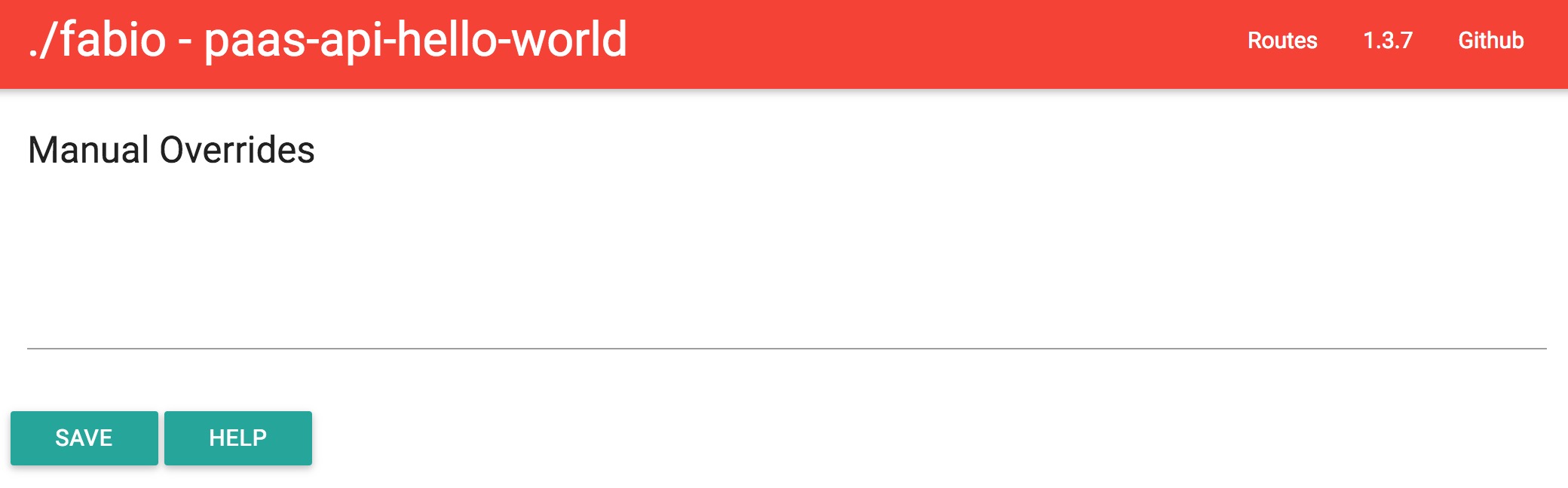
And if I return to the overrides screen, you can see it is blank:
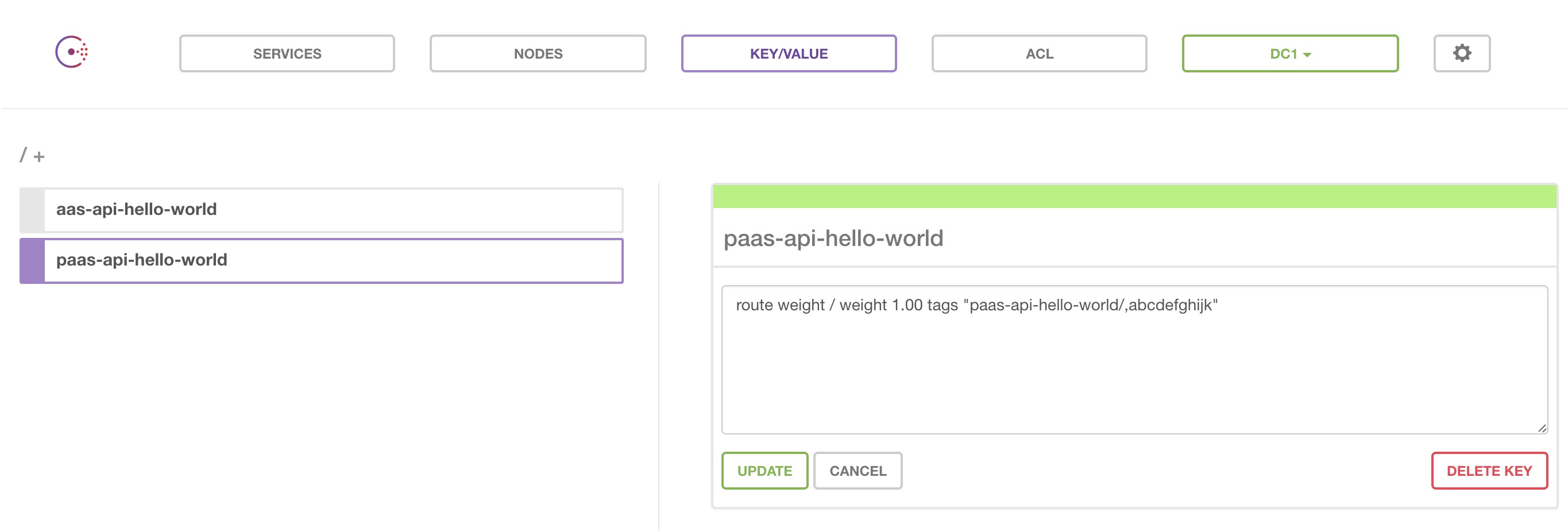
If I create the key/value store manually in consul with the correct name: paas-api-hello-world instead of the cut off version that is generated (ass-api-hello-world) my configuration is correctly picked up and the override is applied.
Manually Creating KV Obj:
Proof Fabio begins routing correctly:
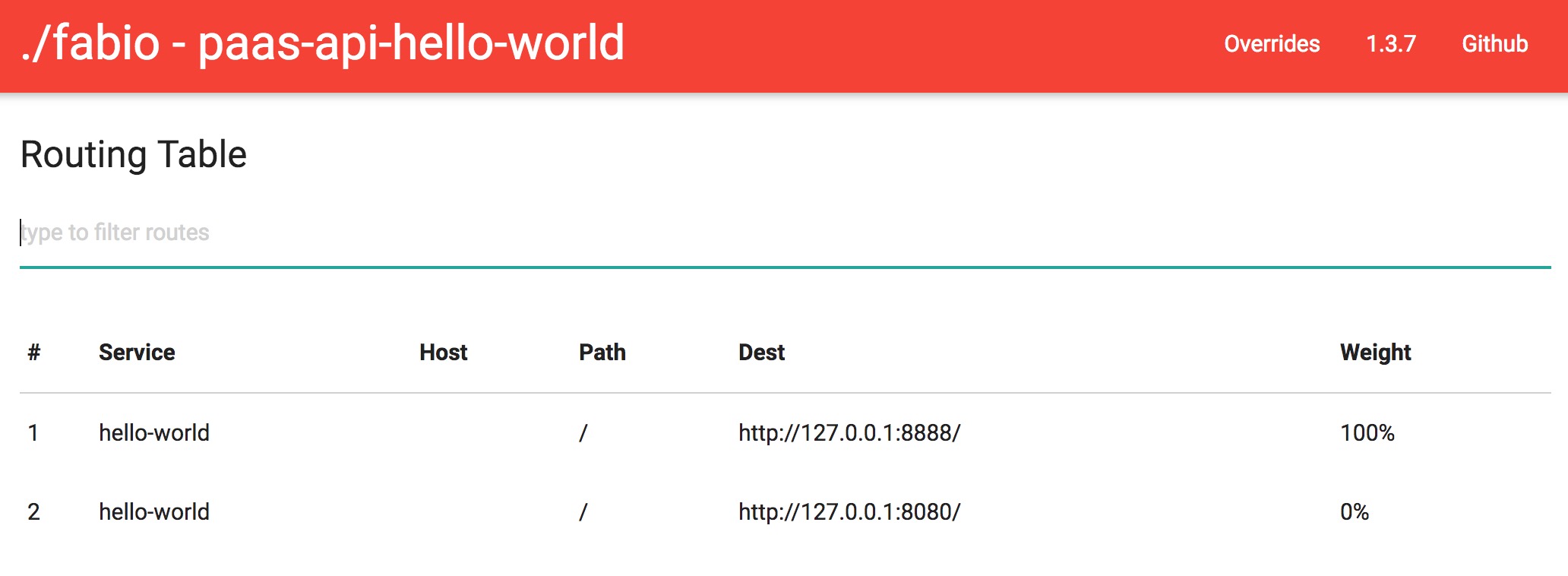
And you can now see your configuration in the overrides screen:
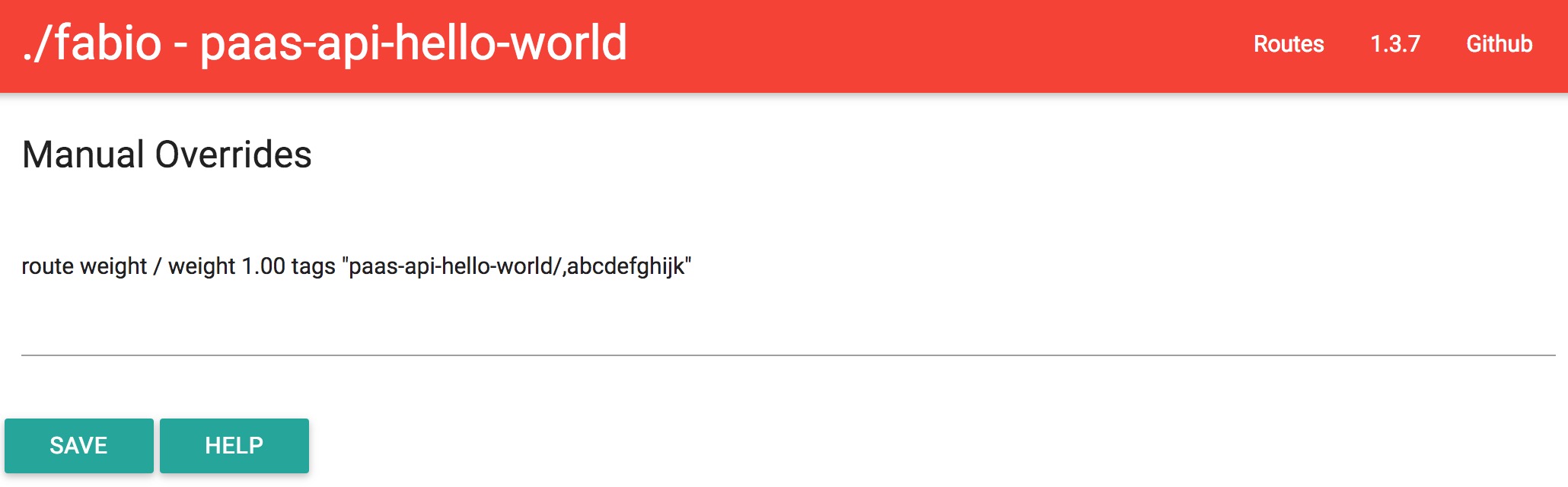
By the looks of it, when the override UI and API save the KV store they're stripping the first character of the KV config name.

Running Fabio version
1.3.7Running Docker Container locally of Consul version
0.7.2Fabio Config:
This correctly registers fabio to Consul, and fabio reports that it is watching the
paas-api-hello-worldKV Store:When navigating to http://localhost:9998/manual I see no manual overrides as I havent created any previously (as expected).
When I fill in an override with content like:
I get a successful return from both the API and the UI, but when I go and look in Consul, I see the following key/value store is created:
And as you can see my weighting is still 50:50:

And if I return to the overrides screen, you can see it is blank:

If I create the key/value store manually in consul with the correct name:
paas-api-hello-worldinstead of the cut off version that is generated (ass-api-hello-world) my configuration is correctly picked up and the override is applied.Manually Creating KV Obj:

Proof Fabio begins routing correctly:

And you can now see your configuration in the overrides screen:

By the looks of it, when the override UI and API save the KV store they're stripping the first character of the KV config name.