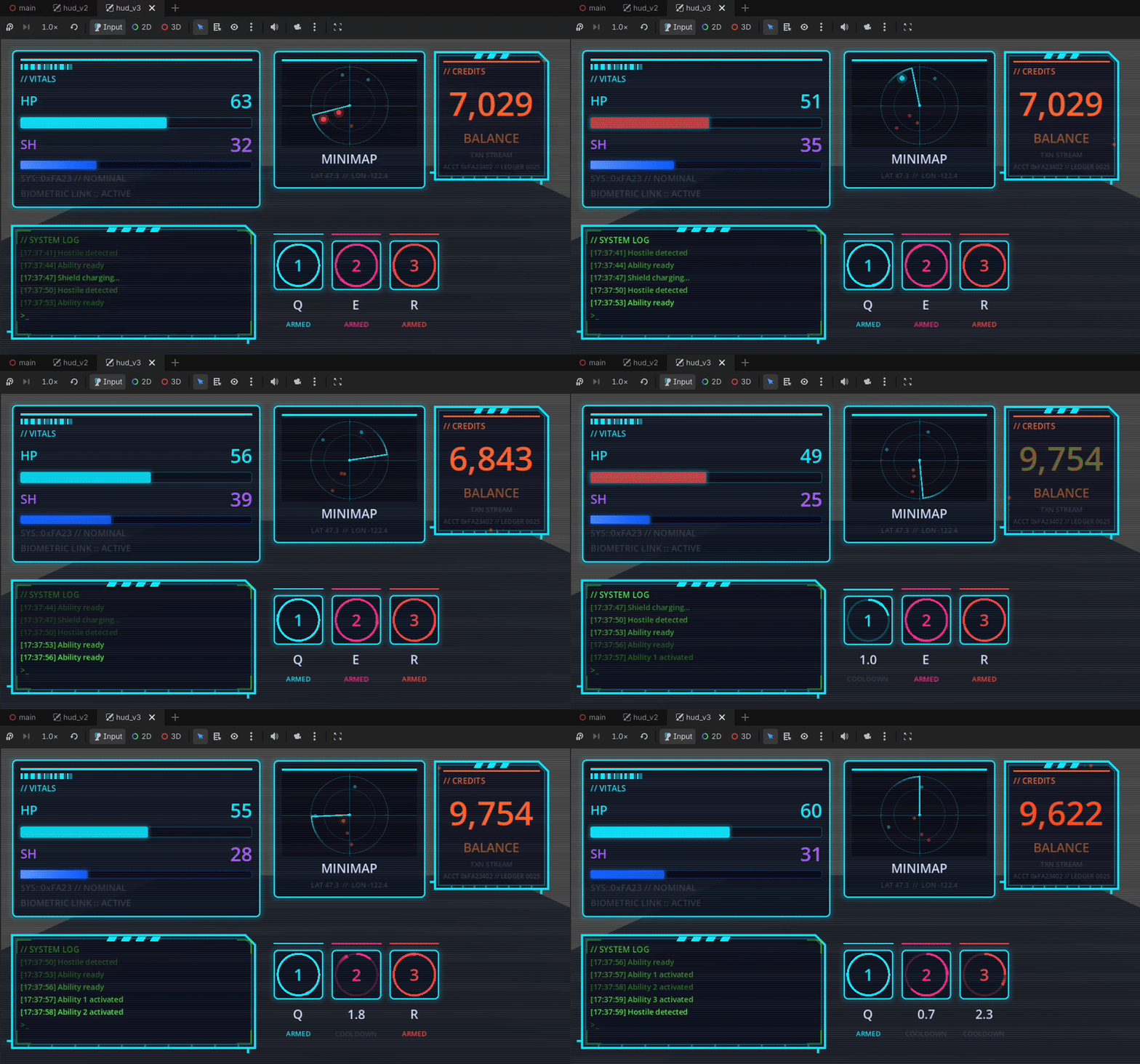
Proof of concept: production-quality interactive game UI with zero art assets, built entirely through AI tool calls.
This is a Godot 4 cyberpunk HUD built from scratch using Godot AI — an MCP plugin that lets AI assistants drive the Godot editor directly. No sprites, no textures, no custom fonts, no Photoshop. Every element — panels, gauges, radar sweep, cooldown rings, waveform trace, scanline overlay — is drawn programmatically using Godot's vector drawing API, authored entirely through MCP tool calls.
Three progressively refined versions of the same HUD, each preserved as its own scene:
| Scene | What changed |
|---|---|
hud_v1.tscn |
First pass — basic panel layout, stat bars, ammo counter, minimap placeholder |
hud_v2.tscn |
Dense terminal aesthetic — corner brackets, barcode strip, QR block, log feed, ability icons |
hud_v3.tscn |
Vector recipes + animation — radar sweep, circular cooldown gauges, crosshair, waveform trace, scanline CRT overlay, low-health pulse |
Switch between versions via the hud_version dropdown on the HudLoader node in main.tscn.
Everything was created through Godot AI MCP tool calls issued by Claude Code — no manual scene editing, no code written by hand.
The key tools used:
control_draw_recipe— attaches a_draw()override to any Control with a list of vector ops (line,rect,arc,circle,polyline,polygon,string). This is what makes the radar sweep, cooldown rings, waveform, and crosshair tick each frame with a single node instead of dozens.animation_*— keyframe animations for pulse effects, slide-ins, and the low-health bracket color shifttheme_*— color palette, font sizes, and StyleBox authoringnode_create/node_set_property— scene tree constructionscript_create/script_patch— GDScript for_process()logic (radar angle, cooldown progress, waveform noise)
The full prompts and a friction log documenting what worked and what needed iteration are in docs/.
- Complex, animated UI is achievable without any art pipeline — no designer, no asset exports, no import step
- Godot's vector drawing API is expressive enough for real HUD-quality visuals when driven programmatically
- An AI with the right tools can iterate on visual design the same way a developer would — inspecting the scene, adjusting values, re-running
Built with Godot AI · Godot 4.4