A High-Performance, Client-Side Poster Design Tool for Jellyfin Media Collections








- Open the app:
https://jeffersoncgo.github.io/CoverMaker/ - Add image slots using the
+button. - Load images from Jellyfin, local files, or drag & drop onto slots, or simply paste from clipboard.
- Select a layout type and tweak composite parameters (Format, Salt, Base Scale, Spacing).
- Adjust visual settings and apply image effects as desired.
- Add text layers and apply as many text effects you wanna to then (previously Stroke and Bloom where their own section, now they are effects).
- Export the final image as PNG/JPEG or save the project as a ZIP for later reuse.
Tip: Numeric controls (range/number) support double‑click to switch input mode for precise values.
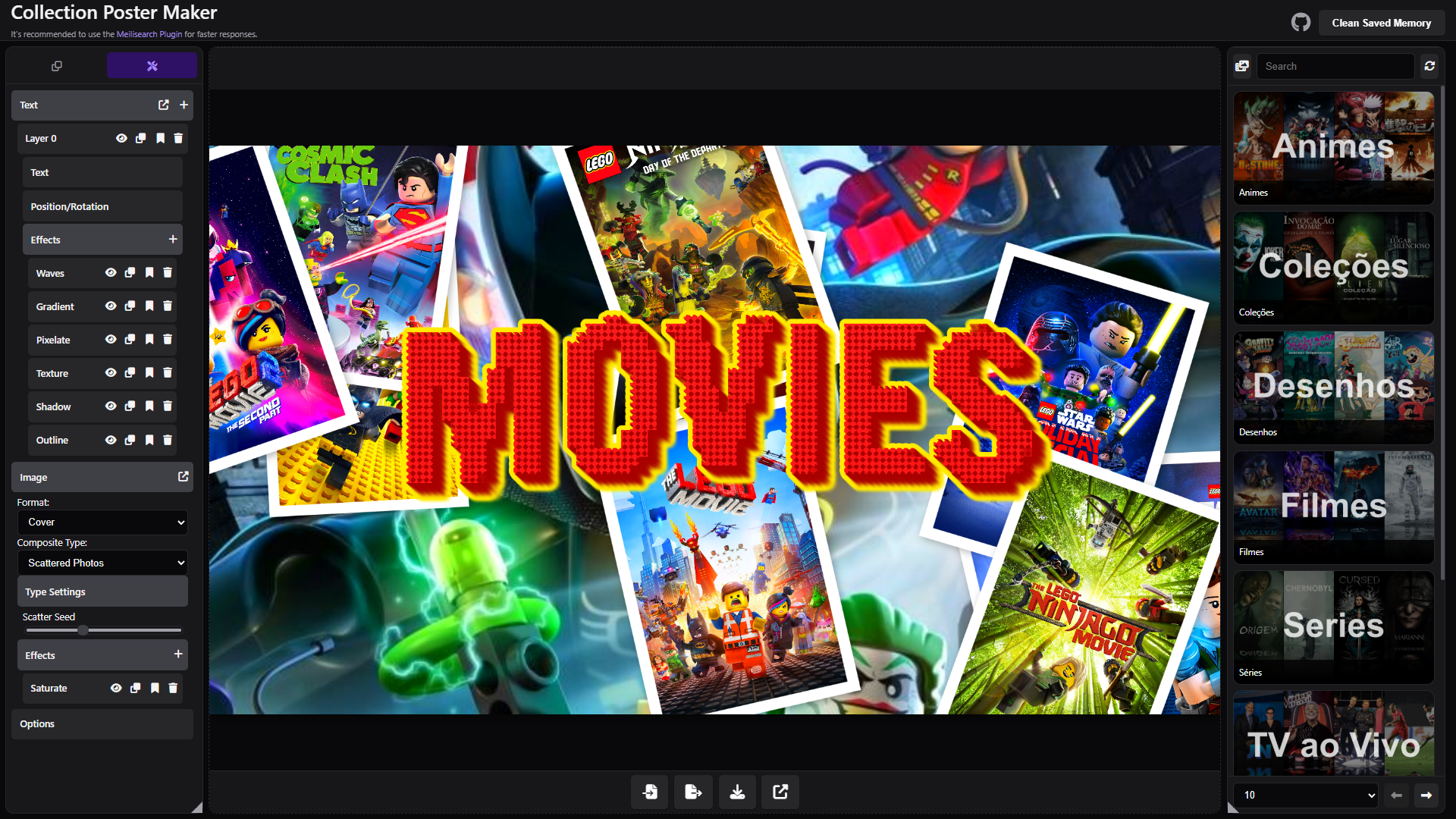
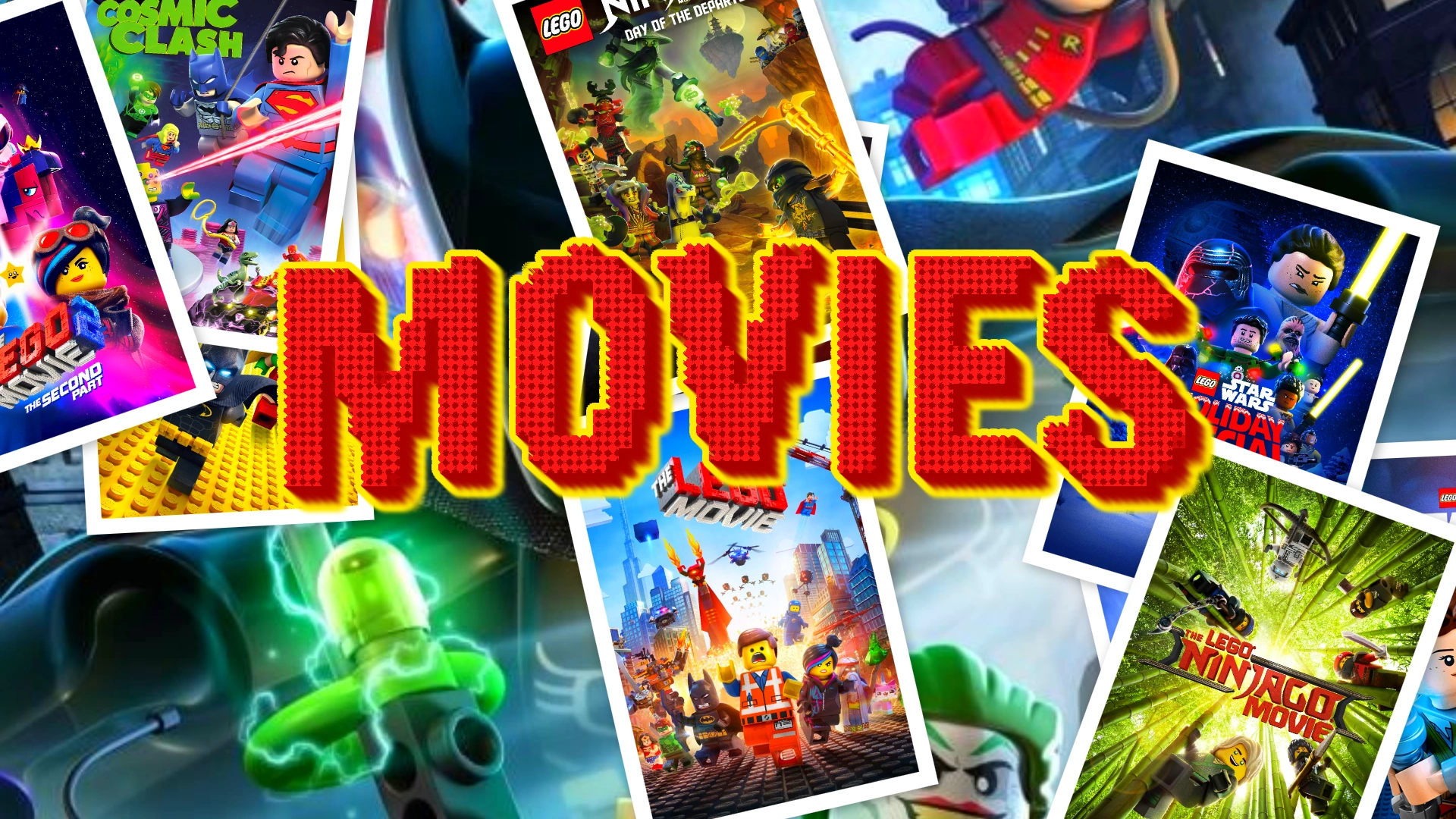
Quick summary: Scattered photos composite with a large distressed headline using multiple text effects (waves, gradient, pixelation, long shadow and outline).
- Canvas / Composite:
scatteredPhotos, formatcover(1920×1080), composite salt36, baseScale1.4, blur5, spacing1. - Visual settings & effects:
saturateenabled (amount 1.4), additional subtle effects present but mostly focused on textured headline and pixel matrix. - Text layers: single large
MOVIESheadline usingFrancois One, withwaves,gradient,pixelMatrix,distress,longShadowandoutlineeffects to create a gritty, playful poster look. - Export: PNG. Image slots: 12.
📦 Download project: https://jeffersoncgo.github.io/CoverMaker/gallery/projects/movies-lego/movies.lego.project.zip
🖼️ Final result image
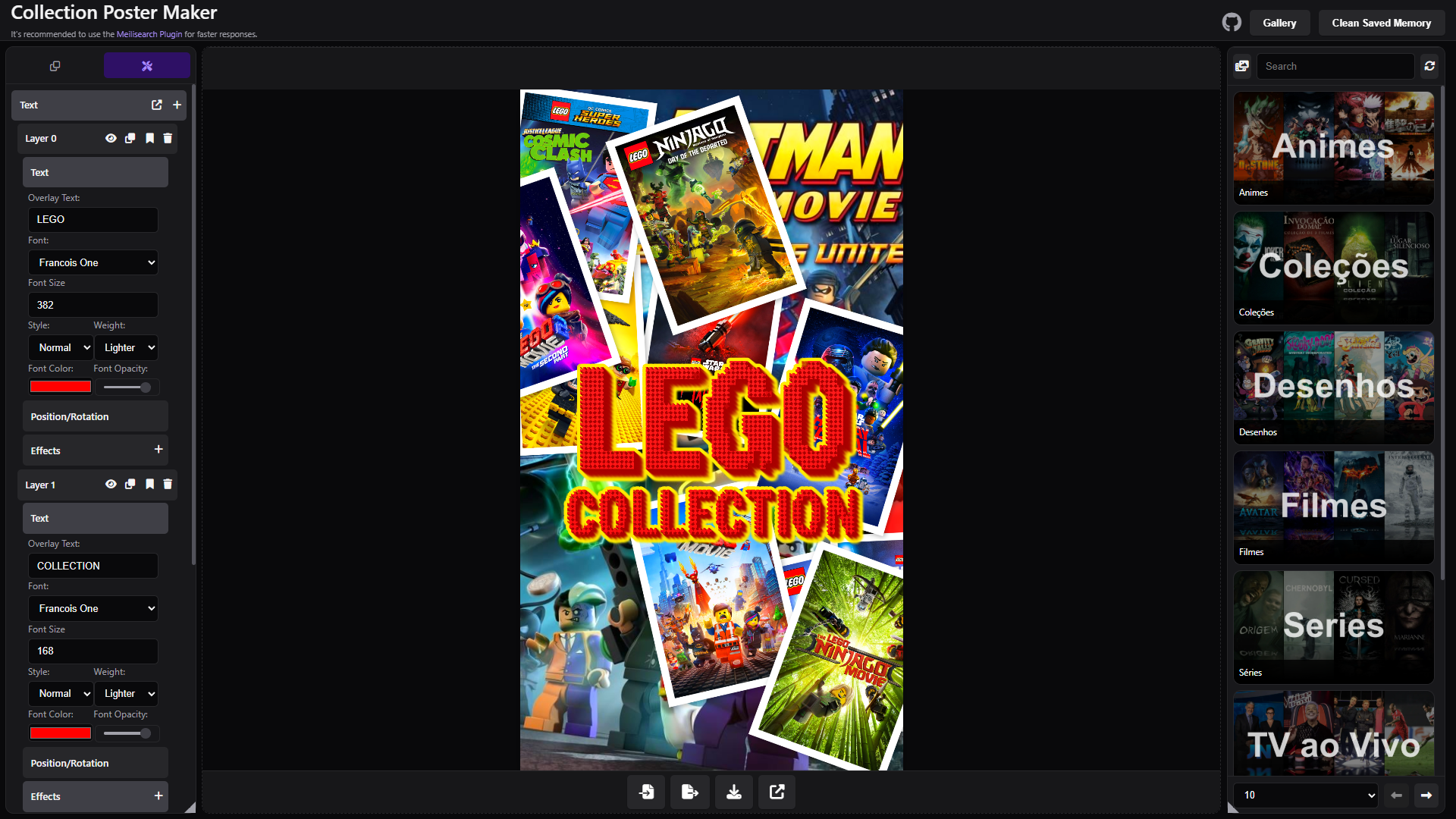
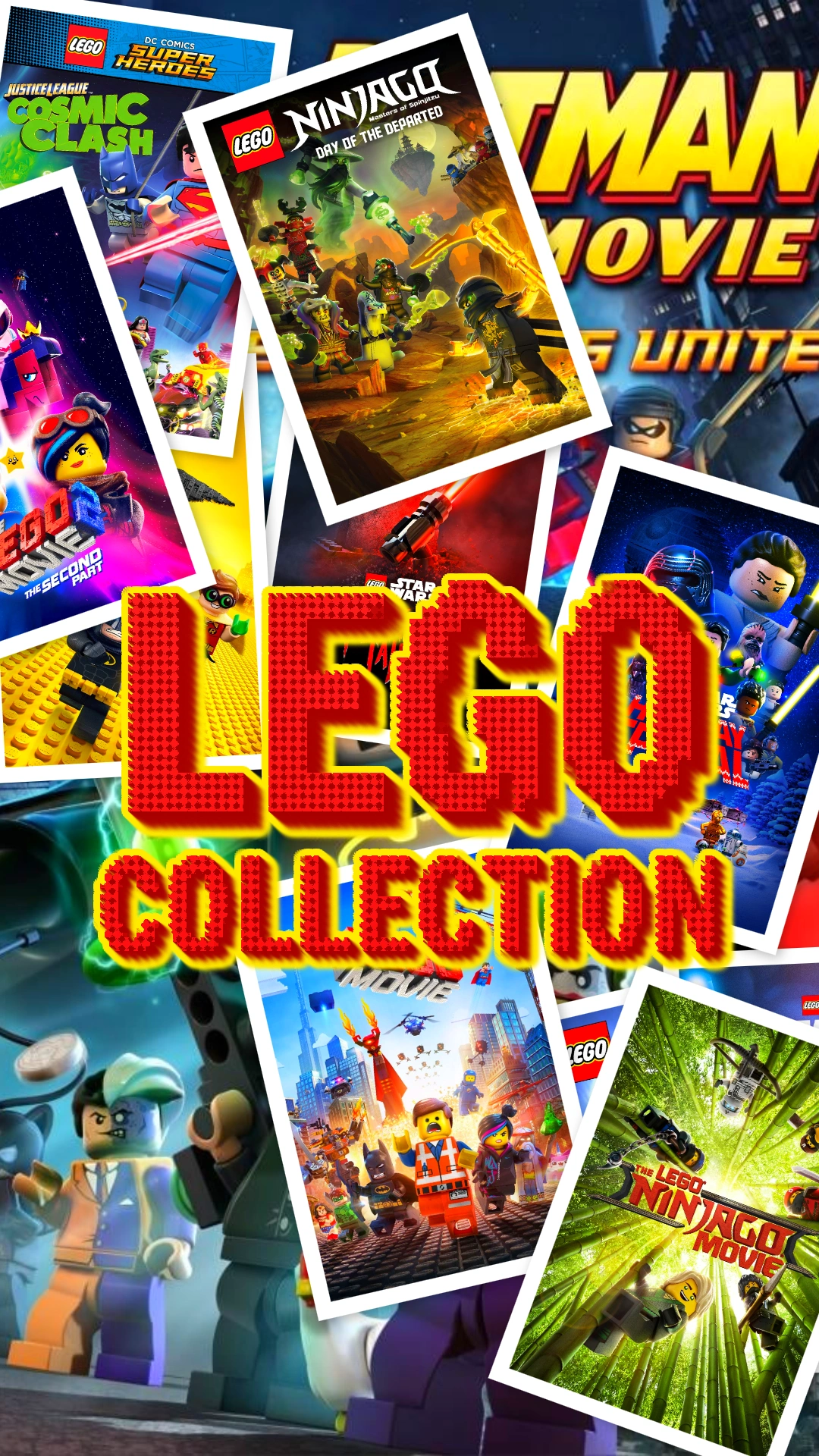
Quick summary: Poster-format scattered photos with vibrant pixel matrix text effects and stacked layers creating a playful Lego-themed collection cover.
- Canvas / Composite:
scatteredPhotos, formatposter(1080×1920), composite salt36, baseScale1.4, blur5, spacing1. - Visual settings & effects:
saturateenabled (amount 1.4) for vibrant colors. - Text layers: two headline layers (
LEGOandCOLLECTION) usingFrancois Onewithgradient,pixelMatrix,distress,longShadowandoutlineeffects to produce bold, textured lettering with a distinctive blocky aesthetic. - Export: PNG. Image slots: 12.
📦 Download project: https://jeffersoncgo.github.io/CoverMaker/gallery/projects/lego-collection/lego.collection.project.zip
🖼️ Final result image
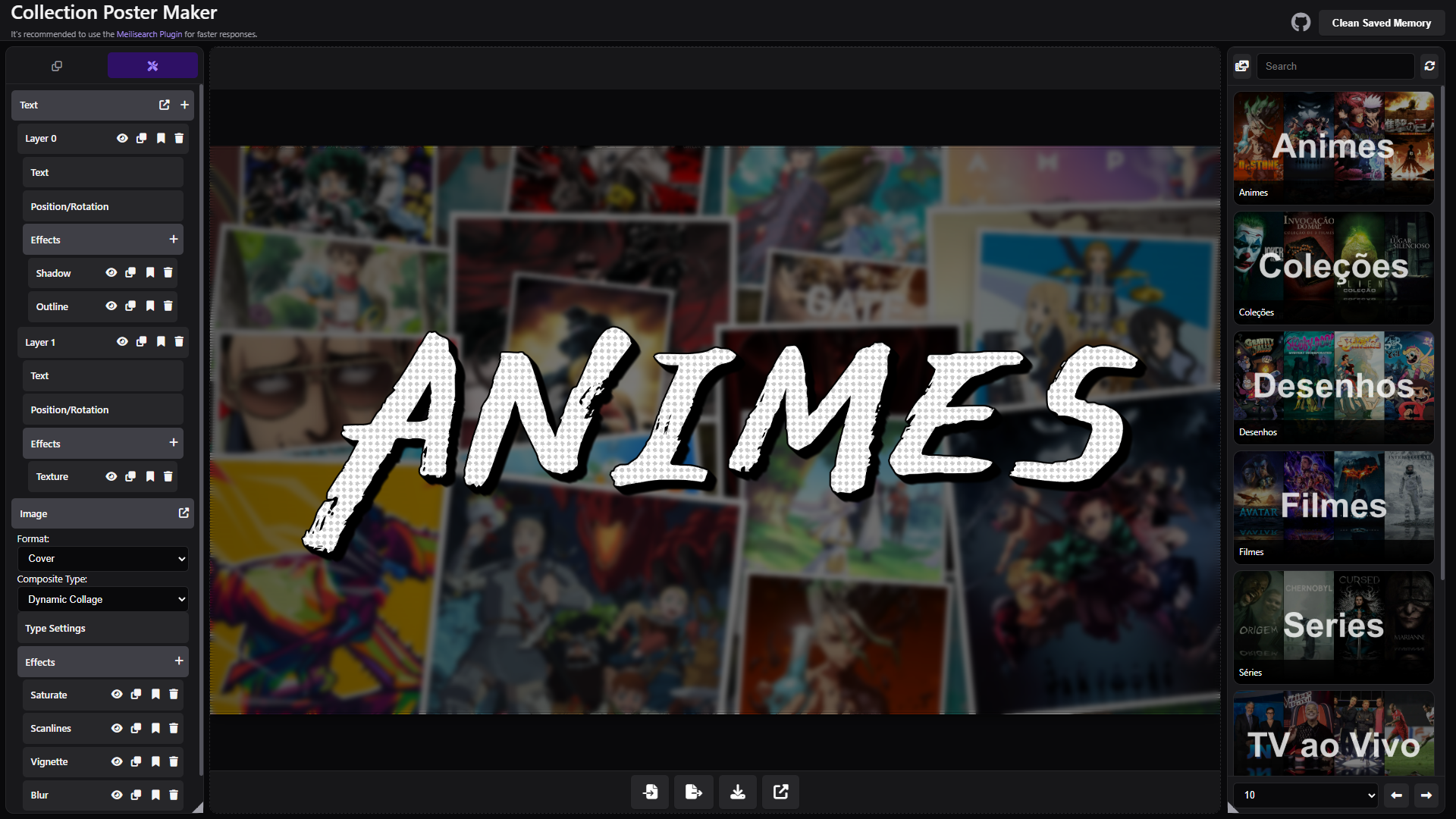
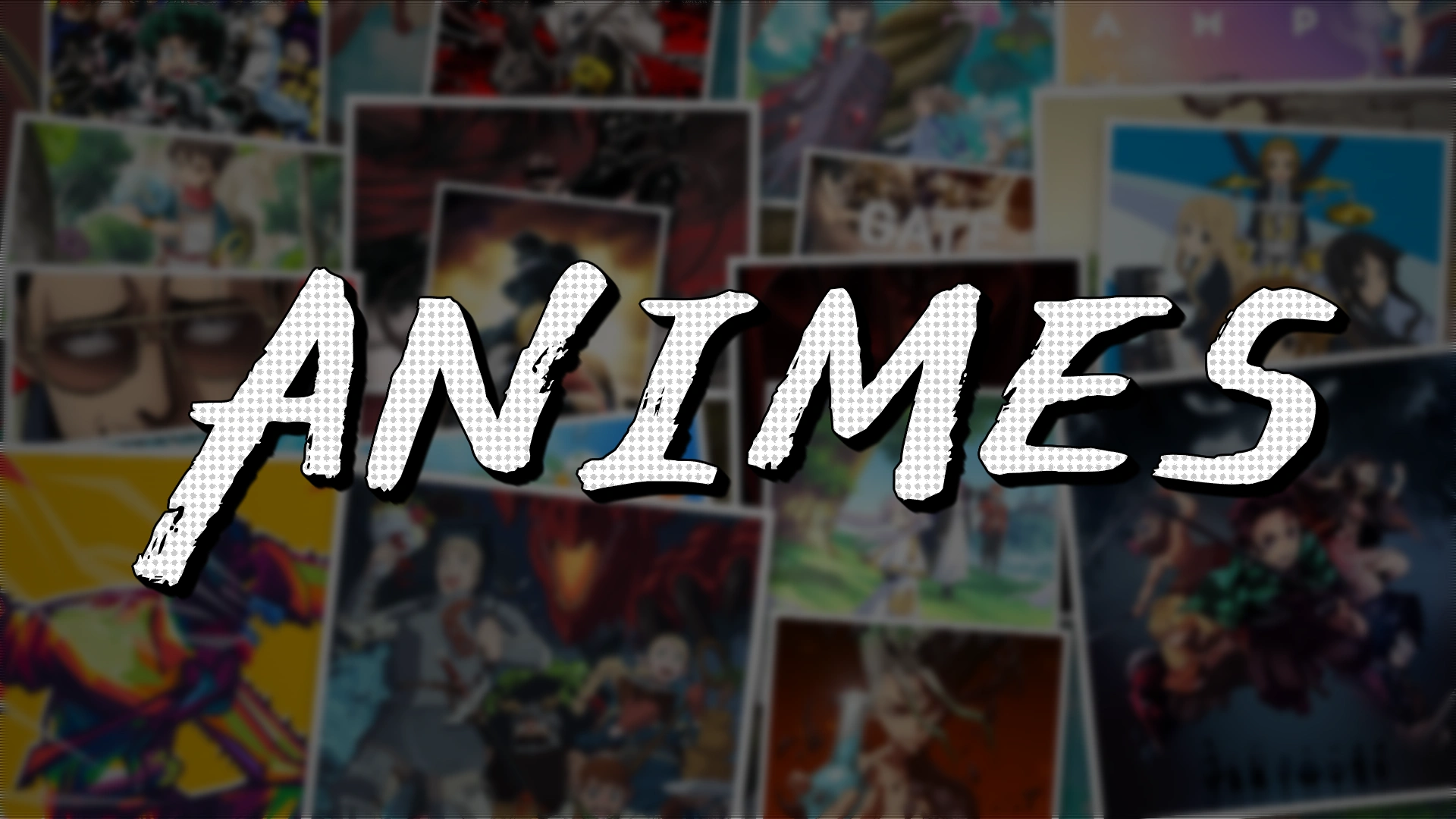
Quick summary: Collage composite with layered headline text (long shadow + distressed overlay) for a stylized anime cover.
- Canvas / Composite:
collage, formatcover(1920×1080), composite salt3. - Visual settings: subtle overlay (0.1→0.4), reflections, base scale 1.4, blur 5.
- Active image effects:
saturate,scanLines,vignette,blur(grayscale present but disabled). - Text layers: two stacked layers using
East Sea Dokdo(large italic headlineANIMES), top layer withlongShadow+ small outline, bottom withdistressfor texture. - Export: PNG. Image slots: 20.
📦 Download project: https://jeffersoncgo.github.io/CoverMaker/gallery/projects/animes-manga/animes.manga.project.zip
🖼️ Final result image
This project includes a gallery folder with a structure intended to host gallery content for the web app. To populate it, you can manually copy ZIP files and their project.json into gallery/projects/<id>/. See gallery/GALLERY.md for manual extraction and contribution instructions.
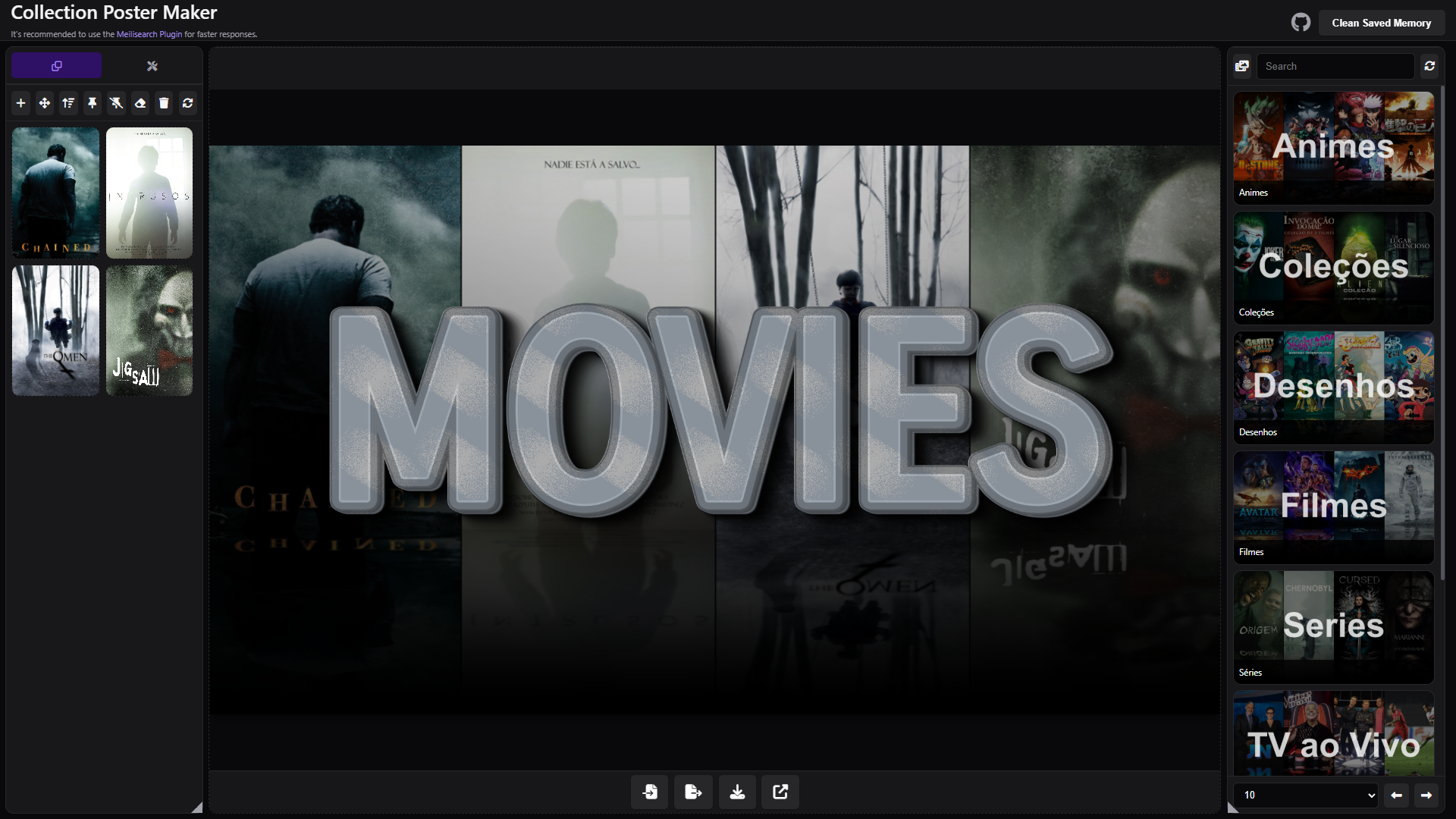
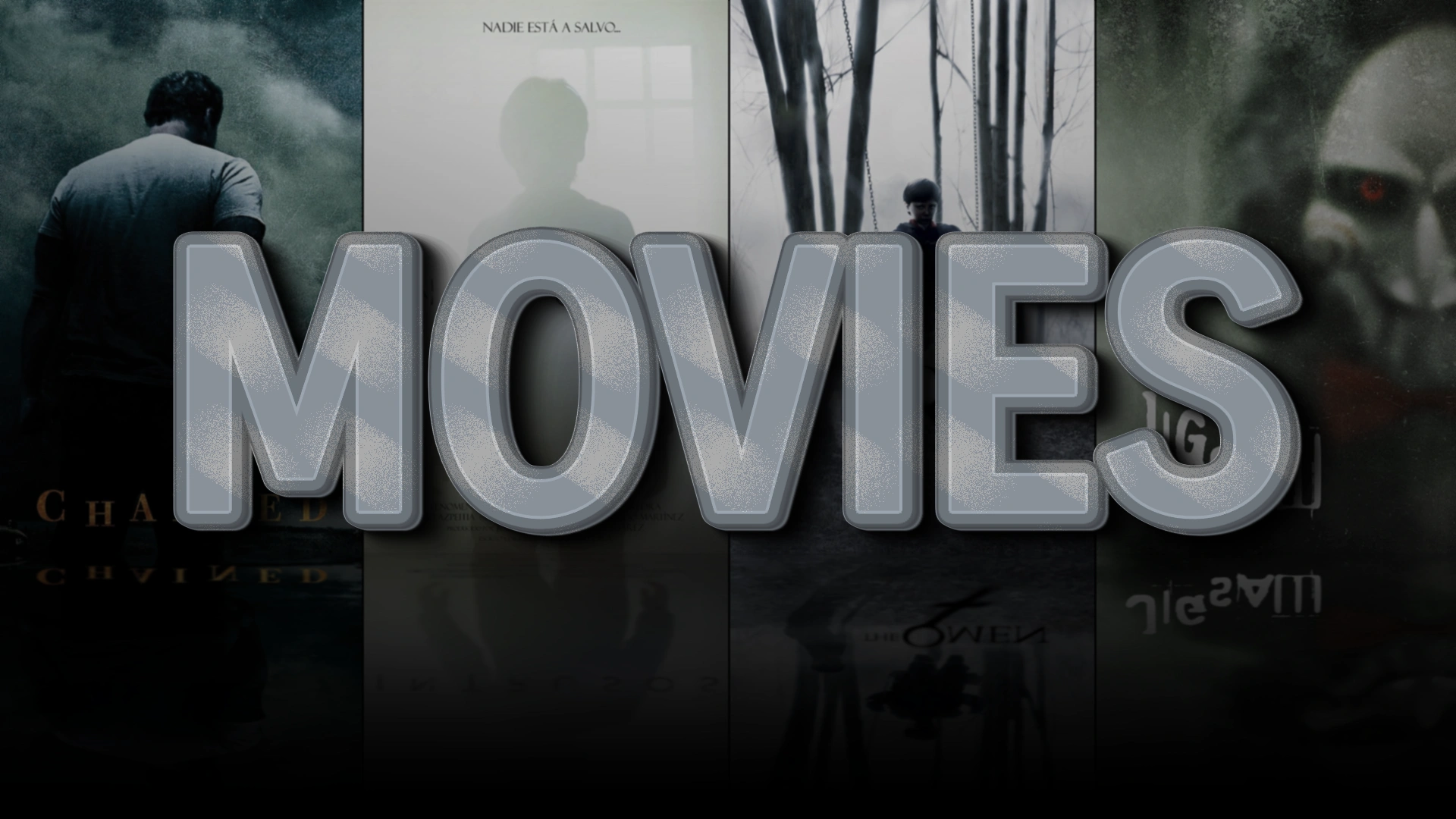
Quick summary: Line composite with stacked outlines and long shadows to create a metallic, embossed headline.
- Canvas / Composite:
line, formatcover(1920×1080), reflections enabled, baseScale ~1.35, spacing3, blurAmount ~3.5. - Visual settings & effects: vignette, overlay (dark), sharpen (0.28), saturate (1.4), blur (1), light grayscale — all used to achieve heavy contrast.
- Text layers: single large
MOVIESheadline with multiple stackedoutlineandlongShadoweffects and adistresspass. - Export: PNG. Image slots: 4.
📦 Download project: https://jeffersoncgo.github.io/CoverMaker/gallery/projects/movies-metal/movies.metal.project.zip
🖼️ Final result image
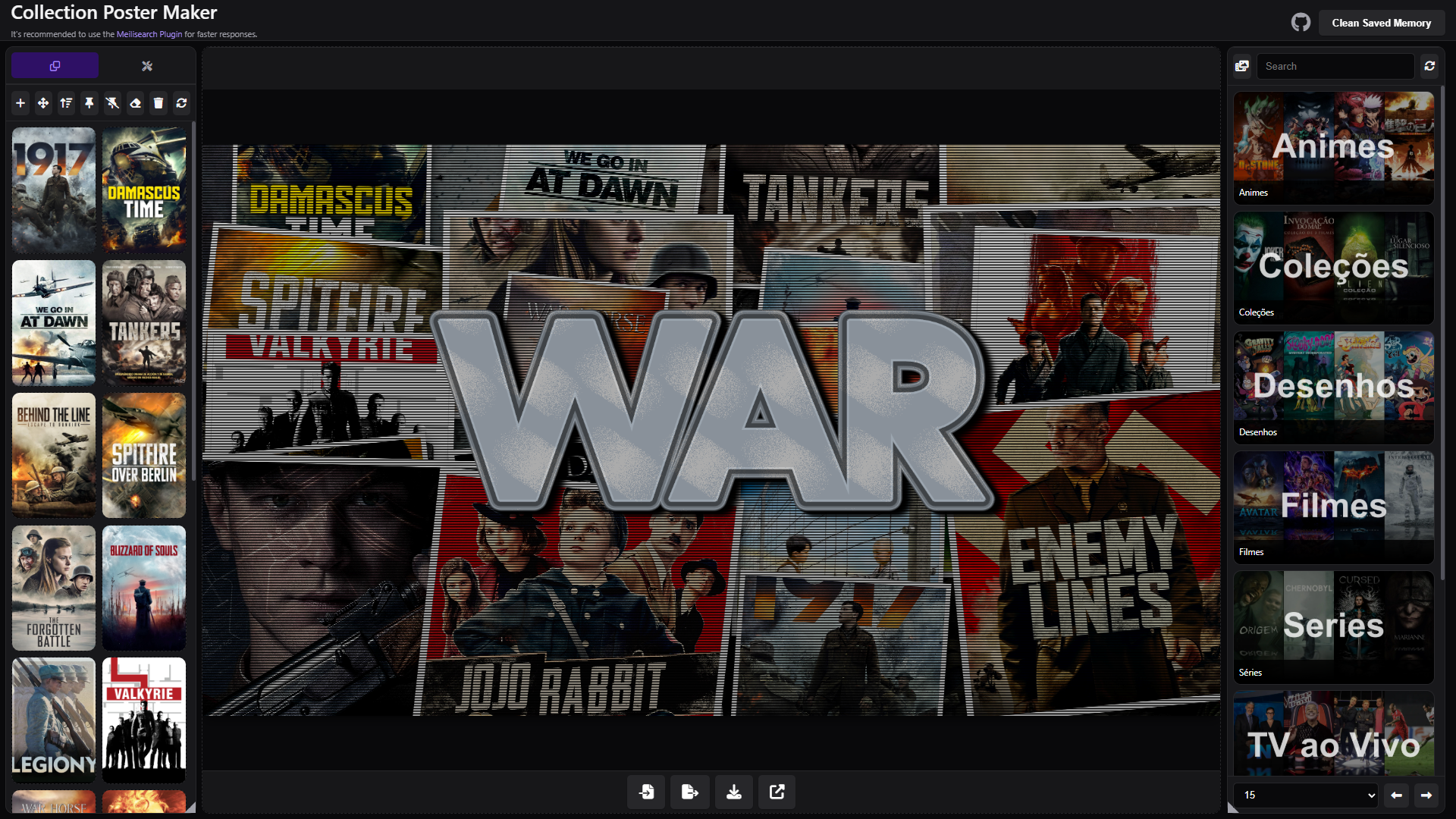
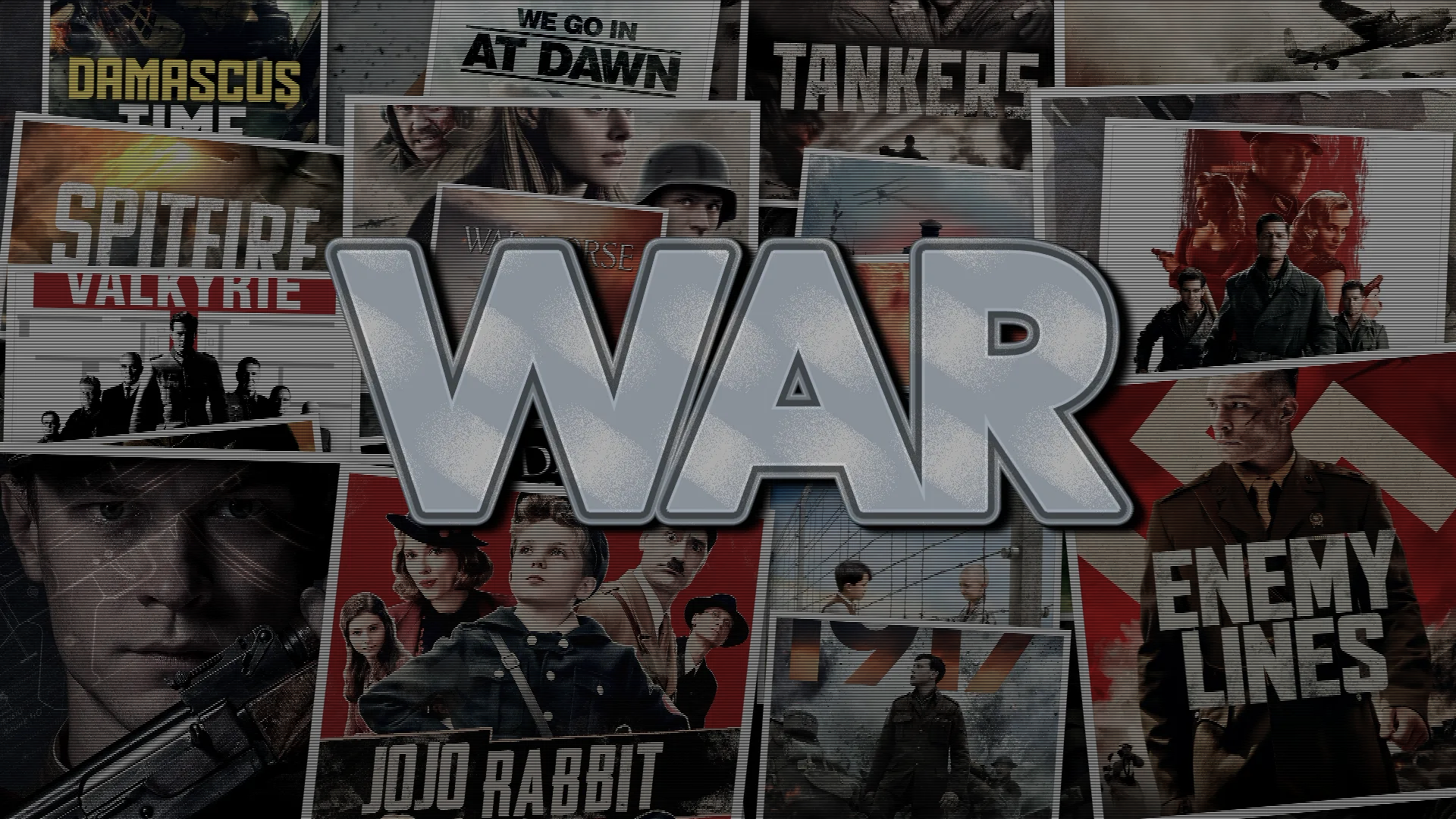
Quick summary: Collage composite tuned with brightness/contrast adjustments and scanlines; heavy stroked headline for a metallic look.
- Canvas / Composite:
collage, formatcover(1920×1080), composite salt3. - Visual & image effects: multiple brightness passes, overlay darkening, saturate ~1.15, contrast ~1.05, scanLines (density 30).
- Text layers: single
WARheadline (Cal Sans bold) with stacked outlines,longShadow, anddistresseffects to reinforce metallic emboss. - Export: PNG. Image slots: 20.
📦 Download project: https://jeffersoncgo.github.io/CoverMaker/gallery/projects/war-metal/war.metal.project.zip
🖼️ Final result image
We'd love to see what you create with CoverMaker! If you design posters or covers you're proud of, please share them with the community.
How to contribute to the gallery:
- Create your design and export the final image (PNG or JPG)
- Export your project as a ZIP file (use the export feature in the app)
- Open an issue or submit a pull request including:
- Your final image file
- Your project ZIP file
- Brief description of your collection (optional)
Your examples will be featured here and help inspire other users!
Create unlimited text layers with professional typography and many built-in text effects. Available text effect types (as used by the app) include:
opacity(Opacity)fade(Fade)gradient(Gradient)neon(Neon)glowEdge/ Projection (Glow Edge / Projection)longShadow(Long Shadow / Shadow)outline(Outline)glitch(Glitch)chromatic(Chromatic Aberration)ripple(Ripple)waves(Waves)pixelMatrix(Pixelate)skew(Skew)flip(Flip)distress(Texture / Distress)melt(Melt / Drip)paintBrush(Smudge / Paint Brush)lightning(Lightning)scanLines(Scanlines)
In addition to these named effects, text layers support common typography controls:
- 800+ Google Fonts available
- Custom font size, weight, and style
- Gradient fills (linear/radial with multiple color stops)
- Opacity control and blend modes
- Multiple strokes and shadows per layer
- Rotation, scale and skew transforms
- Layer visibility and reordering
- Cover (16:9): Wide horizontal format, perfect for collection banners
- Poster (9:16): Vertical format, ideal for movie/series posters
- Square (1:1): Balanced format for social media
- Custom: Define any dimensions (width/height in pixels)
(Other canvas and layout-specific settings — salt, base scale, reflections, spacing, effects — are configurable inside the app UI. See the in‑app controls for exact ranges.)
Create unlimited text layers with professional typography:
Basic Settings:
- 800+ Google Fonts available
- Custom font size, weight, and style
- Solid color or gradient fills (linear/radial with multiple color stops)
- Opacity control (0-1)
- Position (X, Y) and alignment controls (left, center, right / top, middle, bottom)
3D Effects:
- Depth control (0-50 pixels)
- Angle control (0-360°)
- Custom 3D layer color
- Optional shadow projection
Stroke/Outline:
- Width: 0-20+ pixels
- Custom color with opacity (0-1)
- Multiple strokes per layer supported
Shadow Effects:
- Blur radius: 0+ (default 5)
- X and Y offset controls
- Custom shadow color with RGBA support
- Multiple shadows per layer supported
Glow Effects:
- Blur radius control
- Intensity adjustment (0-3)
- Custom glow color
- Perfect for neon/glowing text
Transform Options:
- Rotation (-180° to 180°)
- Scale X and Y independently
- Skew X and Y for perspective effects
Advanced:
- Blend modes (normal, multiply, screen, overlay, etc.)
- Layer visibility toggle
- Layer reordering (drag or up/down buttons)
Core Rendering:
- ✅ OffscreenCanvas rendering for non-blocking UI
- ✅ Several layout algorithms
- ✅ Custom canvas dimensions and aspect ratios
- ✅ PNG and JPEG export with quality control
- ✅ Memoization cache for rendering steps (faster redraws)
Text System:
- ✅ Unlimited independent text layers
- ✅ 800+ Google Fonts with async loading
- ✅ 3D effects with adjustable depth and angle
- ✅ Gradient fills (linear and radial) with multiple color stops
- ✅ Multiple strokes and shadows per layer
- ✅ Glow effects with customizable intensity
- ✅ Transform controls (rotation, scale, skew)
- ✅ Blend modes and opacity control
- ✅ Layer visibility toggle and reordering
Image Management:
- ✅ Unlimited image slots with drag-and-drop reordering
- ✅ Pin protection to lock specific images
- ✅ Random image selection from library
- ✅ Local file upload and clipboard paste support
- ✅ Image caching for faster reloads
- ✅ Several image effects (blur, grayscale, invert, brightness, contrast, saturate, sepia, hue rotate, vignette, overlay gradient, scale/transform, sharpen, reflection, flip, pixelate, scanlines)
- ✅ Image cropping and masking using effects (scale, flip, pixelate, scale/transform)
Jellyfin Integration:
- ✅ Server authentication with fastest-address auto-detection
- ✅ Multiple library support with metadata caching
- ✅ IndexedDB persistent cache for offline access
- ✅ Incremental cache updates (delta sync)
- ✅ Meilisearch plugin auto-detection
- ✅ Advanced search filters (tags, genres, studios) (some filters may be activated/deactivated in-app for faster searches)
- ✅ Pagination with configurable page size
Project Management:
- ✅ Complete project save/load as JSON files
- ✅ Automatic localStorage persistence for settings
- ✅ Session restore on page reload
User Interface:
- ✅ Tabbed interface with responsive design
- ✅ Draggable floating windows
- ✅ Toast notifications
- ✅ Real-time preview updates
- ✅ Collapsible sections
Available Text Effects (in-app names):
opacity(Opacity)fade(Fade)gradient(Gradient)neon(Neon)glowEdge/ Projection (Glow Edge / Projection)longShadow(Long Shadow / Shadow)outline(Outline)glitch(Glitch)chromatic(Chromatic Aberration)ripple(Ripple)waves(Waves)pixelMatrix(Pixelate)skew(Skew)flip(Flip)distress(Texture / Distress)melt(Melt / Drip)paintBrush(Smudge / Paint Brush)lightning(Lightning)scanLines(Scanlines)
Available Image Effects (in-app names):
blur(Blur)grayscale(Grayscale)invert(Invert)brightness(Brightness)contrast(Contrast)saturate(Saturate)sepia(Sepia)hueRotate(Hue Rotate)vignette(Vignette)overlay(Overlay gradient)scale(Scale / Transform)sharpen(Sharpen)reflection(Reflection)flip(Flip horizontal/vertical)pixelate(Pixelate)scanLines(Scanlines)
Core Technologies:
- Pure Vanilla JavaScript (ES6+)
- HTML5 Canvas API with OffscreenCanvas
- CSS3 with Grid and Flexbox
- IndexedDB for data caching
- localStorage for preferences
External Integrations:
- Jellyfin Server API (optional)
- Meilisearch Plugin (optional)
- Google Fonts API
Rendering:
- OffscreenCanvas prevents UI thread blocking
- Incremental redraw pipeline
- Image preprocessing and caching
Data Management:
- IndexedDB stores 50MB+ of library metadata
- Smart delta sync for library updates
- Debounced search prevents redundant API calls
| Browser | Version | Status |
|---|---|---|
| Chrome | 90+ | ✅ Full Support |
| Firefox | 88+ | ✅ Full Support |
| Safari | 14.1+ | ✅ Full Support |
| Edge | 90+ | ✅ Full Support |
| IE 11 | - | ❌ Not Supported |
Required APIs: Canvas, OffscreenCanvas, Fetch, IndexedDB, localStorage
"Cannot connect to Jellyfin server"
- Verify server URL is correct (include port:
http://192.168.1.100:8096) - Check Jellyfin server is online and accessible
- For HTTPS, ensure valid SSL certificate
"CORS or network error"
- Access via online URL or local HTTP server (not
file://protocol)
"Library not loading"
- First login takes 10-30 seconds to cache metadata
- Clear browser cache/IndexedDB and retry
- Check browser console (F12) for errors
"Images not displaying"
- Verify images exist in Jellyfin library
- Try refresh icon on slot
- Check image permissions in Jellyfin
"Canvas not updating"
- Click canvas to trigger manual refresh
"Text not visible"
- Check layer visibility (eye icon)
- Verify opacity is not 0
- Ensure text color contrasts with background
"Downloaded image is blank"
- Ensure at least one image is loaded before exporting
"Export quality is low"
- Adjust quality in Settings → Export Options
"App is slow or laggy"
- Reduce number of text layers
- Use simpler layout modes
- Reduce canvas dimensions
- Close other browser tabs
MIT License - See LICENSE for details
Contributions welcome! Areas of interest:
- Performance optimizations
- UI/UX improvements
- New layout algorithms
- Jellyfin API extensions
- Implementing planned features listed above
📧 GitHub Issues: Report bugs here
Made with ❤️ for Jellyfin enthusiasts