


A tmux plugin for opening urls from browser quickly without mouse.
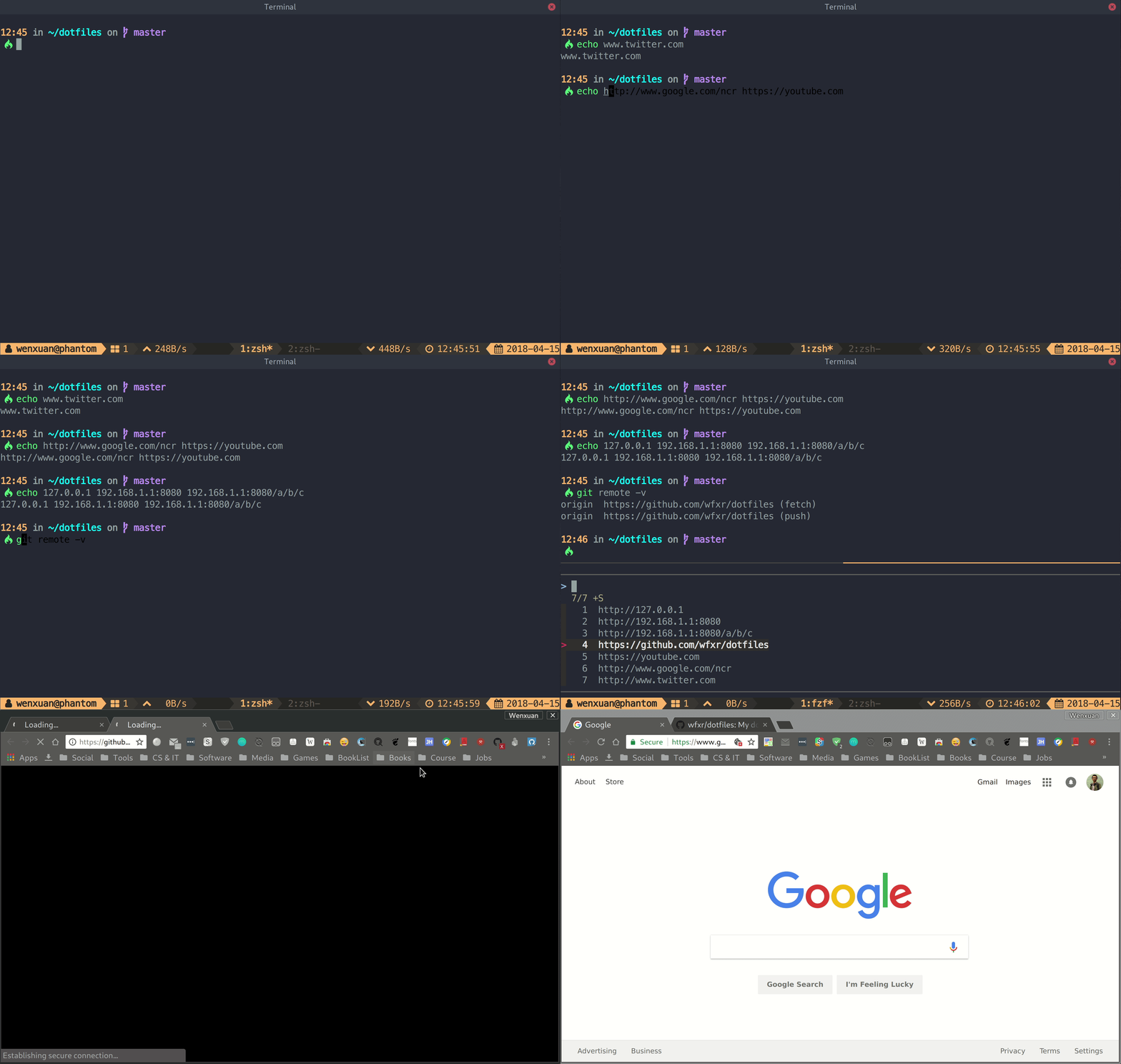
Prerequisites:
Install using TPM
Add this line to your tmux config file, then hit prefix + I:
set -g @plugin 'joshmedeski/tmux-fzf-url'Install manually
Clone this repo somewhere and source fzf-url.tmux at the config file.
The default key-binding is u(of course prefix hit is needed), it can be modified by
setting value to @fzf-url-bind at the tmux config like this:
set -g @fzf-url-bind 'x'You can also extend the capture groups by defining @fzf-url-extra-filter:
# simple example for capturing files like 'abc.txt'
set -g @fzf-url-extra-filter 'grep -oE "\b[a-zA-Z]+\.txt\b"'
The plugin default captures the current screen. You can set history_limit to capture
the scrollback history:
set -g @fzf-url-history-limit '2000'You can use custom fzf options by defining @fzf-url-fzf-options.
# open tmux-fzf-url in a tmux v3.2+ popup
set -g @fzf-url-fzf-options '-w 50% -h 50% --multi -0 --no-preview --no-border'
- You can mark multiple urls and open them at once.
- The tmux theme showed in the screenshot is tmux-power.
MIT (c) Wenxuan Zhang