This is a Unity editor extension that adds web browser-style Back and Forward items to the Edit > Selection menu. These allow you to quickly re-select the game object or asset that you previously had selected.
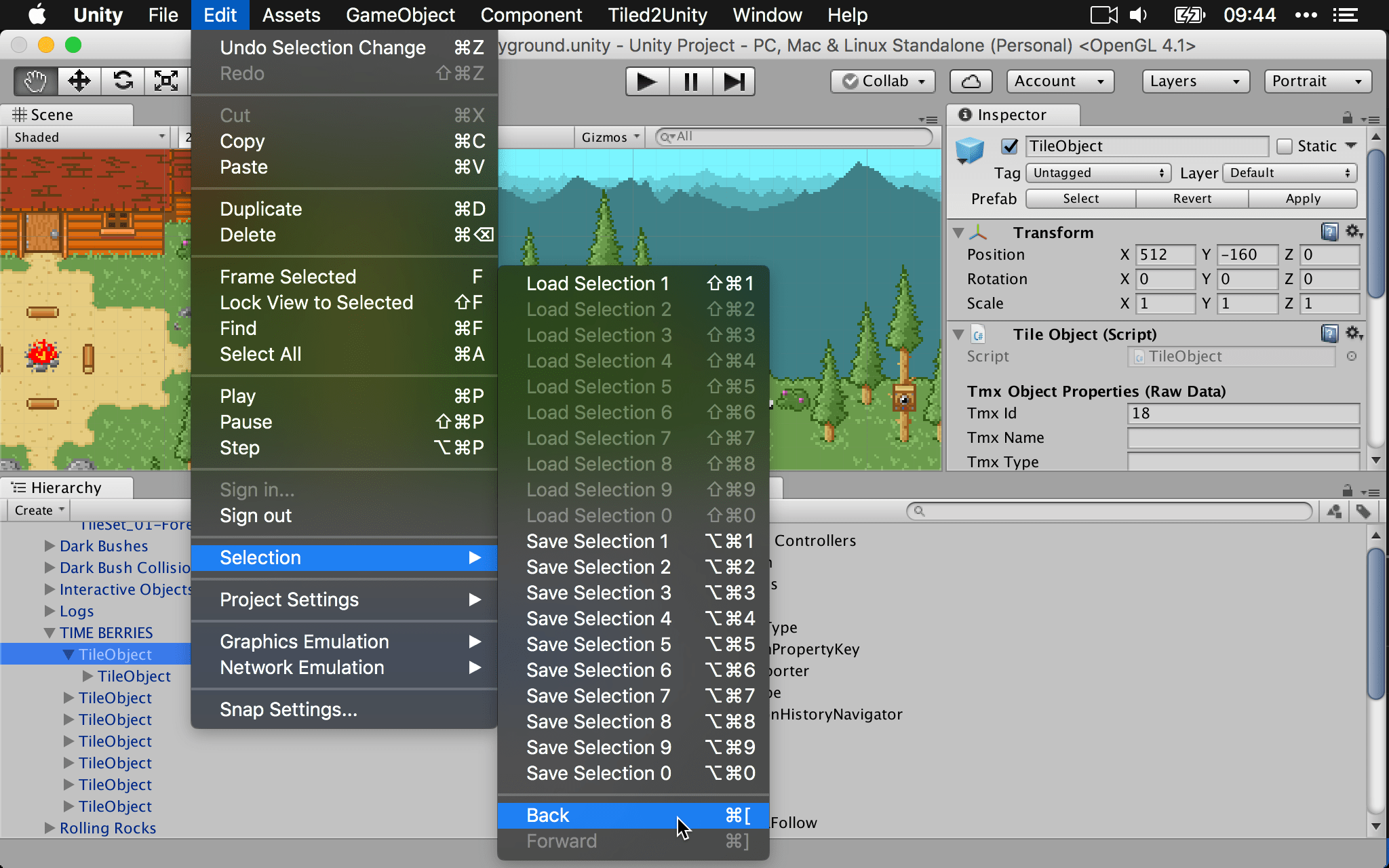
Add the package to your project via UPM using the Git URL:
https://github.com/mminer/selection-history-navigator.git
- Open the Package Manager window in Unity (Window > Package Manager)
- Click the "+" button in the top-left corner
- Select "Install package from git URL..."
- Enter the above Git URL
- Click "Install"
Alternatively, add the following line to your Packages/manifest.json file:
{
  "dependencies": {
    "com.matthewminer.selection-history-navigator": "https://github.com/mminer/selection-history-navigator.git",
    ...
  }
}
You can also clone the repository and point UPM to your local copy.
After clicking on a few game objects or assets, press command [ (macOS) or ctrl [ (Windows) to return to the previous selection.
After navigating backward, you can also navigate forward with command ] (macOS) or ctrl ] (Windows).