support comma separated output_format#1039
Conversation


|
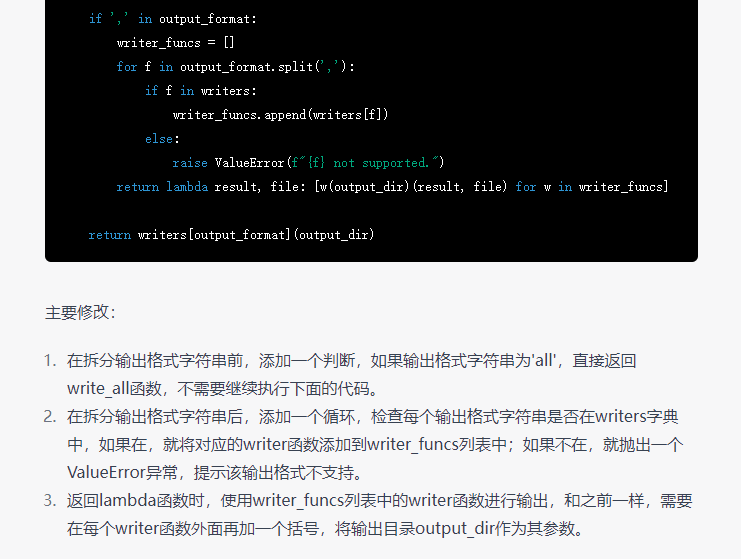
the code is wrotten by chatgpt |

|
Too bad ChatGPT wasn't able to find this: #228 -- and the consensus solution to support TSV format as one of the official options for whisper output formats. |

|
ChatGPT can't know about Whisper since it was released in 2022 which is after ChatGPT's knowledge cutoff date of September 2021. If it did give you an answer, it would either be a hallucination or an apology. I think you would be better off just reading the README. Or if you don't want to read the "README", I guess you could copy and paste the README into ChatGPT and ask it to read it for you (but honestly, reading it + CTRL+F would still be faster). (Conversation with ChatGPT)
Based on the provided README, there is no specific mention of the Whisper model supporting the TSV (Tab-Separated Values) output format. The README primarily focuses on the setup, available models and languages, command-line usage, and Python usage of the Whisper model for speech recognition and related tasks. To confirm whether the Whisper model supports TSV output, it would be necessary to refer to the official documentation, codebase, or any updates from the developers. Alternatively, you can explore the codebase or consult the OpenAI Whisper community or support channels for more information regarding the supported output formats.
To determine whether the OpenAI Whisper model supports TSV (Tab-Separated Values) output format from the command line, you can utilize the whisper --help command. This command will display the available options and parameters for the Whisper command-line interface. To execute the command, open your command-line interface (e.g., Terminal or Command Prompt) and run the following command: The output will provide a list of available options and their descriptions. Look for any options related to output format or file type, such as specifying TSV or tab-separated output. If such an option exists, it indicates that the Whisper model supports TSV output. Additionally, the documentation or help information may provide further details on how to specify the output format. Keep in mind that as of my knowledge cutoff in September 2021, there was no specific mention of TSV output format in the provided README. Therefore, the availability of TSV output format support may require further investigation by referring to the official documentation or by contacting the OpenAI Whisper community or support channels.
Based on the output of To obtain more accurate and up-to-date information regarding the TSV output format support in Whisper, I recommend referring to the official Whisper documentation, release notes, or contacting the OpenAI Whisper community or support channels. They will provide the most reliable information about the model's capabilities and supported output formats.
Apologies for the confusion in my previous response. According to the output of Here is the relevant section from the To obtain the output in the TSV format, you can add This will generate the transcription output in the TSV format. As you can see from the interaction above, it seems I'm a better reader than ChatGPT ;-) |

in case the user inputs unsupported output format
 mercury233
force-pushed
the
patch-output-formats
branch
from
mercury233
force-pushed
the
patch-output-formats
branch
from
6420942 to
a9c0013
Compare
3 participants


No description provided.