There doesn't appear to be a way to control the way custom symbol filter rules are displayed in the outline.
Ex:
using this config:
        {
            "pattern": "build*.xml",
            "expressions" :[
                {
                    "xpath": "//target/@name"
                },
                {
                    "xpath": "//text()"
                }
            ]
        }
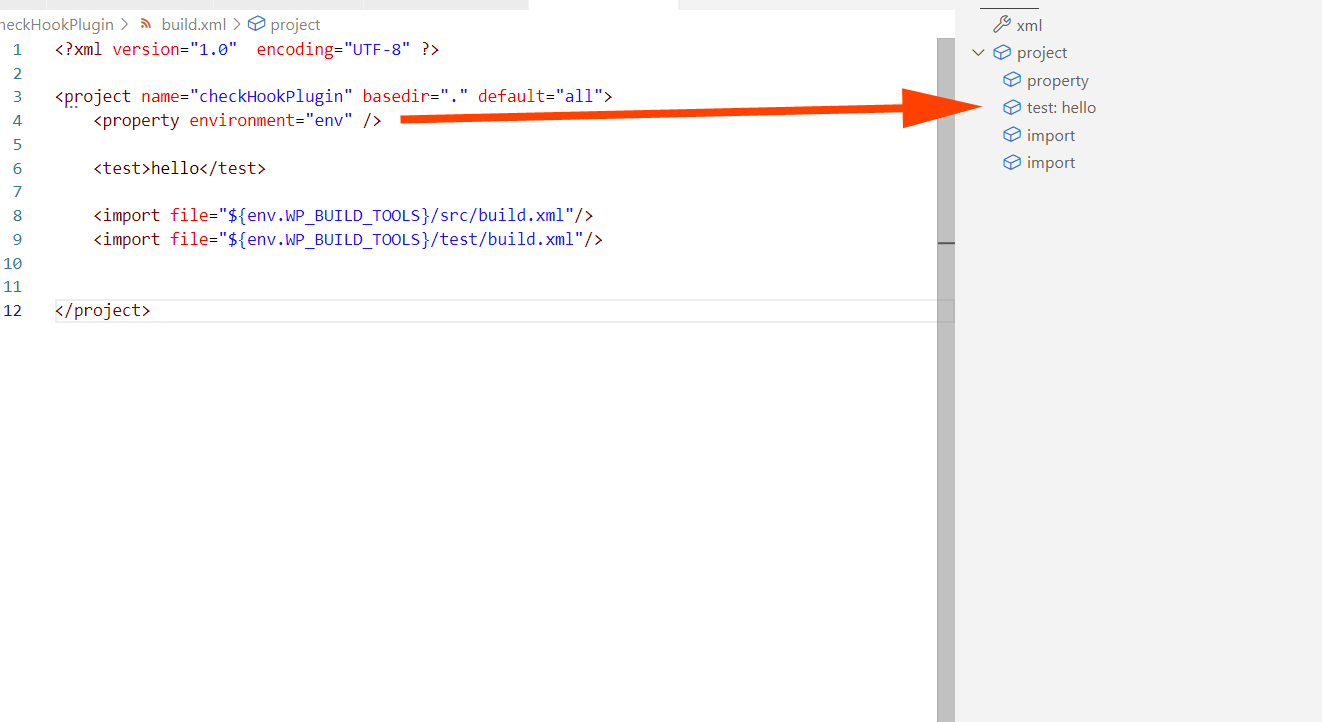
If I have a symbol filter for text, it is shown next to the element in the outline:
If I have a symbol filter for an attribute, it is shown as a child element in the outline:
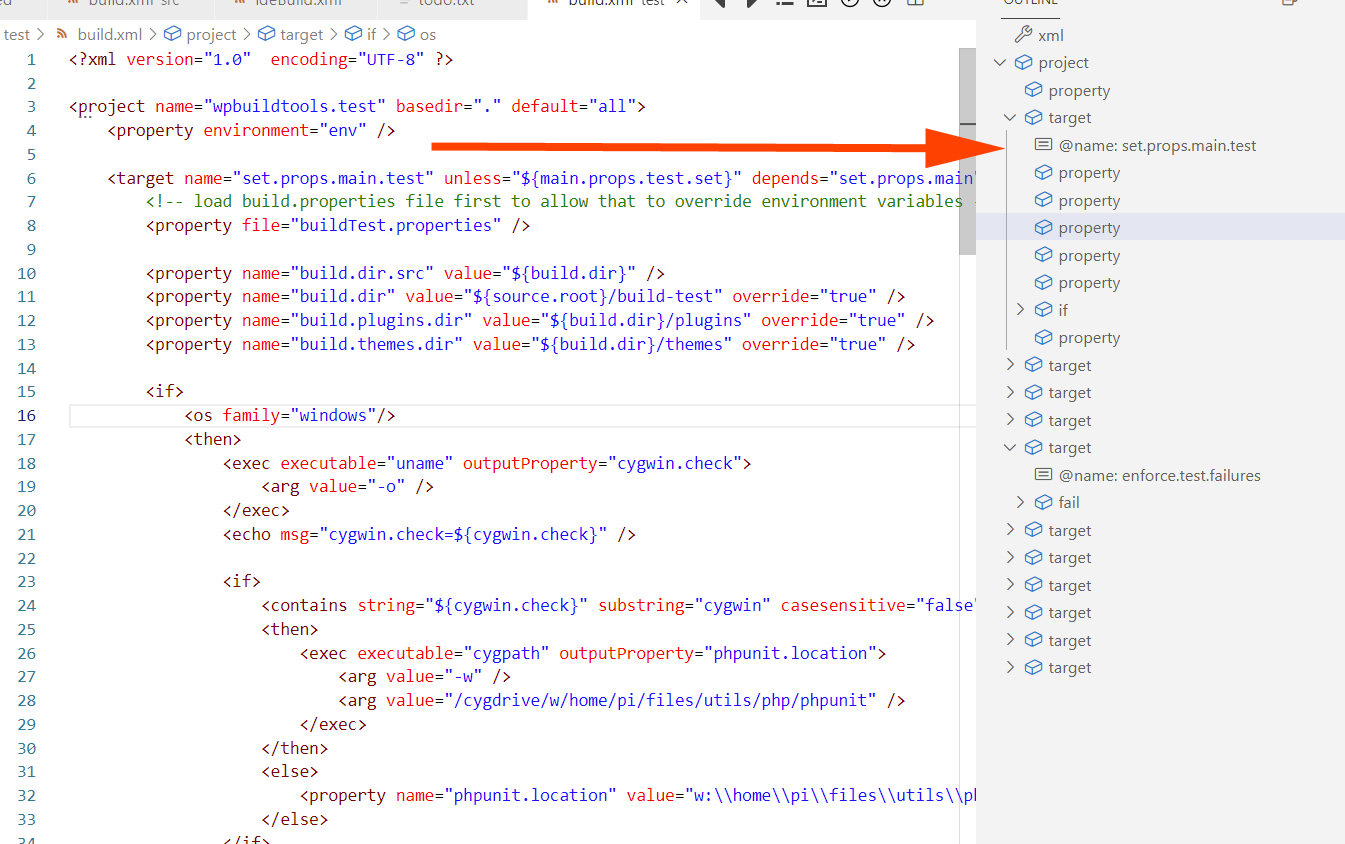
For an extension that has great customizability, this seems like a missing customization point. I would love the ability to move the attribute in the outline to the same line as the xml element.

There doesn't appear to be a way to control the way custom symbol filter rules are displayed in the outline.
Ex:
using this config:
{ "pattern": "build*.xml", "expressions" :[ { "xpath": "//target/@name" }, { "xpath": "//text()" } ] }If I have a symbol filter for text, it is shown next to the element in the outline:
If I have a symbol filter for an attribute, it is shown as a child element in the outline:
For an extension that has great customizability, this seems like a missing customization point. I would love the ability to move the attribute in the outline to the same line as the xml element.