English | 简体中文







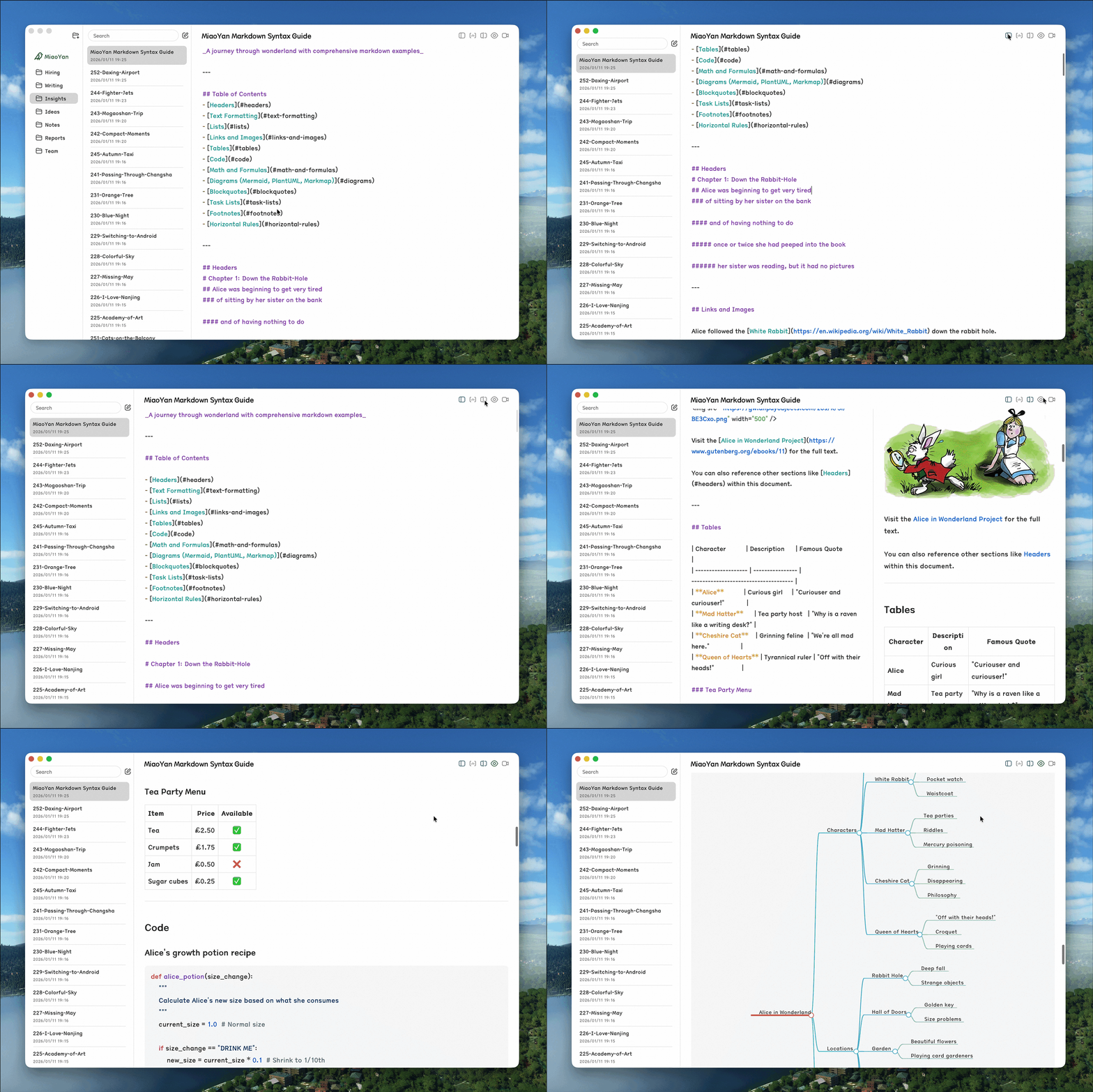
- Fantastic: Local-first, no data collection, split editor & preview, LaTeX, Mermaid
- Beautiful: Minimalist design, three-column layout, dark mode, distraction-free
- Fast: Swift 6 native, better performance than Electron-based apps
- Simple: Lightweight, keyboard shortcuts, auto-formatting
-
Download from the Mac App Store. Future updates will be continuously published there, warmly welcome! If you'd like to support me, a paid download on the App Store is a great way to do so. The open-source version offers the same experience.
-
Or install by Homebrew:

brew install --cask miaoyan- Or install manually: download the latest DMG package from GitHub Releases (Requires macOS 11.5+)
- Open DMG and drag MiaoYan.app to Applications
- First Launch: Double-click MiaoYan.app to launch directly — the app is now notarized by Apple ✓
- Create a
MiaoYanfolder in iCloud Drive or your preferred location - Open MiaoYan Preferences and set the storage location to this folder
- Click the "New Folder" icon in the top-left corner to create document categories and start writing
After installation, we recommend exploring Preferences (⌘,) to discover MiaoYan's rich customization options, including edit modes, themes, fonts, and more to create your perfect writing environment.
MiaoYan provides a command-line interface for quick note operations.
# Install
curl -fsSL https://raw.githubusercontent.com/tw93/MiaoYan/main/scripts/install.sh | bash

# Usage
miao open <title|path>    # Open note
miao new <title> [text]   # Create new note
miao search <query>       # Search notes in terminal
miao list [folder]        # List top-level folders, or markdown in folder
miao cat <title|path>     # Print note content
miao update # Update CLIEdit and preview side by side with real-time preview and 60fps bidirectional scroll sync.
Quick Toggle: Press ⌘\ to instantly toggle split view mode, or enable it in Preferences → Interface → Edit Mode → Split Mode.
Why not WYSIWYG like Typora? We prioritize pure Markdown editing experience, and implementing WYSIWYG in native Swift is overly complex with reliability concerns. Split mode maintains clean editing while providing instant visual feedback.

- Markdown Syntax Guide - Complete syntax reference with advanced features
- PPT Presentation Mode - Guide to creating presentations with
---slide separators
- If MiaoYan helped you, share it with friends or give it a star.
- Got ideas or bugs? Open an issue or PR, feel free to contribute your best AI model.
- I have two cats, TangYuan and Coke. If you think MiaoYan delights your life, you can feed them canned food 🥩.
- glushchenko/fsnotes - Initial project structure reference
- stackotter/swift-cmark-gfm - Swift Markdown parser
- simonbs/Prettier - Markdown formatting utilities
- raspu/Highlightr - Syntax highlighting
- TsangerType - TsangerJinKai font (default font)
- hakimel/reveal.js - PPT presentation framework
- Vercel - Static hosting for miaoyan.app

MIT License - Feel free to use and contribute.