Steps to reproduce:
- Go to Settings > Accessibility > TalkBack > "Use service" or use the Volume key shortcut.
- In the WordPress app, go to My Site > Media.
- Open the global context menu by swiping down then right and double tap "Read from top".
Result: (1m8s)
- On the main media grid, the instruction read aloud for a thumbnail says "double tap to activate, double tap and hold to long-press" but double tapping and holding to long-press does nothing.
- The first focusable item on screen is read as "space".
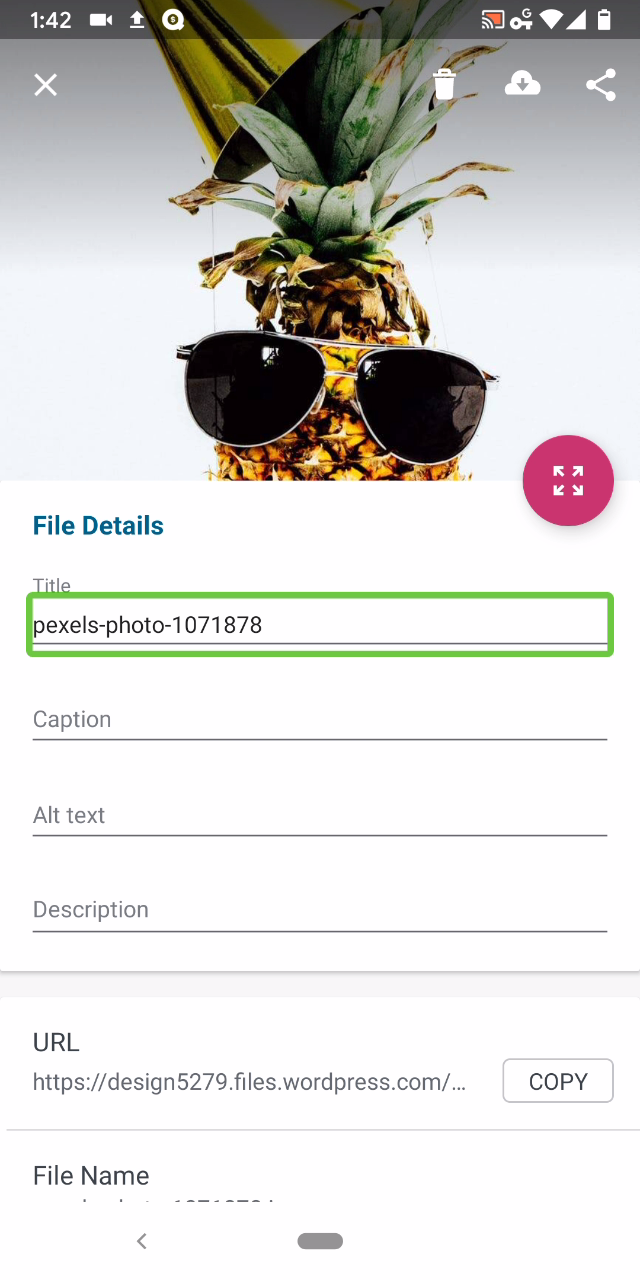
- Field titles under File Details are not read aloud if they contain content.
- "Copy" button under URL is not labeled as a button.
Tested with WPAndroid 13.8-rc-1 on Pixel 3 Android 10.
/hat tip @mchowning for the report, internal reference: p77Llu-c0a-p2

Steps to reproduce:
Result: (1m8s)

Tested with WPAndroid 13.8-rc-1 on Pixel 3 Android 10./hat tip @mchowning for the report, internal reference: p77Llu-c0a-p2