Steps to reproduce:
- Go to Settings > Accessibility > TalkBack > "Use service" or use the Volume key shortcut.
- In the WordPress app, go to My Sites > Settings > More.
- Swipe right to find the "Learn More" element.
Result: (48s)
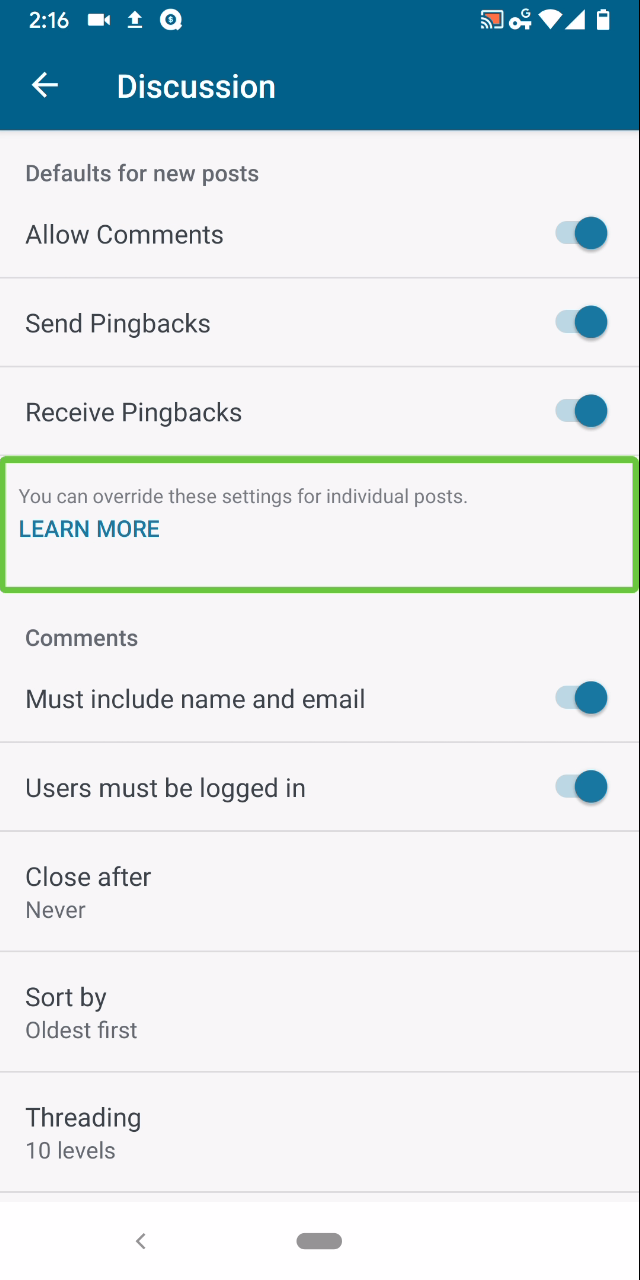
This part of the Settings – More screen contains two elements that are focusable for TalkBack: (1) the text field, and (2) the learn more button. TalkBack reads the text of the first element (“You can…”) and finishes with “double tap to activate, double tap and hold to long press.” Double-tapping does nothing, however. Double tapping and holding opens a popup dialog. If the learn more button is focused, double tapping opens the same dialog. This could be improved by combining these two focusable elements into a single focusable element that opens the relevant dialog if activated.
Tested with WPAndroid 13.8-rc-1 on Pixel 3 Android 10.
/hat tip @mchowning for the report, internal reference: p77Llu-c0a-p2

Steps to reproduce:
Result: (48s)

Tested with WPAndroid 13.8-rc-1 on Pixel 3 Android 10./hat tip @mchowning for the report, internal reference: p77Llu-c0a-p2