AWS megatests outputs page#514
Conversation


add releases hashes to $releases array


|
Absolutely love it 🚀 For dev, could maybe show a list of unrecognised commits? Or even just query the GitHub API to find the commit for the latest dev? Not sure what would be best. Rendering HTML / txt files etc would definitely be nice. May be tricky as I guess they are downloading due to the header that is being set from amazon though. Not sure how we can change / bypass that? Minor stuff:
|

|
Also, I have a feeling that in some cases files are being shown even when they should be hidden within a folder? eg. digging around various There are also a crap-tonne of browser console logs (expected if still dev code I guess), plus a loading spinner would be quite nice when it's having a proper thing about stuff 👀 Still totally love how well this works - is pretty much exactly what I was hoping for 😍 |

|
Added a couple of very minor tweaks just so that I can take some screengrabs for a talk 😉 |

|
Great work, the viewer looks amazing! 😍 🚀 I just have some minor things that I saw when testing it with the dark website mode:
It might be nice to have the possibility of downloading the whole results folder in addition to individual files, if that is possible. Alright, now just the example outputs need to be in the bucket! I'll try to go over the most recent releases of the pipelines and execute the runs in AWS with the release commit so that at least the "small" tests results are there as a showcase. |


 ewels
left a comment
ewels
left a comment
ewels
left a comment
There was a problem hiding this comment.
Just had another look at this and I absolutely love it 😍 The new file icons are an absolute winner..
The one thing I find a bit unintuitive still is that clicking a file opens it in a new tab to download. I expect it to open folders, but the download surprises me every time.
What do you think about a file click opening the preview box underneath for everything? Then we could remove the "Preview file" buttons and just have the box preview if it meets criteria. If it doesn't, we can get the preview box to say "Binary file, 20kb. Click here to download" or whatever. I'm thinking kind of like how GitHub does it:
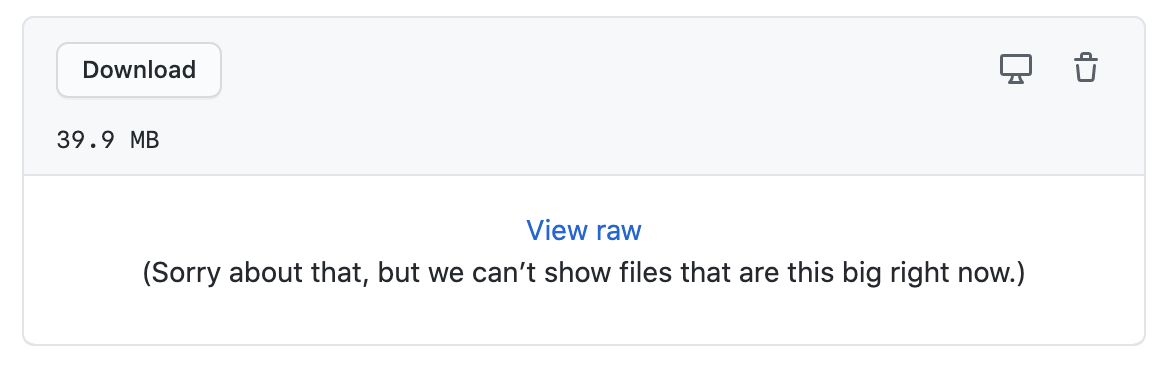
This then requires two clicks to download the file, which I think is appropriate given that some of the files are huge and that most people won't actually want to download files most of the time.

Co-authored-by: Phil Ewels <phil.ewels@scilifelab.se>
…to add-aws-results-page
…ible/big files, remove unused code

|
After testing it, I am not so sure about the "Open in new tab" button, because it directly starts a download for html and image files (on firefox) when clicking on it and only opens text files in a new tab. I couldn't figure out the URL to download a whole directory, so I just added a copy button for the s3 url of it (the button label "Copy Bucket S3 URL" needs some rephrasing I think 🙂) |
…-aws-results-page

# Conflicts:
#	includes/pipeline_page/_index.php
 ewels
changed the title
ewels
changed the title
|
Ok nice - yes I agree, switch the text for the new tab button for a download button (as that's what it does most of the time) and remove the download button from the table 👍🏻 Can we also add some additional checks to prevent previewing the file in the browser in some cases? eg. very large files and certain file extensions ( Checked with Only other request that I can think of is making the fontawesome file icon part of the link. I keep clicking on them and nothing happens 😉 |
|
Just poking a bit and seems to be using |
|
I used |
fix iframe src setting, remove file download buttons, add icons into link, fix xml preview.
|
Right, gotcha - yes and it works beautifully to get around the HTML headers. So we're stuck between a rock and a hard place - either download some HTML files or break the rendering of others. I can see the difference between these two HTML files in their metadata on s3:
@pditommaso - do you have any idea why files with the same filetype would be uploaded to s3 by Nextflow with different As the in-browser rendering is working great for all other filetypes, we could simply have a cron-job that loops over all HTML files in the s3 bucket and fixes the content-type headers. Then we can use regular iframes and have the reports load properly. What do you think @mashehu? |
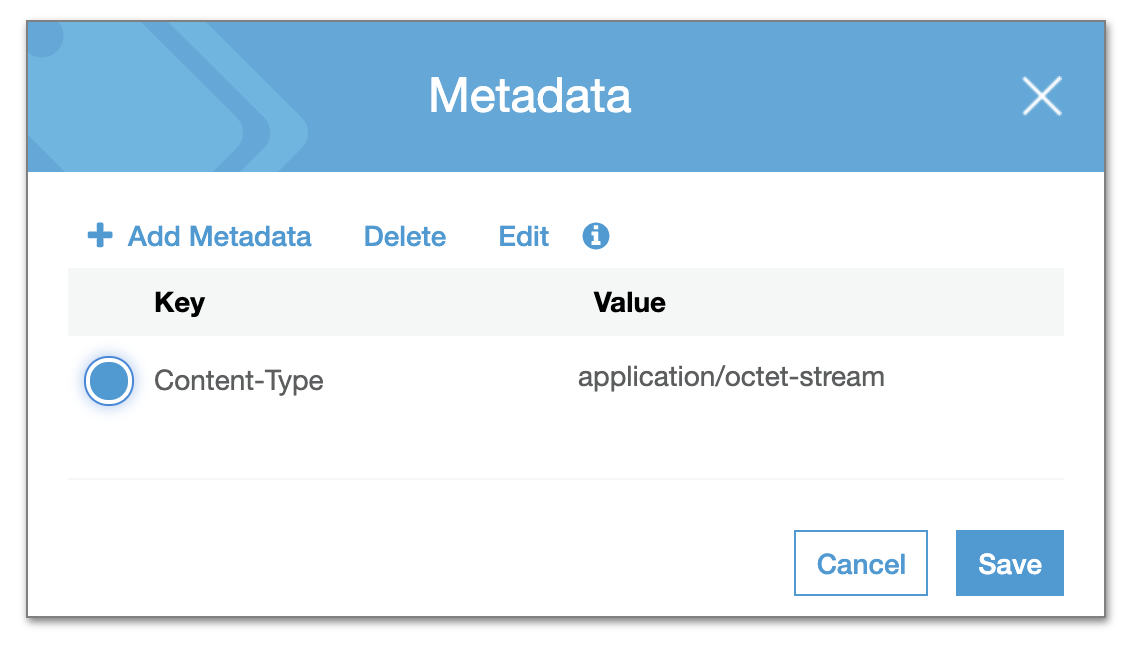
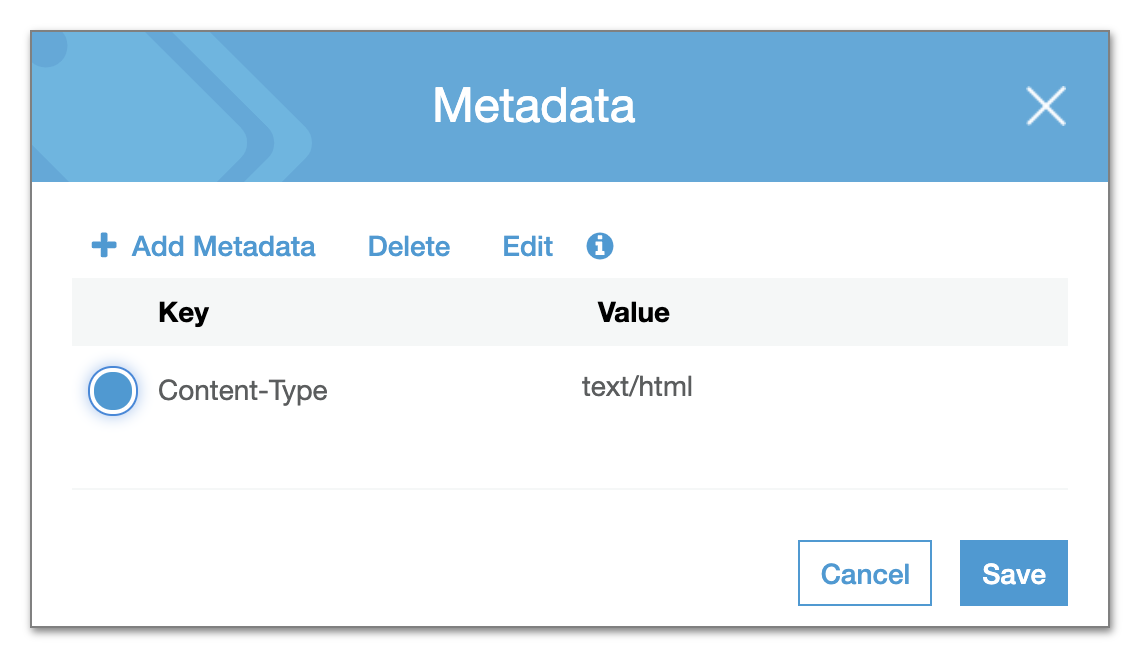
|
Confirmed - if you edit the content-header to |
|
Yes, I think the majority should load fine by using I was playing around on how to do the handle the I fixed the URL based rendering, so now we can deep link into a specific AWS directory, e.g. http://localhost:8888/mhcquant/example_output#sarek/results-bce378e09de25bb26c388b917f93f84806d3ba27/Reports/1234N_1234N_M1/bamQC/1234N_1234N_M1/ Oh and the xml file rendering works now as well (the large xml files killed your browser because it was trying to render it as an html file 🙄 ). |
|
The other thing that we could do to avoid messing around with AWS content headers is to tunnel HTML files through a PHP script on the server. I've done this in other cases to strip annoying Basically, just have a PHP file with the following: <?php
header("Content-type: text/html; charset=utf-8");
echo file_get_contents($_GET['url']);Then load that in the iframe instead. Might be easier than messing around with cron jobs and AWS authentication etc. |

Because NF is not aware of support for MIME provided by S3 |
The problem with this solution is that we generate the iframe dynamically with javascript, so I am not sure how to do this then... |
So I guess there is some kind of AWS magic somewhere that is setting these automatically? They are there and they vary across different HTML files, so something is doing it 🤔
Just set the
Can start being more clever with nicer URLs and url / file extension / file size validation etc, but that's the core concept. Should work fine with the iframe with dynamic content I think. |
|
I think we reach the limits of my PHP-skills here. 🙂 |
|
Ok I had a quick play with the redirection thing and whilst it works (headers are stripped and the files display in the browser properly), the web pages with relative links still break in the same way as they do with the iframe |
|
@mashehu - are you happy to revert the changes back to |
ewels
left a comment
ewels
left a comment
There was a problem hiding this comment.
Just a couple of comments left which I think can be deleted, but then LGTM for merge - amazing work 🙌🏻
Ongoing discussing on Slack #aws-megatests about fixing the content-type headers for all HTML files, so may revisit this in the future if we can get that to work. But I'd rather merge this now as it is basically working and come back to that if anything happens.
|
Hah, found my first bug as soon as I merged:
Shows a toast saying it worked, but nothing changed in my clipboard.. |

|
Other copy buttons for specific files are working.. |

|
It also doesn't seem to show anything for e.g. atacseq, eager, ... |
|
@apeltzer, unfortunately the problem of the container not being built before the release AWS test is triggered is persisting and did not find a good solution for that. However, I've manually re-triggered the workflow again for the latest release commit of the most recently released pipelines (until two months ago). The tests were triggered again for these. In the case of
I've triggered with Tower |
|
Hi @ewels @mashehu, I'll look into triggering a Lambda function now on all the This is one example of Is it this line? And exactly which tag? |
|
Some have a content-type |
|
Hi, sorry I still don't get exactly the issue. For me, the |
|
Ah gotcha, it triggers a download in a new window |
|
Unfortunately after reading about it, it does not seem to be so straight-forward: Each Amazon S3 object has data, a key, and metadata. The object key (or key name) uniquely identifies the object in a bucket. Object metadata is a set of name-value pairs. You can set object metadata at the time you upload it. After you upload the object, you cannot modify object metadata. The only way to modify object metadata is to make a copy of the object and set the metadata. |
5 participants


Basically copy-pasted from aws-js-s3-explorer. Files are currently downloaded when clicking their name in the table and not yet rendered on page, as was suggested.
I am actually not 100% sure, how to handle that. Should we basically have a download for non-html files and html files will be rendered on that page (with the file table above or below)?
We also need to figure out a way to handle the dev branch, since it doesn't appear in
pipeline.jsonyet, so we don't have the commit-hash for it (which is needed for the path in the aws bucket). Similarly, for versions without a aws results, the "example output" tab should be hidden.Closes #435.